Is your WhatsApp using more storage than needed? Well, this could be due to forwarded messages or the old media that you have shared long ago, but are no longer needed. In this article, we will share with you some simple steps that you can take to free up storage on WhatsApp for data that actually matters.
How to manage storage on WhatsApp?
Check the real storage usage on WhatsApp
- Open WhatsApp
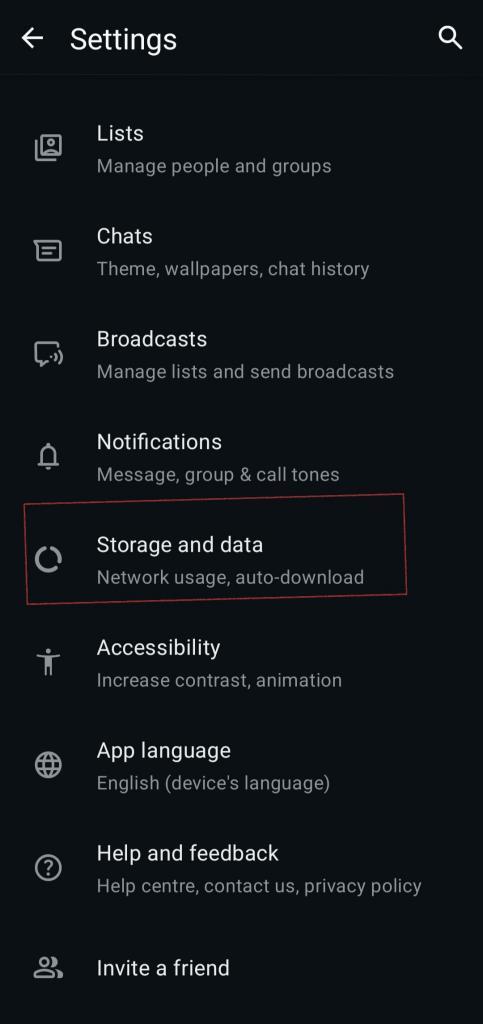
- Go to Settings
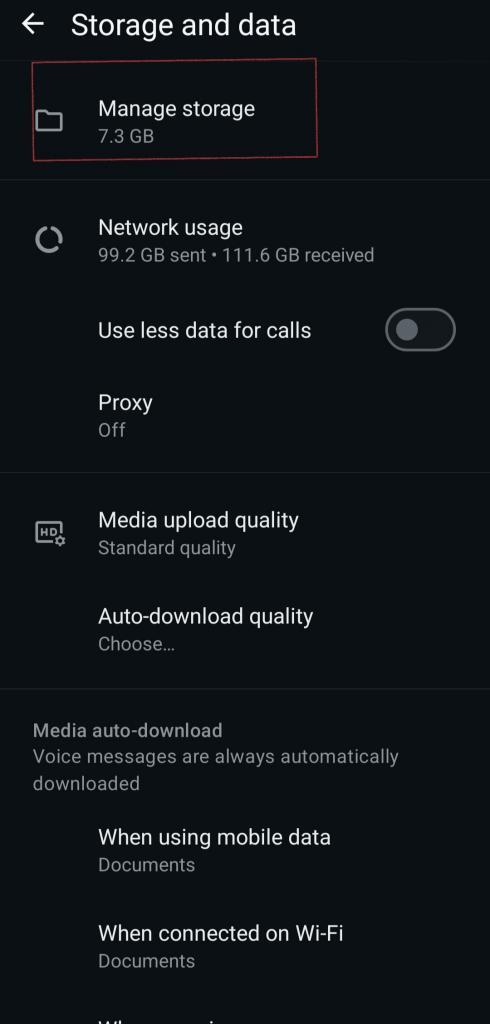
- Tap on Storage and Data
- Click on Manage Storage
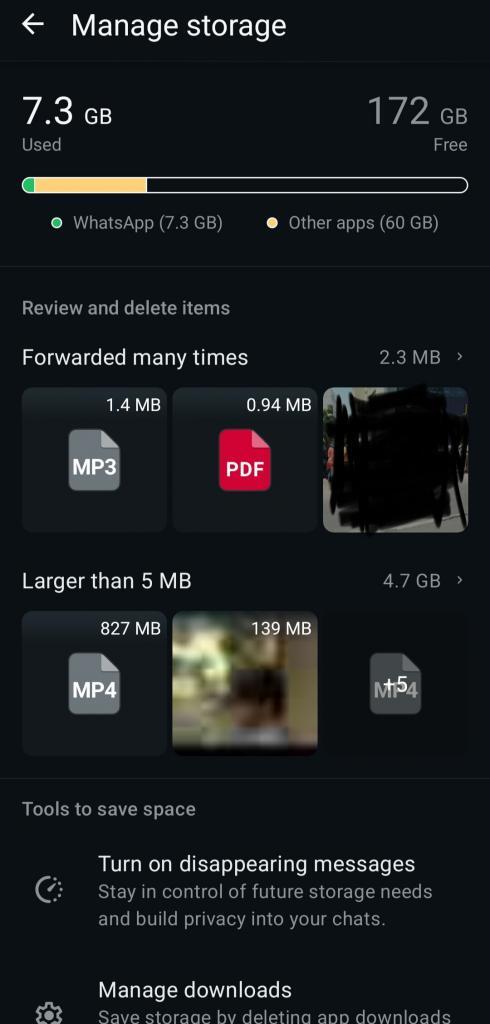
You will see the total space WhatsApp is using, and your chats are sorted by size. From there, you can tap the biggest chats, select multiple items (old videos, memes, forwarded media, voice notes), and then tap on Delete.
Stop auto-downloading every photo and video
- Go to Settings
- Tap on Storage and Data
- Go to Media auto-download
From there, you can adjust settings like-
- When using mobile data: No media
- When connected to Wi-Fi: Choose only what you really need
- When roaming: No media
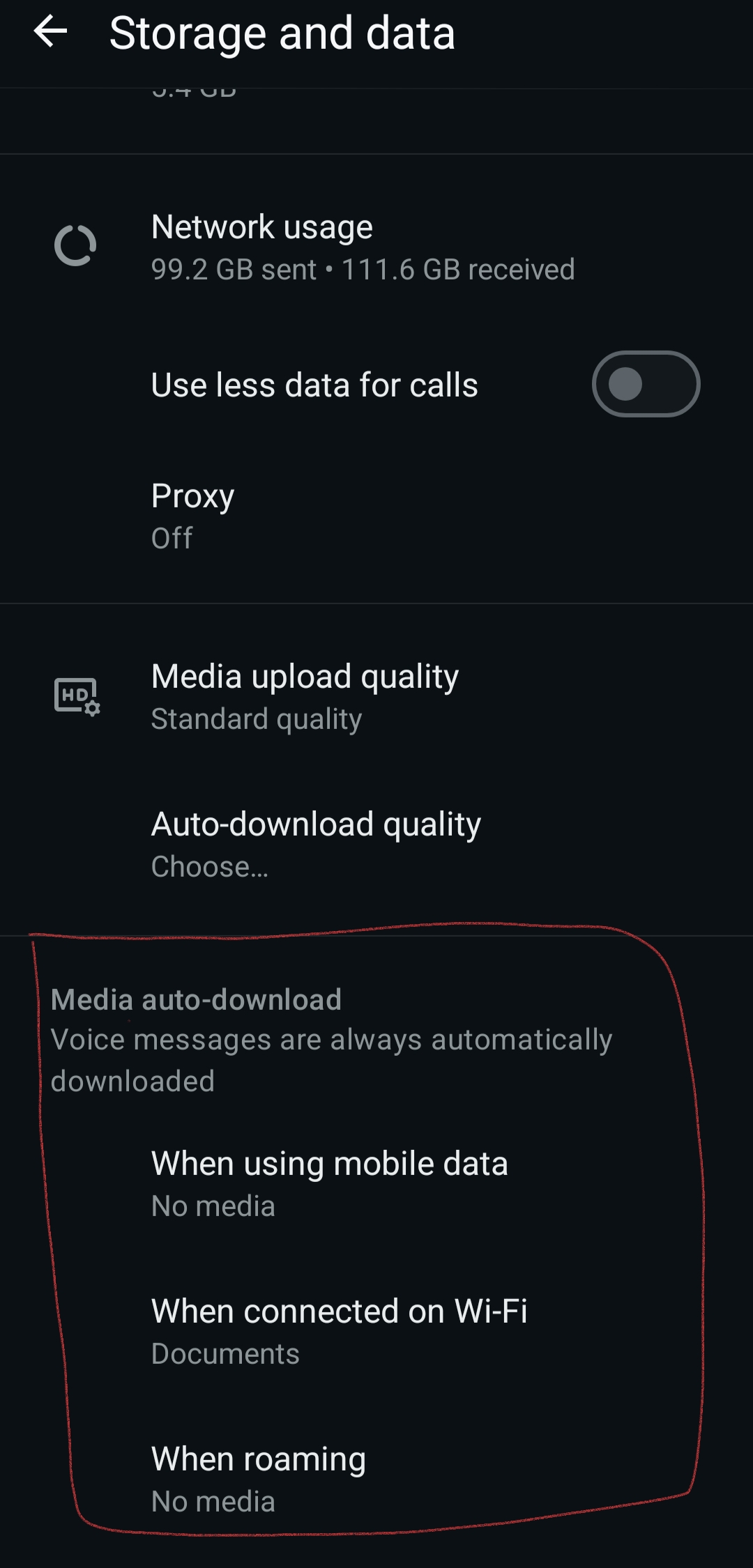
Doing this, you can now manually select which media file you want to download.
Clear forwarded messages from groups
Sometimes, family/friends/work groups can be really frustrating with all the forwarded messages. To clear these messages:
- Go to Manage storage
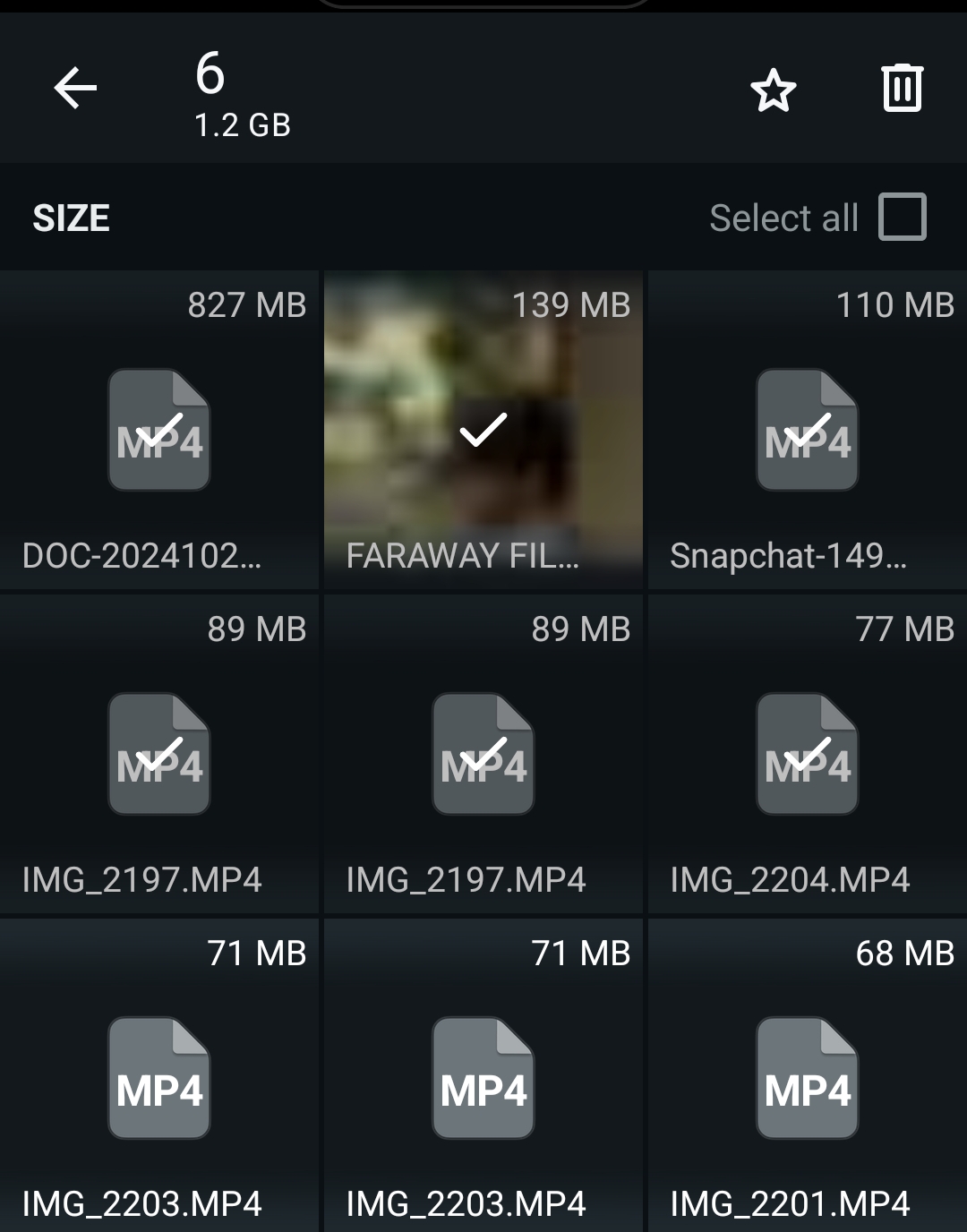
- In Chats, tap a big group chat
- Filter by Videos or photos
- Select all and then delete
Auto-clean chats with disappearing messages
The Disappearing messages feature helps you declutter group or casual chats/
- Open Chat
- Tap the name of the group or contact
- Tap on the three dots and click on Disappearing messages
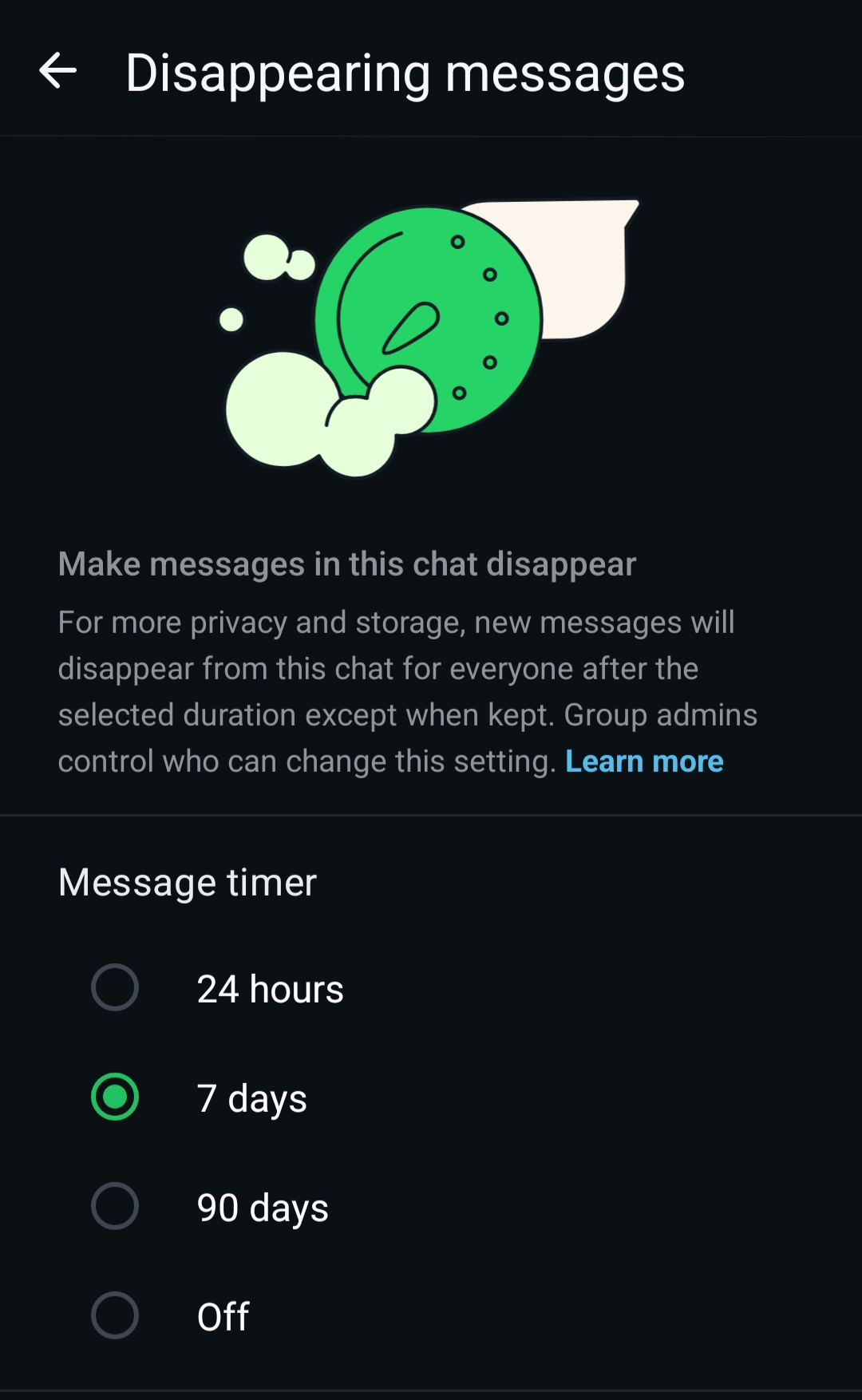
You can now set the message timer for 24 hours/ 7 days/ 90 days, and new messages will auto-delete after that time.
Clean WhatsApp backups
On Android (Google Drive)
- Open the Google Drive app
- Go to Menu
- Click on Backup
- Find WhatsApp backup and then check the size
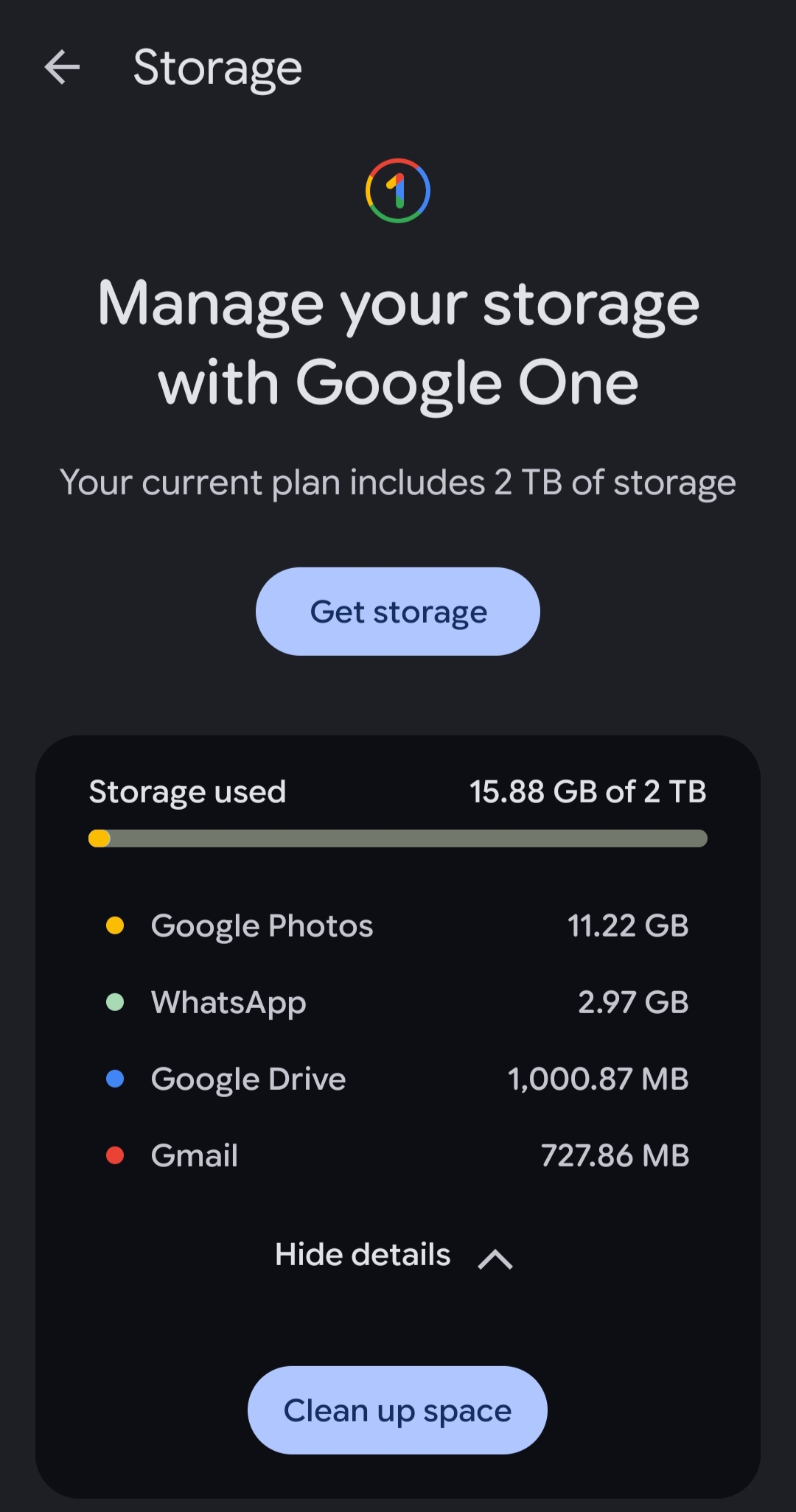
If the size is huge, turn off video backup in WhatsApp (Settings> Chats> Chat Backup)
On iPhone (iCloud)
- Go to Settings
- [Your name]> iCloud
- Click on Manage Storage
- Tap on WhatsApp
Check how much storage WhatsApp is using and adjust backup options in WhatsApp.