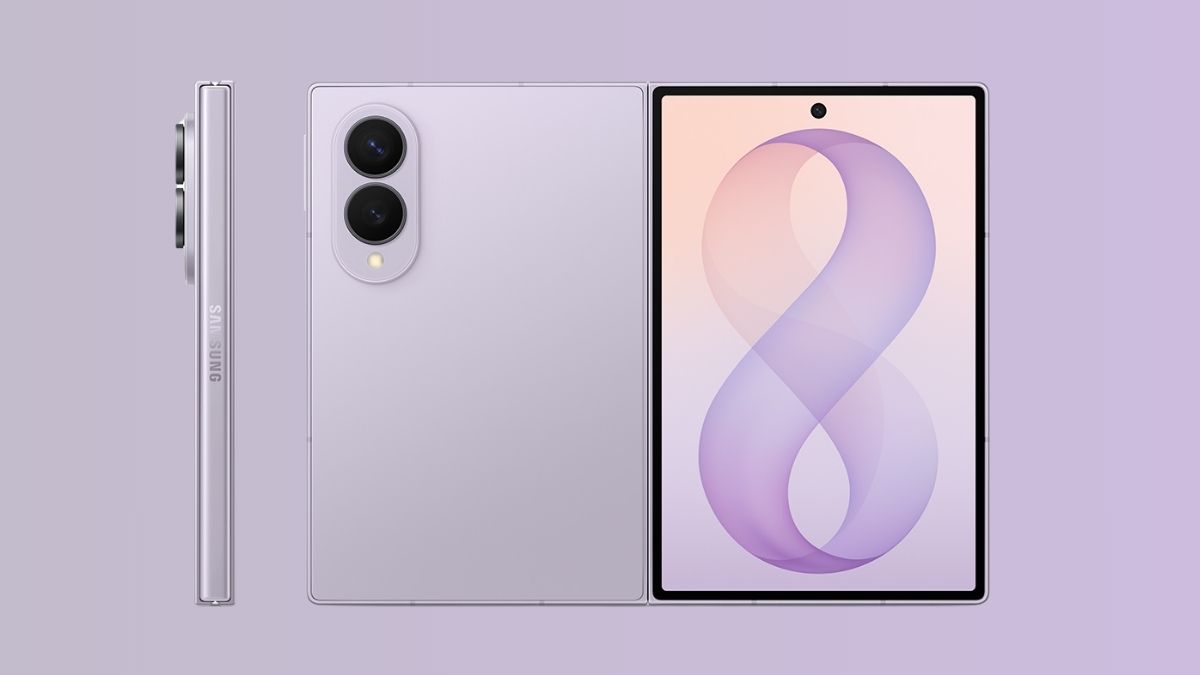
A new One UI 9 feature has now been revealed online for Samsung’s latest Galaxy Z Fold 8 smartphone. The feature allows users to select a separate screen zoom level for individual applications instead of applying the same zoom setting across the complete device.
Read more about the update below.
Samsung Galaxy Z Fold 8 – App Screen Zoom Feature
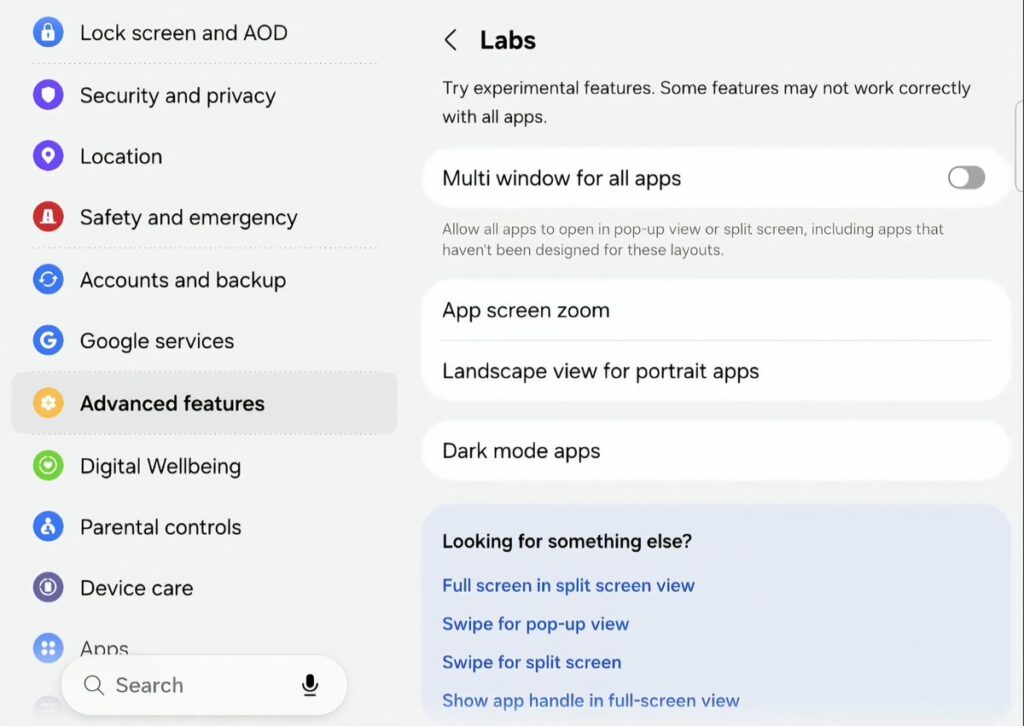
As per a video shared by X user @MHD4tech, the Galaxy Z Fold 8’s new ‘App screen zoom’ feature allows users to increase or decrease the size of content displayed within supported applications.
For instance, reducing the screen zoom level for the YouTube application allows the Galaxy Z Fold 8 to display three video recommendations instead of only two, thereby making better use of its larger foldable display.
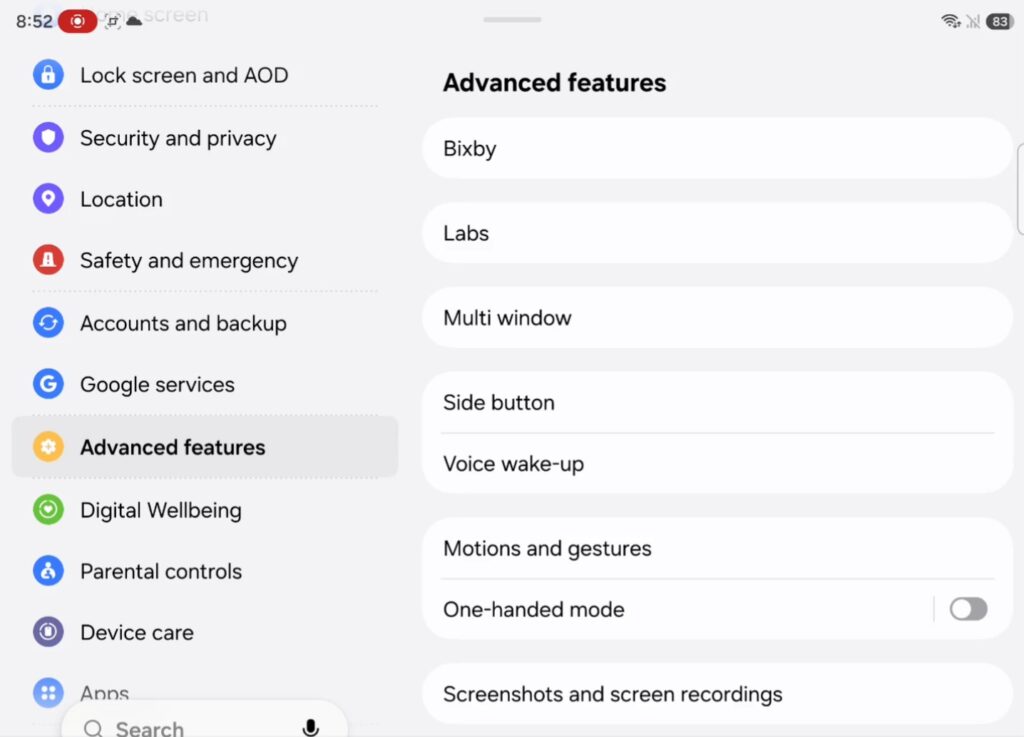
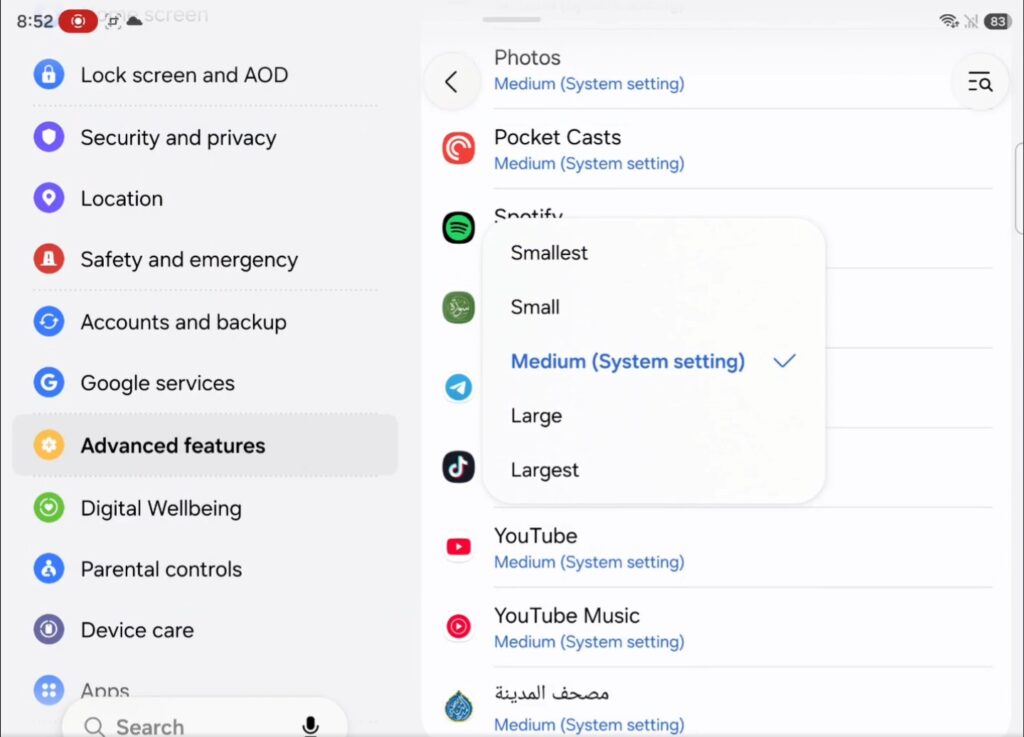
Advance Features – Z Fold 8
The feature offers five different screen zoom levels, which include ‘Smallest’, ‘Small’, ‘Medium’, ‘Large’, and ‘Largest’. Users can select a different zoom level for each supported application according to how much content they want to be displayed on the screen.
To access this feature on the Galaxy Z Fold 8, users will have to follow the below-mentioned path:
Settings > Advanced features > Labs > App screen zoom
It must be noted that the feature is currently placed under Samsung’s Labs section, suggesting that it is still experimental. At present, it is also limited to the standard Galaxy Z Fold 8 and is reportedly not available on the Galaxy Z Fold 8 Ultra or Galaxy Z Flip 8, despite both devices running One UI 9 based on Android 17.
Samsung has not yet confirmed whether the App screen zoom feature will be extended to other Galaxy smartphones and tablets with future One UI 9 updates. However, more supported devices could probably be added in the coming months.
Stay tuned for more updates!