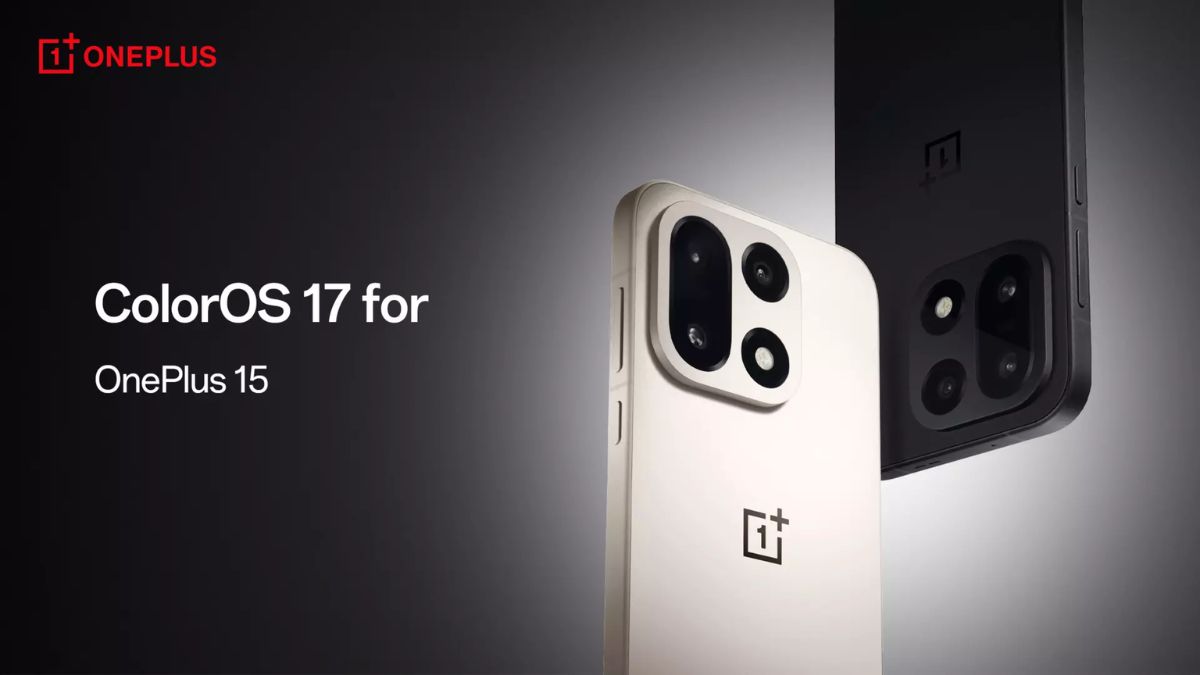
The transition from OxygenOS to ColorOS has already been announced, and the global rollout schedule for eligible OnePlus, realme, and OPPO devices was recently confirmed. Now, as per the announced schedule, the OnePlus 15 smartphone has started receiving the stable Android 17-based ColorOS 17 update in the Indian market.
Read more about this new update below.
As per the newly-shared details, the update is rolling out to OnePlus 15 users in India with the firmware version ‘CPH2745_17.0.0.102(EX01)’. While its availability can also be expected in other global markets, the brand has not yet shared any details concerning the rollout in these regions.
Speaking more, the update is being rolled out in phases, and it may take some time to reach all eligible users. Those who have not received it yet may therefore have to wait a little longer for it to become available on their devices.
You may check out the complete changelog from here.
Smooth from the start, fluid over time
Fluid design. Smooth in motion, vivid by nature
- Introduces an all-new fluid design, crafted for seamless interactions. Smooth in motion, vivid by nature. With seamlessly integrated state transitions, gentle motion rhythms, and lively feedback, the fluid design makes every interaction feel natural.
- Adds responsive light effects that balance readability, transparency, and visual aesthetics in a lightweight, friendly, rounded design.
- Adds fluid animations. Screen and element transitions now feature fluid merging effects, creating seamless connections between elements and more natural transitions between states.
- Adds a flexible feedback system that enables interface elements to naturally stretch, compress under pressure, and rebound dynamically in response to user interactions, while light effects actively respond to user intent and interface changes to convey status, feedback, and guidance through light, making every interaction feel more responsive and creating a more natural, vivid experience.
- Introduces the next-generation Luminous Rendering Engine with a new fused rendering architecture that renders light effects and the user interface together, delivering greater rendering efficiency and more refined, seamless fluid animations and visuals.
- Adds a fluid clock effect that seamlessly carries the clock across the Always-On Display, Lock screen, and Home screen, creating a natural, cohesive unlocking experience.
- Improves the Lock screen swipe-up unlock animation. App icons now animate into view with the fluid clock as a visual anchor, creating a seamless transition from the Lock screen to the Home screen.
- Adds a downward collapse effect for Lock screen notifications, allowing notification cards to stack naturally, and improves the progressive transitions and swipe-rebound animations for notification display changes.
- Adds responsive behavior to the Lock screen clock font, dynamically adjusting its size based on notification content while ensuring readability at the minimum size.
- Improves the visuals and animations of Lock screen widgets, bottom shortcuts, and Live Space capsules, with a new flexible feedback system applied to these elements.
- Improves the Lock screen password keypad visuals by optimizing the progressive entry animation and introducing a flexible feedback system for more responsive interactions.
- Introduces a new Quick Settings design with responsive light effects for tap interactions, providing more vivid feedback, and improves the visuals and animations on certain secondary pages.
- Redesigns the notification drawer with a lighter, more translucent card design, enhancing information contrast and readability. Adds responsive light effects for tap interactions, making the feedback more vivid.
- Improves the transition animation between the notification drawer and Quick Settings by introducing a sequential motion effect and dynamically adjusting element movement based on gesture focus and swipe speed, making transitions more responsive, natural, and fluid.
- The Sublime Grandeur theme wallpapers now display real-time local weather, so you can check the latest weather information directly from the Home screen and Lock screen.
- Adds Lock screen style switching for Flux themes, allowing you to freely switch between clock, graphic-and-text, and photo frame styles to easily create a personalized Lock screen (available for select Flux themes).
- Adds ColorOS 17 fluid wallpapers, with unlock animations that respond to the rhythm of your gestures in real time, making wallpaper switching more natural and device unlocking more immersive.
- Adds rotation animations for apps running in landscape mode to make app launch and exit transitions more natural, and improves switching between landscape and portrait modes when a mini window is present on the screen for a more seamless experience.
- Refreshes Live Alerts with light, translucent visuals inspired by clouds. Responsive light effects flow naturally with your gestures, while clear, precise tap feedback makes interactions more intuitive and refined.
- Adds responsive light effects to Live Alerts for alarms, countdowns, timers, OnePlus Share, and other scenarios, with refined animation details.
- Improves music Live Alerts with responsive light effects, including light effects that guide playback progress and diffusing ripple effects when switching songs, making playback feedback more dynamic and immersive while providing a consistent visual experience across the Lock screen and Quick Settings.
- Introduces a brand-new design language to system apps, refreshing their look, and improves the designs of the Settings, System & update, About device, and other screens.
- Introduces a new system-wide floating-island navigation design for a more immersive app experience, with fluid merging effects when switching between navigation items for more seamless connections between elements.
Laminar Flow Engine
- Upgrades Laminar Flow Engine with a new context-aware scheduling system, optimizing memory management to effectively reduce foreground lag under high memory load and prevent unnecessary background app closures.
- Introduces smarter background app management that uses on-device personalized modeling to better understand your intentions and keep the right apps running in the background more intelligently.
OnePlus AI
Mind Space
- You can now use Snap to Mind Space to save TXT, PDF, and Word documents from the Documents app and generate summaries for easier reading.
- Adds the Travel collection, which automatically organizes your trip locations into a personalized travel map.
- Improves memory collections to generate structured image-and-text summaries, making key information easier to browse and understand at a glance.
Mind Pilot
- Adds Agent mode. You can switch between Ask and Agent directly from the title bar. Agent autonomously handles complex tasks, including organizing photos and files, creating collages, generating creative designs, and producing reports. Track progress in real time with Live Alerts, so you never miss updates even after leaving the app.
- Adds AI-powered photo organization. Describe a location, time, or image content to find the photos you want quickly. You can also create albums and organize photos in batches with a single prompt, making it easier to relive trips, preserve memories, and share special moments.
- Adds AI-powered file organization. Batch rename and categorize files with a single prompt. You can also search across multiple files and extract or summarize key information, making it easier to manage invoices, itineraries, course materials, contracts, and more.
- Adds the “Awesome cases” section, where you can explore curated Agent use cases and discover ideas that fit your needs. Preview workflows and results, or apply them with one tap.
AI Suggest
- AI Suggest and Live Alerts now display train and flight trip notifications.
- AI Suggest and Live Alerts now display flight trip notifications.
- Live Alerts now displays ride-hailing status for Uber and Ola.
- Adds AI Highlights, which automatically organizes key information like weather, calendar events, and trending news to help you quickly review your daily priorities.
AI across all scenarios
Photos
- Improves the Memories feature in Photos by using on-device AI models to intelligently understand the relationships between people, events, and time in photos, automatically selecting more story-rich photos and creating personalized memory albums.
- You can now view photos and videos from certain third-party devices directly in Photos, and browse and preview them without importing them to your device, making cross-device content viewing more convenient.
- You can now select photos and videos directly from certain third-party devices in third-party apps, and share or edit them with a single tap without first saving them locally, making cross-device creation more efficient.
OSee
- Introduces OSee, which integrates the system’s AI vision capabilities. Take a photo, and it will intelligently understand your intent and recommend relevant features.
- Adds ultra-clear document scanning, enabling you to quickly scan paper documents and generate electronic documents with one tap, making it easier to save and manage your documents. The feature also supports ultra-fast continuous scanning with no waiting between consecutive scans. The all-new AI Hyper Clarity algorithm intelligently optimizes text, edges, and image quality to deliver clearer, sharper document scans.
- Supports one-tap, layout-aware document extraction that intelligently preserves headings, paragraphs, tables, and other formatting elements, quickly converting paper documents into editable electronic documents.
- Supports scanning and exporting to PDF, as well as merging multiple documents. Merge multiple scanned files with one tap for more efficient document organization.
- Supports scanning and one-tap sending to PCs and other devices. After scanning, you can continue editing or sharing, making cross-device work more efficient.
- Supports intelligent recognition of various QR code content across system services, third-party apps, and webpages. Scan to pay, add contacts, open services, and more with a single tap.
- Integrates the system’s Snap & Translate feature. AI intelligently understands text in images and provides accurate translations in a single shot, making it easy to read menus, road signs, manuals, and other foreign-language content.
AI Translate
- Introduces an all-new Translate app with an AI-enhanced translation experience and refreshed interface design. The three core capabilities—photo translation, voice translation, and text translation—are now directly accessible from the bottom navigation, making it easier to switch between them.
- Supports more languages for AI model-powered translation (Simplified Chinese, English, Japanese, Korean, Malay, Vietnamese, Thai, German, French, and Indonesian), delivering more natural translations.
- Improves the real-time simultaneous translation experience with faster, smoother responses. Streaming speech recognition and incremental translation work together to achieve ultra-low latency. Large language models use contextual reasoning to accurately handle long sentences, colloquial speech, and professional terms, while voiceprint recognition and speaker separation clearly distinguish between different speakers.
- Improves voice translation when using earphones, supporting voice-cloned playback to make communication during travel, business, and multi-person meetings more seamless and efficient.
- Improves voice translation when using earphones, making translation faster and more accurate.
- You can now triple-tap or pinch supported earbuds to start voice translation without taking out your phone. The bone-conduction sensor works with the multi-microphone array to accurately identify different speakers, making multi-person simultaneous translation more accurate and natural.
Device Connect
- Adds third-party camera support to the O+ Connect ecosystem, enabling seamless connectivity with one-time pairing. Once paired, your camera is automatically detected when powered on and placed near your phone or tablet, and connects with a single tap through Live Alerts, making cross-device connectivity more effortless.
- Adds cross-device content creation to O+ Connect. You can now view photos and videos from connected devices directly in Photos, select them directly from connected devices in third-party apps, and preview, share, and edit them without importing or saving them locally, making cross-device creation more efficient.
Care & accessibility
Security protection
- Adds AI Face Swap Detection to detect signs of AI face swapping in video calls in real time and alert you promptly when a potential risk is detected.
- Improves AI Scam Call Detection by identifying AI-generated voices to detect call risks in real time and provide timely alerts when risks are detected, making calls more secure.
More details
Other
- Adds support for simultaneous audio output from multiple apps, with a toggle switch available in Settings.
- In-game screenshots and screen recordings now retain filter effects when game filters are enabled.
- Improves the AI network experience by intelligently identifying apps and usage scenarios and dynamically optimizing internet connections and dual-SIM switching strategies for a more stable, smoother online experience under weak network conditions, network congestion, and during gaming.
- Improves the screen brightness adjustment algorithm to learn your brightness adjustment habits and automatically adjust screen brightness accordingly.
- Improves system sounds and vibration effects in certain scenarios.
Stay tuned for more updates.