At the beginning of this month, Brave introduced a minimalist paid version of its browser, Brave Origin, which was made live for desktop and Android. And now recently, the company has rolled out a new update for Brave’s Android browser.
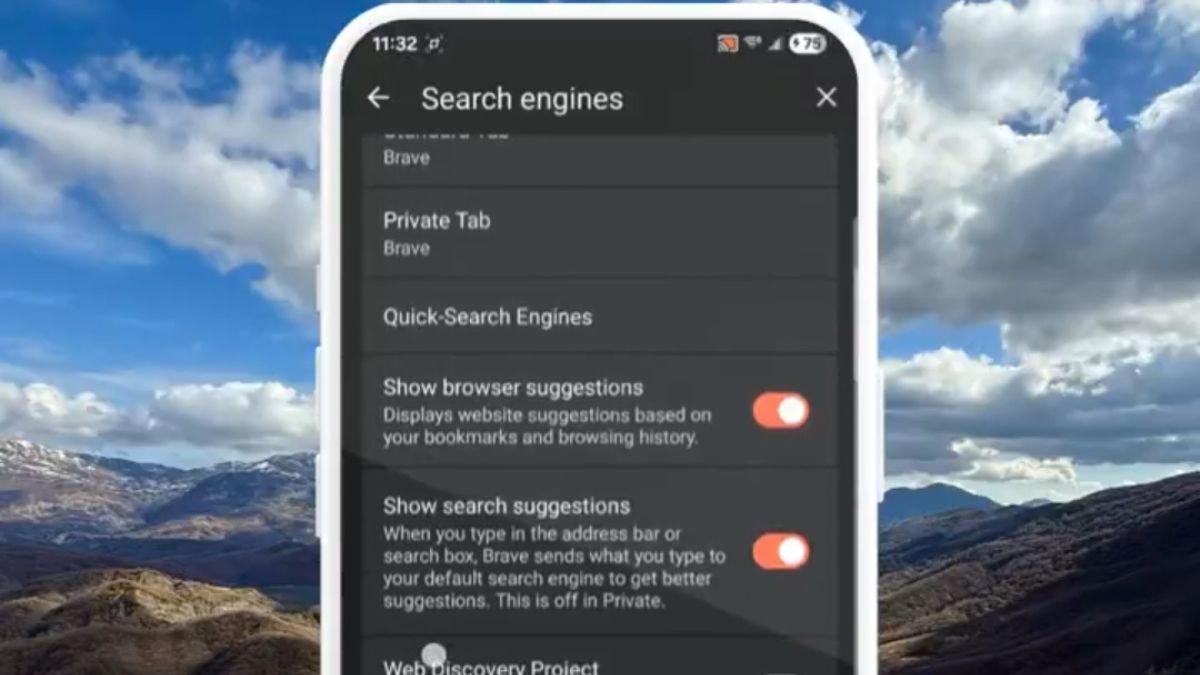
Brave released a v1.91 update for its Android browser that included Custom Search Engine support for users.
New in Brave for Android: Custom search engine support! 🔎
You can add new search engines, or sites with search, at Settings -> Search Engines.
Now they'll appear as Quick Search options when you start typing a query into the address bar. pic.twitter.com/rELngkg5dD
— Brave (@brave) June 11, 2026
With the new update, users can now add new search engines or sites with search at Settings -> Search Engines. They will then appear as Quick Search options when you start typing a query into the address bar. This new feature will provide greater flexibility.
The other improvements and enhancements included in the June update for Brave’s Android browser are mentioned below.
Brave’s Android browser: June update
June 9: v1.91.171
Origin
- Fixed the issue where users could get stuck on disabling features after purchasing Origin
- Fixed issue where changing browser language would display promo banners and features within ‘Settings’ that have been disabled with Origin
- Fixed ‘Restart browser’ snackbar not appearing when restoring Origin purchase from Google Play Store
- Fixed issue where Origin settings were not saved if the browser was restarted too quickly
General
- Upgraded Chromium to 149.0.7827.103
June 4: v1.91.169
Origin
- Initial Brave Origin release
Web3
- Added ‘Get Started’ section to the Portfolio page
- Added the ability to view ‘Asset Distribution’ in ‘Portfolio’
- Added dotted texture to wallet line chart
Leo
- Upgraded display of Brave Leo attachment previews to scroll horizontally instead of vertically
- Fixed a crash that could occur in certain cases when using multiple tool requests
General
- Added website icons to the password manager
- Added ability to use custom search engines (being rolled out using Griffin)
- Enabled Brave autofill service in device settings
- Improved performance by caching AdBlock DATs
- Fixed settings page layout when folding, unfolding, or rotating device
- Fixed settings page layout after closing VPN browser
- Fixed websites being automatically added to the Quick Search Engine list
- Fixed ‘Add Widget’ button appearing too large and getting cut off when the language is set to Japanese
- Fixed Brave VPN icon colours in Light and Dark themes
- Upgraded Chromium to 149.0.7827.59