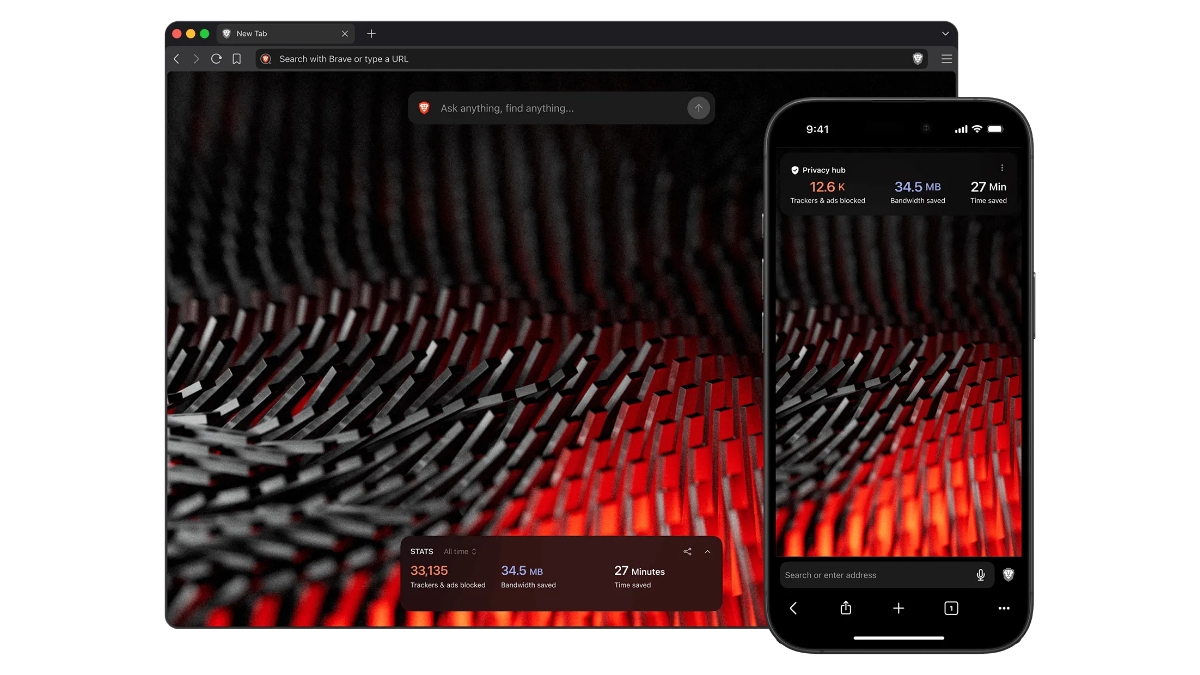
Yesterday, Brave introduced a minimalist paid version of its browser called Brave Origin at the request of its community users.
Today we launched the community-requested Brave Origin: an optional, paid version of our browser that offers Brave's leading privacy protections and ad blocker without its extra features.
Origin is live now on desktop and Android, and coming soon to iOS: https://t.co/bMnPcRUzgN pic.twitter.com/5dOkoy9235
— Brave (@brave) June 4, 2026
Brave Origin is for users who don’t need all of Brave’s out-of-the-box features, but still want the privacy that Brave offers.
Brave Origin
This minimalist version offers industry-leading ad+ tracker blocking, Brave Shields protection and best-in-class speed, along with regular software updates, Chromium patches, and ongoing security and privacy improvements.
Brave Origin will affect the following features: Leo AI, News, Playlist (currently iOS only), Rewards (which also disables browser-based Brave ads), Speedreader, Stats like the daily usage ping, crash logs, and privacy-preserving product analytics (P3A), Talk, Tor, VPN, Wallet, Wayback Machine, Web Discovery Project, and Email aliases (currently in Nightly release for desktop).
For Origin users who download the separate, standalone app, all of the features listed above will be automatically removed. Any new revenue-generating features released (outside the core of Brave Shield) would not appear in the standalone Origin app. Meanwhile, Origin users who opt to upgrade the existing Brave app on their device will see a new Settings panel, in which the features listed above will appear. Any new features we release outside the core of Brave Shields will appear in this panel and also be off by default.
Availability
Brave Origin is available via a one-time purchase of $59.99 US, but the standalone and upgraded versions have difference availablility on different operating systems. Origin is also available for free for Linux users; these users are, of course, still welcome to purchase Origin if they’d like.
- Android (version 1.91 and above): Available as an upgrade and as a one-time purchase
- iOS (1.91 and above): Available as an upgrade and as a one-time purchase
- macOS (1.91 and above): Available as an upgrade, standalone app and a one-time purchase
- Windows (1.91 and above): Available as an upgrade, standalone app and a one-time purchase
Brave Origin is now live on desktop and Android, and will be available on iOS after 1 to 2 weeks.
How to use Brave Origin as a standalone app (desktop only)?
- Download Brave Origin for your desktop device
- Complete the installation and open the Origin app (you will be presented with prompts to either verify your purchase or buy now on the Brave Premium account site)
- If you haven’t yet done so, complete your purchase. Be sure to save the purchase ID you receive
- Go back to the Origin app and enter their purchase ID
- Complete the onboarding flow, and browse as you normally would
Linux users can download and install Origin, then click the Proceed with Origin for free on Linux button.
The standalone version of Origin has its own Nightly, Beta, and Release channels, distinct from the free (or Origin-upgraded) Brave channels.
How to use Brave Origin as an upgrade?
To upgrade on a desktop:
- Click Settings, click System, and scroll to Brave Origin
- If you haven’t yet purchased Origin, click Buy now. You will be taken to the Brave Premium account site (if you have already purchased, and you’d like to upgrade Brave on another device, log in to the Brave Premium account site to get your Purchase ID)
- Complete your purchase. Be sure to save the Purchase ID you receive if you’d like to activate other devices
- Restart the Brave browser to enable the changes fully
- Open the main Settings menu again, and click Brave Origin
- You should now see the panel where you can toggle features on/off
To upgrade on mobile:
- Tap “⋮” (Android) or “…” (iOS), tap All Settings, scroll to General, and tap Origin.
- If you haven’t yet purchased Origin, tap Buy now. You will be taken to the Play Store or App Store (if you’ve already purchased Origin, and you’d like to upgrade Brave on another device, click Verify Brave Origin purchase instead).
- Restart the Brave app.
- Open the main Settings menu again, and tap Origin.
- You should now see the panel where you can toggle features on / off.