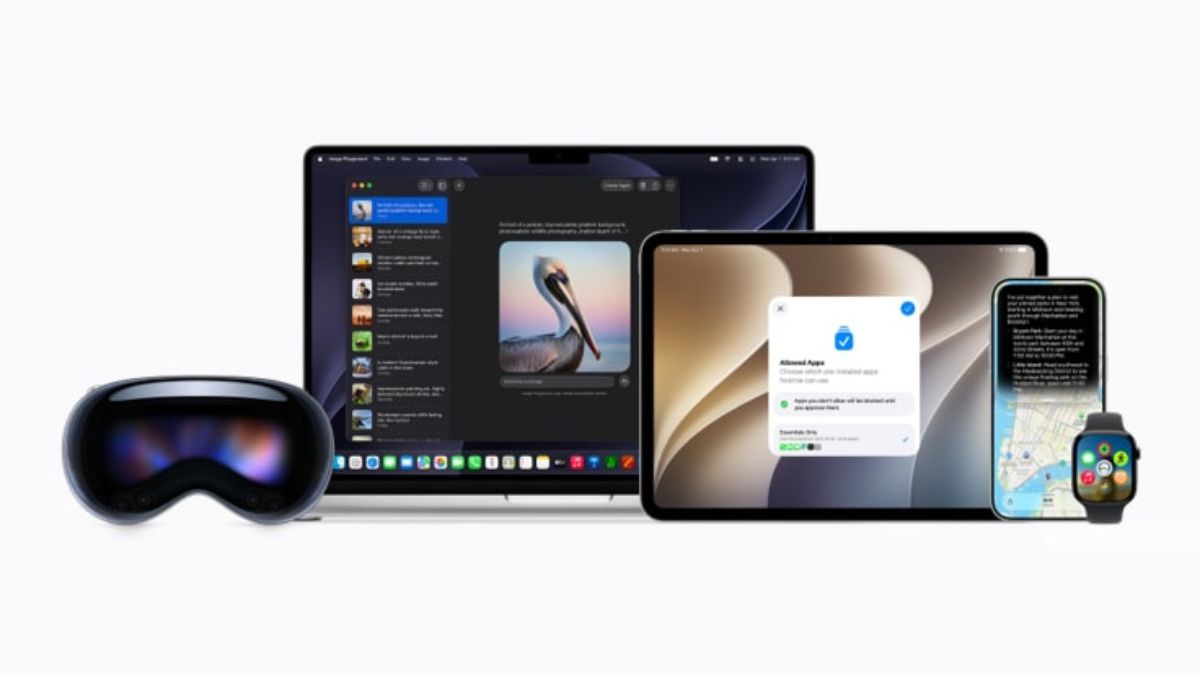
Yesterday at WWDC 2026, Apple announced numerous features and upgrades to enhance the user experience.
Here are the details.
Apple WWDC 2026
iOS 27, iPadOS 27, tvOS 27, WatchOS 27 and visionOS 27
The first betas of these software upgrades have been released to developers for testing. The software includes an updated version of Siri with the Siri app and new Apple Intelligence features across Apple apps. Though some of the new features showcased may not be available right away. The official version of these upgrades will be released this fall for all Apple users.
Siri AI upgrade
Leveraging a bold new architecture uniquely designed to protect users’ privacy, the next generation of Apple Intelligence powers Siri AI and brings helpful new features to apps users rely on every day.
Siri AI is an entirely new version of Siri deeply integrated into iPhone, iPad, Mac, Apple Watch, and Apple Vision Pro. It can draw on personal context understanding to search across messages, emails, photos, and more, and get things done across apps with even more systemwide app actions. Siri AI can answer questions related to the content on a user’s screen or go out to the web to get up-to-date information using broad world knowledge and generate a helpful answer. There is also a dedicated Siri app that allows users to revisit a past conversation or kick off a new one, all in one place, and uses iCloud to privately sync conversational history across a user’s products.
New Parental Controls
By setting up a child account, parents can immediately enable age-appropriate protections across the system, and with Setup Assistant, parents can choose exactly which apps to make available and stay in control of what gets added over time. With communication safety features, parents can require approval for each new contact their kids connect with and enable automatic interventions if explicit or violent content is being shared.
There are new tools aimed at building healthier screen time habits, with a daily time allowance recommendation, while Schedules let parents manage which apps their children have access to at different points in the day, and Screen Time has been redesigned, offering an at-a-glance view of their kids’ average device usage and top apps.
Apple has also launched a dedicated website that features the latest tools, helpful resources, and answers to common questions.
Apple Products improvements
Improvements across platforms push key system capabilities forward so everyday tasks feel faster, smoother, and more enjoyable. For example, iPhone and iPad apps launch up to 30% faster, photos load up to 70% faster after being taken, and AirDrop transfers are up to 80% faster. During network transitions, moving between cellular and Wi-Fi networks is more seamless than ever, and browsing and transferring files between external drives and iPad is up to 5x faster — making it just as fast as Finder on Mac. In Spotlight, Photos, and Mail, the search experience has been rebuilt to make it more stable and efficient to help users find exactly what they are looking for. And in Mail, a completely new ranking system surfaces even more relevant results in Top Hits.
A new slider in Settings gives users the option to personalise Liquid Glass, adjusting it anywhere from ultra-clear to fully tinted to match their preference, and app icons have been updated to be sharper and more defined. On Mac, updates reincorporate cornerstones of the macOS design that users have always loved, including a more uniform toolbar across the top of apps, edge-to-edge sidebars, colored sidebar icons, and more.
Additional features coming this fall:
- iCloud Shared Albums introduces cross-platform photo sharing with full-resolution support.
- The Health app brings support for perimenopause and menopause in Cycle Tracking, including notifications about cycle deviations, inclusive of perimenopause.5
- On Apple Watch, a new dynamic app grid features the icons for five Siri-suggested apps; users can open a widget in the Smart Stack with a new tap gesture, and a new Find My app consolidates Find Devices, Find Items, and Find People.
- AirPods users can now enjoy custom EQ to further personalise how their AirPods sound. And with expanded Apple GymKit functionality, users with AirPods Pro 3 can sync their heart rate data through iPhone while enjoying incredible audio quality.
- Apple Vision Pro users can now turn panoramas into spatial scenes and use them as personal Environments, and connecting to Wi-Fi is up to 3x faster.
- Apple Maps brings an enhanced Flyover experience, which combines aerial imagery with AI, allowing users to enjoy even more detailed visuals.
According to Apple, the new features are available for testing through the Apple Developer Program, and a public beta will be available through the Apple Beta Program next month. New software features will be available as a free software update this fall. Siri AI will be available as a beta later this year. Siri AI and other new Apple Intelligence features will not be available in China.
Also, Mac, Apple Watch, and Apple Vision Pro users in the EU will be able to access Siri AI when set to a supported language. Sir AI will not be available initially in the EU on iOS and iPadOS.
New Apple Intelligence features
The next generation of Apple Intelligence, powered by a bold new architecture that integrates the latest Apple Foundation Models deep into Apple’s platforms.
Apps become smarter and more useful with powerful editing capabilities in Photos, intelligent tools to tailor browsing in Safari, the ability to upgrade security protections with Passwords, an all-new Image Playground that creates photorealistic imagery, and more.
The Photos app gets SynthID watermark, Spatial Reframing, the Extend tool, and the Clean Up tool. For Safari, the intelligent tools include organisation of users’ tabs into relevant topics, Notify Me, Passwords and Describe an Extension.
Image Playground can now create Photorealistic images, while generated images will automatically include a SynthID watermark. Users can easily modify images. Image Playground can now be used to create Lock Screen wallpapers and Contact posters. Users are also able to choose the aspect ratio for what they’re working on.
Communication features include: one-tap suggestions in Messages, suggestions in Mail, Smart Reply in Mail and messages, Call Context, and add or modify events in Calendar. Users can now build powerful Shortcuts with the new Describe a Shortcut feature.
Apple has introduced updates to accessory notifications and new capabilities for HomeKit Secure Videos cameras in the Home app.
Accessibility updates bring new capabilities for users who are blind or have low vision. Additional new features include: Automatic proofreading, intelligent suggestions for names of files and folders, Workout Buddy now available in Spanish, Workout Buddy incorporates more fitness data, and Genmoji quality is even better.
The Apple Intelligence features are available for developer testing and will be available to users this fall.
App Development with a new intelligence framework and advanced tools
Intelligence Framework
Updates to the App intents framework enable developers to connect their apps to Siri AI capabilities like personal context understanding, app actions and onscreen awareness to help their users get more done.
New intelligence frameworks allow developers to build AI features into their apps more easily. The framework now serves as a single native Swift API that supports more powerful on-device models with image input, support for server models, and the ability to build custom skills.
Developers enrolled in the App Store Small Business Program with fewer than 2 million total first-time App Store downloads can access the next-gen of Apple Foundation models running on Private Cloud Compute at no cloud API cost. The framework also introduces capabilities like Dynamic Profiles, enabling developers to update how models interact with their apps on the fly. Core AI is a brand-new framework designed to be the best way to run models on a device.
Xcode 27 and Agentic coding
This year’s release brings the full power of today’s best models and agents from Anthropic, Google and OpenAI directly into a developer’s workflow. Xcode 27 also gives coding agents tools to validate their own work, so they can run autonomously for longer, such as writing and running tests, trying ideas in isolation with Playgrounds, checking visual changes with previews, and interacting with the simulator in the new Device Hub.
GitHub and Figma are the first to offer seamless installation between their tools and Xcode. Xcode Cloud is now up to 2x faster, with new support for apps that use Metal and for visionOS builds, all powered by Apple Silicon.
Reframed Design and UI frameworks
In the Liquid Glass design, there is a new transparency slider in Settings that allows users to personalise their visual experience by adjusting the appearance to their preference. SwiftUI makes apps more responsive without requiring developers to change their code through more efficient state initialisation and faster layout rendering.
Developers can now write less custom code using new reorderable containers, and the new Spatial Preview framework allows 3D models from Mac apps to be viewed spatially when streamed to Apple Vision Pro.
Tools and resources for Games
New tools and resources will make it easier to bring high-quality titles to Apple platforms and deliver seamless experiences to players:
- Managed Background Assets reduces game install sizes by introducing intelligent, localised delivery.
- Game Porting Toolkit 4 accelerates the development of Mac games by introducing open source skills for use with agents.
- Official Unity plug-ins bring native Apple Integration to one of the most popular game engines.
- Reality Composer Pro 3 allows developers to build complete spatial experiences in a new single tool.
Developer betas for iOS 27, iPadOS 27, macOS 27, watchOS 27, tvOS 27, visionOS 27 and Xcode 27 are available.
App Store capabilities expanded
- New ways to market apps and games: Developers will have more ways to showcase their apps on the App Store with Creative Assets, rich images and video that appear in the product page header and search results.
- Enhance discovery and engagement: App Store will introduce new Personalised Collections based on user interests, along with App Notes that explain why specific apps are recommended. Personalised Collections and App Notes will roll out this week in English in the US. Game developers will also be able to showcase special offers to attract and engage players on the Apple Games app, using- Featuring Nominations.
- New Subscription capabilities: Developers will be able to enable subscriptions for groups and organisations within their app using two new configuration options: Volume Purchasing through Apple Business and Apple School Manager, and Group purchases. Volume purchasing will be available this fall, with group purchases coming this winter.
- Streamlined submissions: Developers can group multiple in-app purchases and related items into a single unified App Review submission. Apps and Games on the Mac App Store no longer require Intel support.
- New Time allowance features like Screen Time and Schedules are introduced. Developers will have new ways to ensure their apps are properly categorised for these features.