

Recently, Microsoft announced via its official support page that three of its Microsoft 365 companion apps will retire on 16th December, 2026.
Three Microsoft 365 companion apps retiring
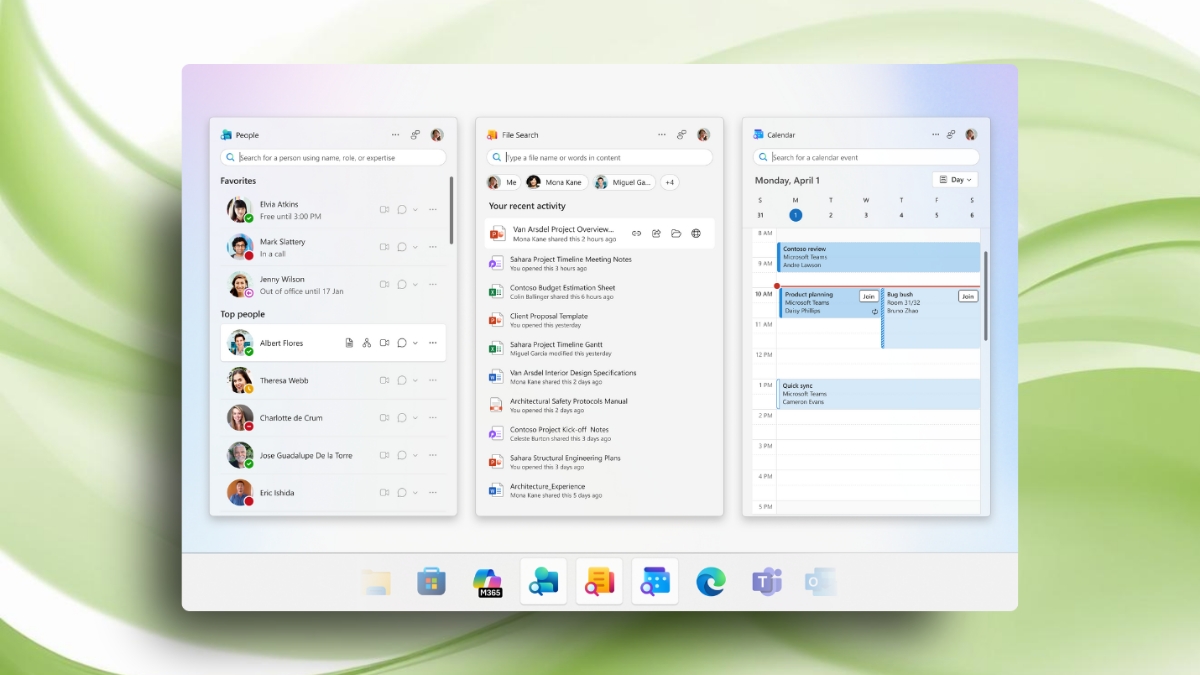
Microsoft will retire the following Microsoft 365 companion apps on December 16, 2026:
- Calendar companion
- People companion
- Files companion
Microsoft provided the companion apps at no extra cost with eligible Microsoft 365 or Office 365 licenses.
The companion apps were an additional way to find calendar information, people, and files. Removing them doesn’t delete or affect any existing capabilities or Microsoft 365 data. You can continue finding the same information by using existing Microsoft 365 and Windows experiences.
The apps might be removed sooner, depending on when your organisation decides to remove them. Admins remove the apps from your device in most cases. However, if your organisation doesn’t manage your device, you must remove them yourself.
You can remove these apps in the following ways:
- To uninstall, go to Windows Settings> Apps> Installed apps, search for Microsoft 365 companions, and select the three-dot menu next to it. Select Uninstall, and then confirm.
- Type Calendar, People, or Files into the Windows Search Box. When the app appears, right-click and select Uninstall. Uninstalling one app will uninstall all of them. If the menu doesn’t show up, start typing the app name, then go to the Apps tab.
For calendar and people information, use Outlook and Teams. For files, use the Windows Search Box, File Explorer, SharePoint, OneDrive, Word, Excel, PowerPoint, and more.
You can also use Copilot, even when you only remember a few details about what you’re looking for. All your data remains fully available and won’t be deleted by this retirement.
It is said that the reason for retiring these apps is high memory usage, which is part of Microsoft’s broader focus on trimming down background memory usage on Windows 11.