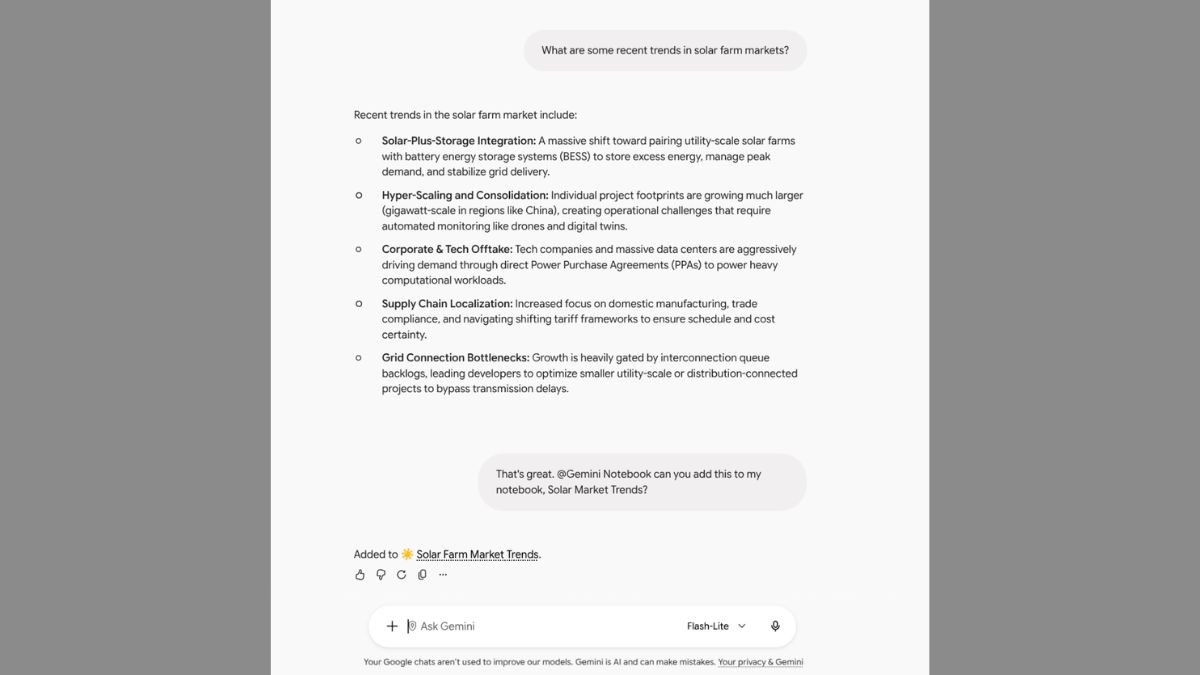
Yesterday, Google officially announced that Gemini Notebook is now also available as a Connected app in the Gemini app.
Gemini Notebook directly in the Gemini app
This new integration allows users to manage and query notebooks directly within their chats using natural language.
Users can type @GeminiNotebook in a Gemini chat to quickly create new notebooks, add sources to a notebook, save key notes or retrieve information from their existing notebooks. Gemini can also detect when to use the Gemini Notebook Connected App for relevant prompts.
You ask Gemini to:
- Create, edit, or delete a notebook (“Create a Gemini Notebook about solar farm market trends”)
- Add, update, or delete sources in a notebook (“Add a copy of this chat to my notebook about Bio 101 course”)
- List notebooks and their sources (“Show me a list of all the sources in my notebook about US National Parks”)
- Answer questions using context from your notebook (“What do my Gemini Notebooks say about butterfly migration?”)
Availability
Available to all Google Workspace customers, Workspace Individual subscribers, and users with personal Google accounts.
Admins: Access to the Gemini Notebook Connected App is ON by default and is controlled using the Gemini and Gemini Notebook access settings. As an administrator of your organisation’s Google Accounts, you can control who can use the Gemini Notebook Connected App. The Gemini Notebook Connected App is available to users who are in a group or OU with both Gemini Notebook and Gemini set to On.
End users: This feature will be ON by default for users globally, except in the European Economic Area, where it will be OFF by default. This feature can be controlled in Settings > Connected Apps in the Gemini app.