Whenever it comes to one’s identity proof, the Aadhaar card has been considered as the most reliable and authentic id. Now there are certain services that require an individual’s current mobile number linked to their Aadhaar card and also as per the government an individual needs to provide their current contact info while enrolling for Aadhaar and in case they need to change their preferred mobile number they should update their card as soon as possible.
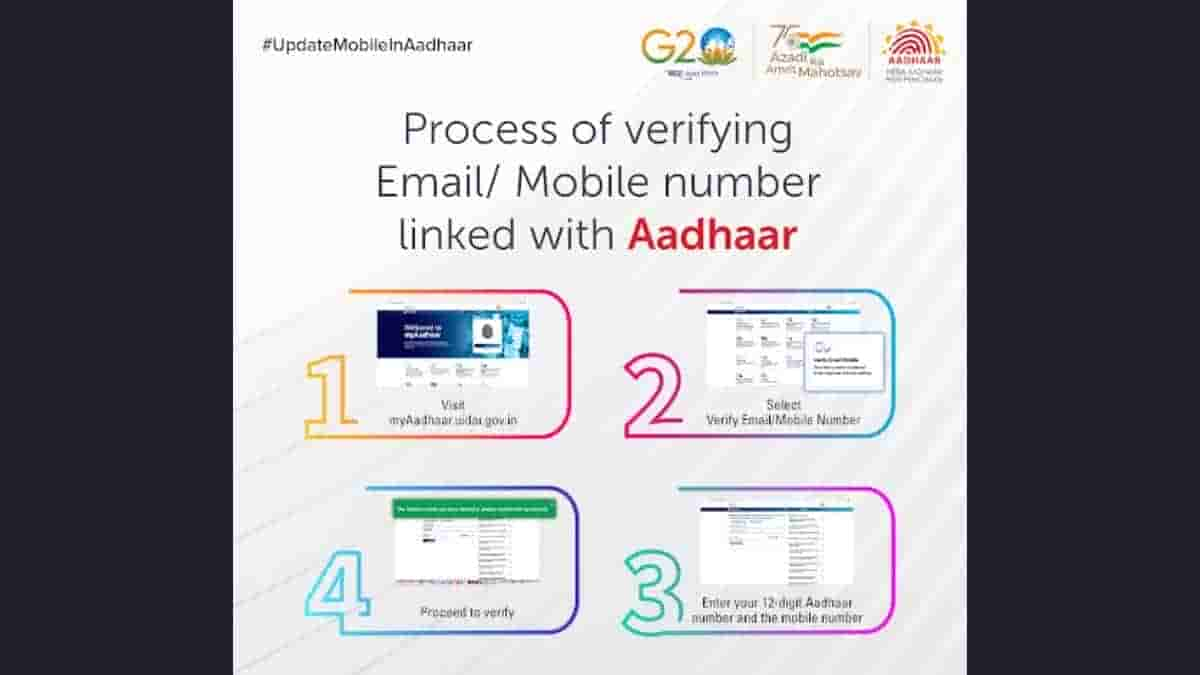
In case you are confused that how to verify whether your current mobile number is linked to your Aadhaar card or not then @UIDAI has now shared an easy process to get this information.
Verifying your current mobile number with Aadhaar is very easy on myAadhaarPortal.
You can link your mobile number with Aadhaar by visiting the nearest AadhaarEnrolment Center. @GoI_MeitY @mygovindia @_DigitalIndia @PIB_India pic.twitter.com/xl4WMXprwi
— Aadhaar (@UIDAI) July 26, 2023
Steps to verify your current mobile number linked with Aadhaar
- Step 1- Visit the official UIDAI website
- Step 2- From the drop-down menu select “Verify Email/Mobile number”
- Step 3- Proceed to verify
- Step 4- Enter your 12 digit Aadhaar number and the mobile number
If the number entered is verified then you will get to see a confirmation notification and if the number you entered is not linked to your Aadhaar then also a pop-up will arrive indicating that the number doesn’t match your data. Although you can update your current contact detail anytime by visiting the nearest Aadhaar Enrolment center. The charge to update the mobile number is Rs.50 per request.