


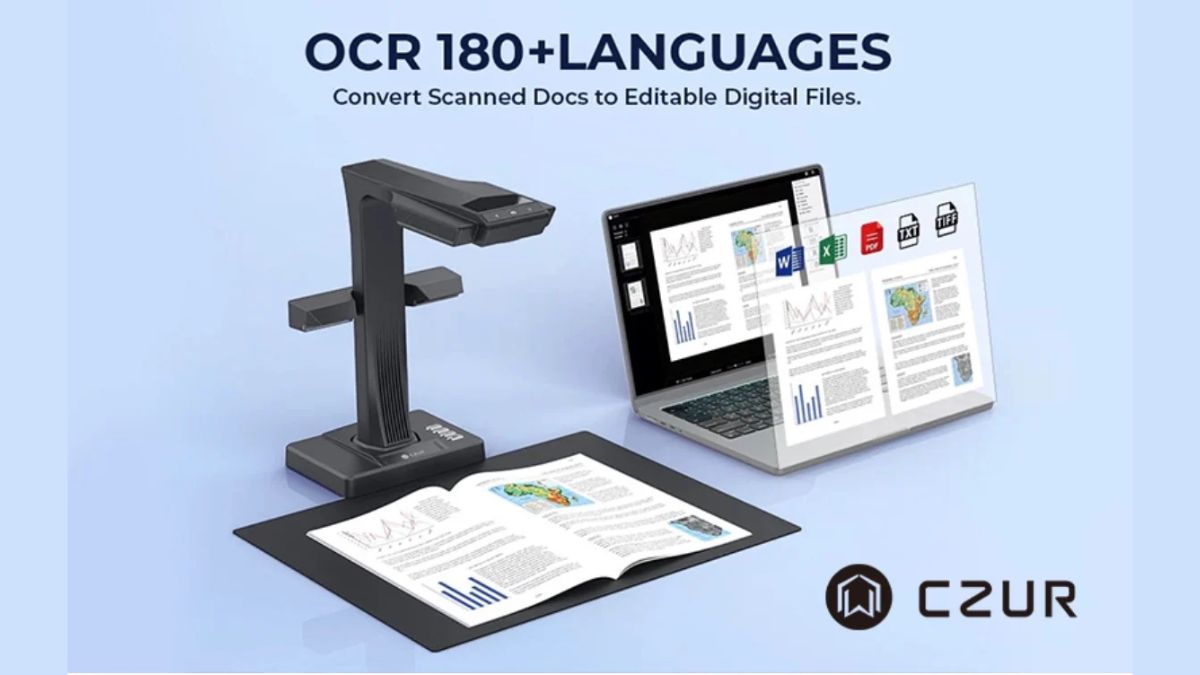
CZUR’s ET Max combines a 38-megapixel camera with software that corrects curved book pages and converts printed text into searchable files. The overhead scanner supports material up to A3 and is designed to digitize bound books as well as loose documents.
The document scanner is aimed at users who regularly handle printed reference material, from educators and researchers to small offices. An open book sits beneath the camera, allowing pages to be captured without removing them from the binding.
Overhead Capture with Automatic Curve Correction
ET Max uses laser-assisted curve flattening to correct the shape of scanned book pages digitally. This addresses distortion near the spine, where lines of print follow the curve of an open page. The correction takes place in the captured image, helping produce a flatter digital version of the original.
The software also includes automatic page splitting, cropping and tilt correction. A two-page spread can be processed into separate pages for a digital document. CZUR supplies a foot pedal and a handheld scan button; using the pedal leaves both hands free to position the book.
38MP Imaging and A3 Document Support
CZUR lists a default optical resolution of 410 dpi for ET Max, with an A3 capture area of 420 × 297 mm. The larger capture area is useful for material that needs more room than an A4 sheet, such as oversized reference pages, forms and printed diagrams.
The company rates capture speed at approximately 1.5 seconds per scan. This is a per-scan rating; turning pages, running OCR and reviewing the results add to the total processing time. An attachable side light also helps users manage reflections when scanning glossy paper.
Searchable PDFs and Editable Documents
ABBYY-powered optical character recognition, or OCR, lets the software convert recognized printed text into searchable PDFs and editable Word or Excel files. Multilingual recognition support allows users to work with documents in different languages.
For a researcher, a searchable PDF could make it easier to find a name or phrase within scanned reference pages. In an office, editable exports could reduce the amount of text that needs to be typed again. Recognition results still need checking, particularly where pages contain faded print, small characters or complex layouts.
Batch editing provides another way to prepare longer documents. Users can apply changes such as rotation, cropping and file naming across a group of scans before export, helping keep a collection of pages consistently organized.
Software and Product Availability
CZUR provides software downloads for Windows, macOS and Linux, with system requirements varying by platform and software version. This gives users a choice of desktop environments for capturing, processing and exporting their documents.
ET Max is listed in CZUR’s official ET scanner range alongside ET24 Pro, ET18 Pro and ET16 Plus. Buyers can select the ET Max variant on the product page to check current pricing, configuration and delivery options.