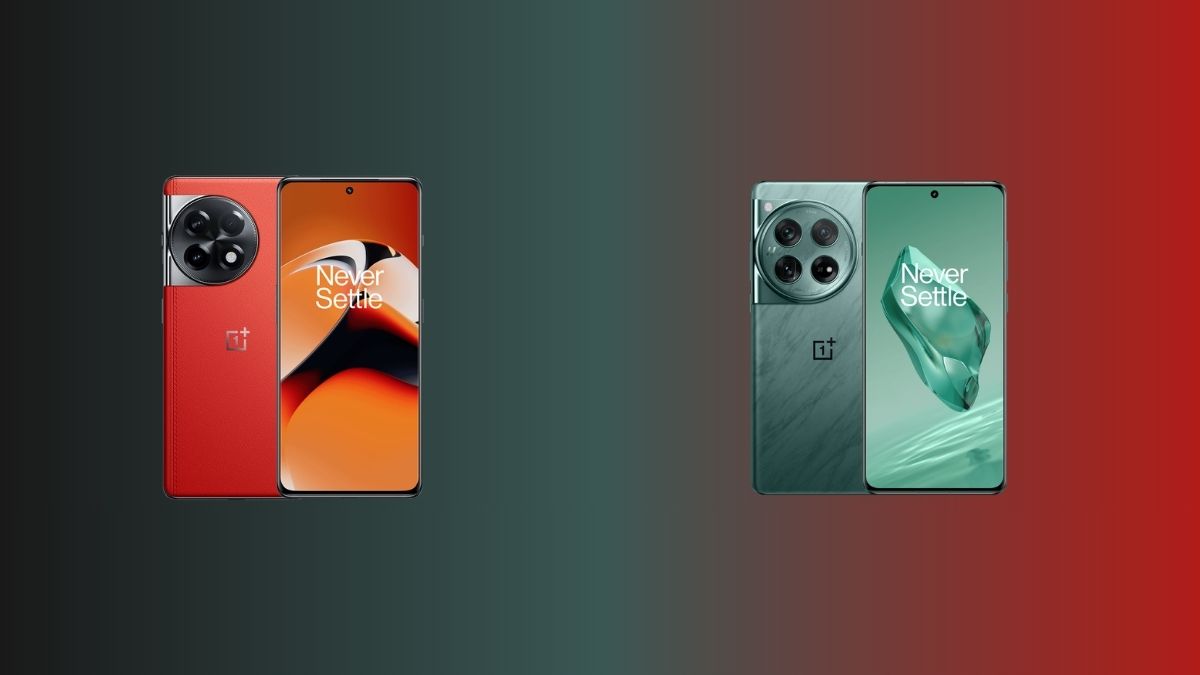
The Chinese smartphone maker – OnePlus has now announced new OxygenOS 16 updates for two of its smartphone devices – OnePlus 11R and OnePlus 12. The updates are currently being rolled out in the Indian market with OxygenOS 16.0.5.700 and OxygenOS 16.0.7.200. As per the details shared, the rollout is expected to be completed within the next week or two. For other regions, the announcement has not been made yet, but it may happen soon.
This latest OxygenOS 16 update that is now rolling out for the OnePlus 11R smartphone has the firmware version of ‘CPH2487_16.0.5.700(EX01)’, while the OnePlus 12 flagship smartphone is receiving the update with the firmware version of ‘CPH2573_16.0.7.200(EX01)’. As mentioned, the update is currently only being rolled out for the Indian users of the two devices, and for the global users, the brand is yet to make an announcement.
Here’s more about it.
OnePlus 11R – OxygenOS 16.0.5.700 Update
About the features that will be brought to the OnePlus 11R smartphone with this update, multiple timers can now be started simultaneously for more efficient multitasking, and timers will also be displaying estimated stop times, making them easier to use. The update also fixes an issue where Bluetooth connections might fail when clocking in or out in certain third-party apps.
Along with it, the “Automatically open received files” switch has also been added, letting users choose whether to automatically open shared files upon receipt. A security and privacy-related fix is also part of the update, and it fixes an issue where, after unlocking with a fingerprint, swiping down from the left side of the taskbar to open the notification drawer might result in a black screen.
OnePlus 12 – OxygenOS 16.0.7.200 Update
Speaking about the OnePlus 12 update, smoother and more responsive animations now cover all floating window actions in Livestream Assistant, from launch to resize to full-screen toggle. Swiping down from the status bar to open the notification drawer or Quick Settings will also be smoother with more polished pull-down animations. AI-reconstructed touch recognition that eliminates scrolling jitter inside apps for a smoother experience is also being brought with the update.
About the AI features that will be offered to OnePlus 12 users, AI Translate can now translate menus with dish visuals, allergens, prices with automatic currency conversion, and cart integration. Live translation sessions will also generate automatic titles and AI summaries, making it easy to review and organise translated conversations later. Live translation will also take context into account to deliver more precise and natural-sounding results in real time.
The AI-powered Documents feature too is getting a few improvements with this update. Scanned documents will now be auto-saved to the Documents app right after capture. Additionally, Document scanning is now faster, upgraded scanning algorithms can remove wrinkles, shadows, and blur in one tap, and enhanced text scanning can recognise handwriting, full paragraphs, and tables with one-tap copy or Word document export support.
Coming to the Live Space feature, the Lock screen has been improved with a dual-mode design featuring a notification capsule that displays notifications and Live Updates without covering the wallpaper. Users can also swipe down to collapse Lock screen notifications and Live Alerts into tidy capsules, and swipe back up to expand the full list. Timers in Live Alert can be expanded to full screen without unlocking the device, and switching between Live Space capsules is now smoother and more dynamic with fluid animations.
The Flux Home screen is also receiving new additions, and users will be able to organise the Home screen instantly by colour or category with a single tap. Home screen layouts will also be auto-saved as users make changes, so that they can revert to any earlier setup with just one tap. Apps can also be found by colour in Drawer mode for quicker navigation.
For the Camera app, Master presets have been introduced and users will now be able to save their custom parameters as presets and share them via watermarks. The Camera is also upgraded with cleaner UIs and more natural interactions, resulting in a smoother and more intuitive shooting experience. Battery stats have also become more informative with new coverage of personal hotspot usage and activity time at the app level.
As always, users are advised to make sure of the required amount of battery charge and storage space before updating. Also, it is best if all the personal data are backed up before updating so as to ensure no data loss. If something goes wrong or if users come across any bugs or issues, they are advised to submit it as feedback as well.
Stay tuned for more updates.