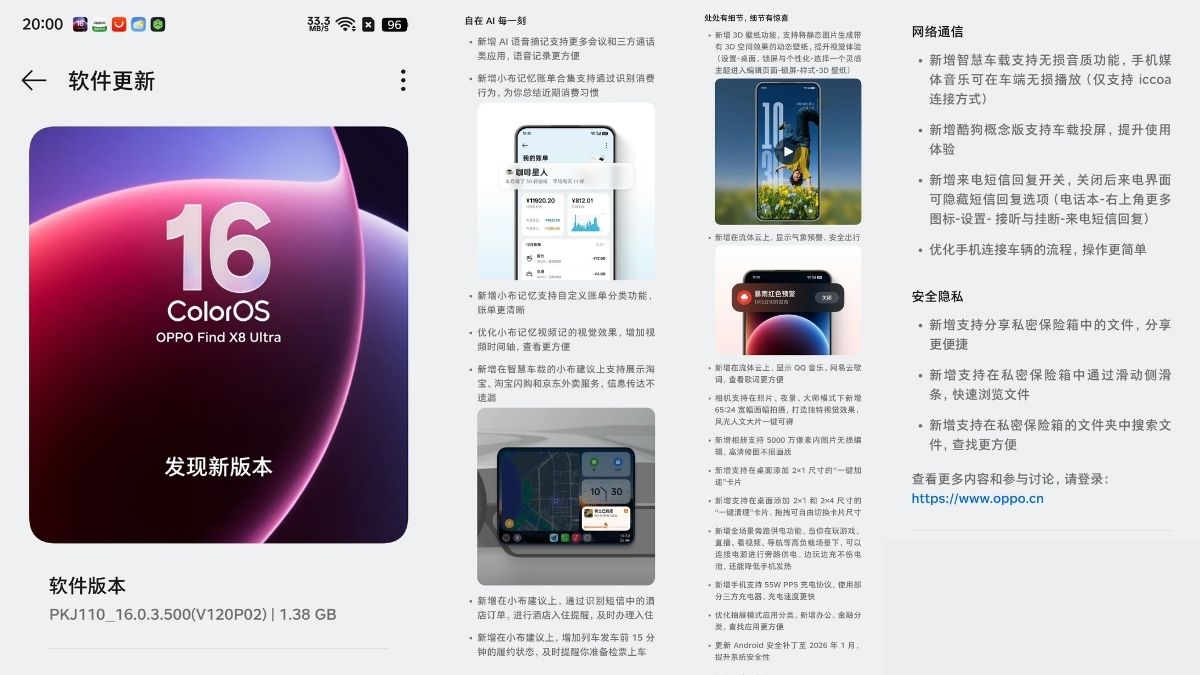
Oppo has started rolling out a new software update for the Oppo Find X8 Ultra smartphone in China. The update carries a size of 1.38GB and is being pushed with firmware version PKJ110_16.0.3.500 (V120P02).
This update introduces several new features such as 3D Wallpapers, 50MP lossless image editing, enhanced AI features, system-level improvements, Bypass Charging, 55W PPS Charging Protocol, and the January 2026 Android security patch. The full changelog is detailed below.
Changelog
AI Freedom, Every Moment
-
Added AI voice transcription support for more meeting and third-party calling apps, making voice recording more convenient
-
Added XiaoBu Memory bill aggregation, which supports identifying spending behaviour and summarising your recent consumption habits
-
Added support in XiaoBu Memory for custom bill categories, making bills clearer
-
Optimised the visual effect of XiaoBu Memory video notes, added a video timeline, making viewing more convenient
-
Added support in in-car XiaoBu Suggestions to display Taobao, Taobao Flash Sale, and JD takeaway services, ensuring information is not missed
-
Added support in XiaoBu Suggestions to recognise hotel orders from SMS messages, providing hotel check-in reminders to help you check in on time
-
Added in XiaoBu Suggestions a “pending” status 15 minutes before train departure, reminding you in time to prepare for ticket checking and boarding
Details Everywhere, Surprises in the Details
-
Added 3D wallpaper feature, supporting the generation of dynamic wallpapers with 3D spatial effects from static images, enhancing the visual experience
(Settings – Home screen & Lock screen & Personalisation – select a Live theme to enter the edit page – Lock screen – Style – 3D wallpaper) -
Added weather alerts displayed in Fluid Cloud for safer travel
-
Added support in Fluid Cloud to display lyrics from QQ Music and NetEase Cloud Music, making it easier to view lyrics
-
Camera now supports a new 65:24 ultra-wide aspect ratio in Photo, Night, and Master modes, creating unique visual effects and enabling cinematic landscape and portrait shots with one tap
-
Added support in Gallery for lossless editing of 50MP images, ensuring high-definition images do not lose quality
-
Added support to add a 2×1 sized “One-tap Acceleration” card to the home screen
-
Added support to add 2×1 and 2×4 sized “One-tap Cleanup” cards to the home screen, with free switching of card sizes by dragging
-
Added full-scenario bypass power supply function: when gaming, live streaming, watching videos, navigating, and other high-load scenarios, the phone can be connected to power for bypass power supply, allowing you to play while charging without damaging the battery and also reducing heat
-
Added support for 55W PPS charging protocol, allowing faster charging speeds when using some third-party chargers
-
Optimised app classification in the app drawer, adding Office and Finance categories for easier app finding
-
Updated Android security patch to January 2026, improving system security
Network & Communication
-
Added lossless audio support for smart in-car systems; phone media music can be played losslessly on the car system (only supports the ICCOA connection method)
-
Added support for in-car screen projection in the CoolDog concept version, improving the user experience
-
Added incoming call SMS reply switch. After turning it off, the SMS reply option can be hidden on the incoming call interface
(Phone app – top right corner More icon – Settings – Answer and hang up – Incoming call SMS reply) -
Optimised the process of connecting the phone to vehicles, making operation simpler
Security & Privacy
-
Added support for sharing files from the Private Safe, making sharing more convenient
-
Added support for quickly browsing files in the Private Safe via a sliding sidebar
-
Added support for searching files within folders in the Private Safe, making it easier to find files
Disclaimer: The changelog has been translated from Chinese to english.