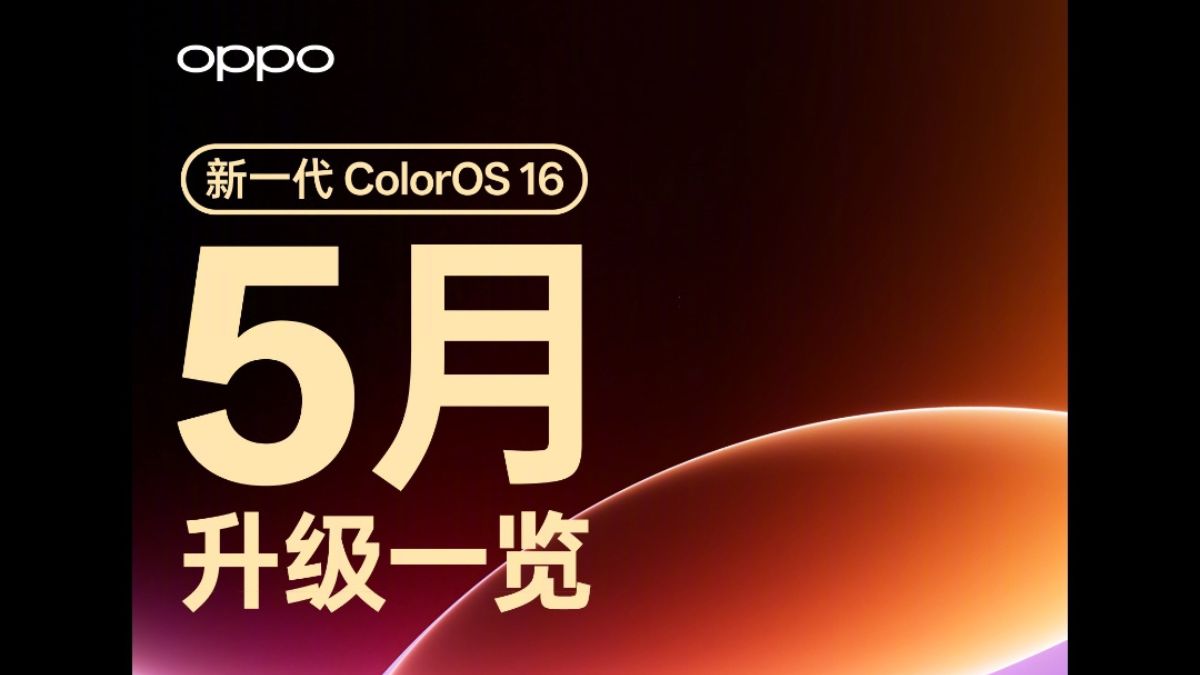
Today, Oppo has officially announced that the ColorOS 16 May 2026 update is being gradually rolled out.
Here are the details
ColorOS 16 May 2026 update
![001RJIkpgy1id3tgd1nfyj6190bibqv702[1]](https://www.thetechoutlook.com/wp-content/uploads/2026/05/001RJIkpgy1id3tgd1nfyj6190bibqv7021-111x1024.jpg)
![001RJIkpgy1id3tgdbesmj60x0cn3kjn02[1]](https://www.thetechoutlook.com/wp-content/uploads/2026/05/001RJIkpgy1id3tgdbesmj60x0cn3kjn021-74x1024.jpg)
1 / 2
Changelog (translated from Chinese to English)
System and Desktop
- New features include an upgraded lock screen experience with a brand-new dual-mode interaction: capsule mode for international cooperation notifications and real-time events, with no screen rollback; and immersive mode for easy access to key information without needing to unlock the screen.
- Immersive Music Lock Screen Mode. Tap the music fluid cloud card cover or capsule on the lock screen to expand the music cover as the background and display the lyrics, making the melody leap off the screen and bringing a highly immersive music experience.
- The immersive navigation lock screen mode allows you to access the navigation interface directly when turning on or walking navigation is enabled in supported navigation apps. Simply tap the lock screen navigation fluid cloud card fragment to display the navigation interface without unlocking the device; it’s crystal clear.
- A timer lock screen immersive mode. Tap the timer card in the SheTalk app to display the timer task in full screen; no unlocking is required to easily check progress.
- System application animations have been upgraded. Switching between application pages, such as SMS, Weather, and Calendar, now supports new animations without visible visual effects. From checking messages and weather to creating new appointments, every click feels as natural as flowing water, providing a smoother and more seamless experience.
- The desktop layout organization feature supports automatic optimization based on application color or type, making organization more efficient. It supports organizing your desktop with a single sentence using Xiaobu Assistant. For example, simply say “Organize desktop apps” to Xiaobu, and it will automatically organize the icons by color or category, making your cluttered desktop instantly neat and tidy. It automatically saves your historical desktop layout, supports one-click recovery, allows you to adjust it as you like, and lets you revert to previous settings anytime.
- In tap-to-open mode, you can search for apps by color for easier searching.
- Optimize system stability by reconstructing the swipe recognition scheme using AI to improve the jitter issue when swiping within the page.
AI features
- New feature: Xiaobu Memory Collection now supports generating customized travel guides, providing you with travel maps, travel tips, and travel planning services, making your trip incredibly worry-free.
- Xiaobu’s “Memory Master Parameters” function allows you to extract corresponding parameters from posts about master mode shooting tips and sync them to Fluid Cloud. Simply click “Find Camera” to instantly output the same photos.
- Translation supports A) menu translation, which can simultaneously generate auxiliary information such as dish images, allergens, and ingredients during translation; it also supports price recognition, currency conversion, and adding to the shopping cart, making overseas ordering more convenient.
- Translation supports simultaneous interpreting, generating intelligent titles and AI microphone input, making it easier to review and organize translated content.
- Translation applications can connect to a dedicated nano-translation input model, enabling authentic translation even in offline environments.
- The AI Briefing entry is displayed on the Xiaobu Hands-on homepage, making it more convenient to view at any time.
- Xiaobu Assistant supports uploading documents, memories, or images as attachments for in-depth research.
- AI voice transcription supports the generation of richly illustrated summaries, presenting the results in various formats such as tables, flowcharts, diagrams, and statistical charts, significantly improving readability.
- Xiaobu suggests that the real-time service status of each device in the “Midea Smart Home” application can be displayed on Fluid Cloud, making it more convenient to use.
- It supports displaying current subway arrival information via Xiaobu suggestions, and can also provide reminders and announcements for transfers, arrivals, and missed stops based on your travel habits, helping you avoid taking the wrong train.
- Xiao Bu suggests that AI briefings should support providing more personalized information, focusing on core scenarios such as mornings, evenings, commutes, and travel, to offer you smarter and more considerate services.
- The AI presentation settings switch suggested by Xiaobu allows you to customize the presentation content.
- Xiao Bu suggests a health briefing function that allows users to summarize device usage and data usage before bed, and also displays the next day’s weather and schedule, enabling efficient 30-second review and preparation.
- The rain indicator on Xiaobuzhanyi shows the direction of the rain; knowing this in advance makes traveling more worry-free.
- XiaoBu suggests using step count goal cards to help you develop an exercise habit.
- On Fluid Cloud, when using Baidu Maps for cycling and walking navigation, progress indicators are displayed.
- Optimized, Xiaobu Memory Collection supports generating illustrated summaries, integrating memory content in the form of guides and checklists, saving time, providing clarity, and offering high efficiency and convenience.
- Xiaobu Memory’s automatic favorites function supports syncing favorites from shopping apps like Taobao, JD.com, and Paidoduo, making it more convenient to use.
- Xiaobu Assistant provides more accurate answers related to travel, enhancing the user experience.
Communication and Internet
(When connecting a new phone or tablet to a second-party keyboard and remotely controlling the computer, you can conveniently use Windows and Mac keyboard shortcuts for more convenient remote operation.)
- The headphone audio sharing function supports connecting two pairs of headphones simultaneously, and allows for independent volume adjustment.
- When logging into the same account on some cross-platform devices and using file transfer, automatic connection and automatic reception are enabled without confirmation, making data transmission more efficient between the two ends.
- The call-in acceleration function, through intelligent network acceleration, dynamic CPU scheduling, low-energy and slow touch response, and optimized payment and security verification network technologies, enables clapping to be performed smoothly.
- Cellular call enhancement features intelligently identify network conditions and dynamically adjust voice redundancy strategies to improve call clarity and certainty.
- The online music playback power-saving strategy optimizes network connectivity, reducing power consumption while connected to the internet and enhancing the overall user experience.
- Optimized the floating ball control on mobile phones and tablets when using a computer. Supports dragging the floating ball’s position and automatically reduces brightness when idle to minimize obstruction.
- Intelligent network scheduling technology allows multiple applications to access the internet simultaneously, resulting in an exceptionally smooth and fluid operating experience.
- The game learns network strategies and automatically selects the optimal network for you before the game starts, improving your online gaming experience.
- Improved network switching speed and accuracy enhance the internet experience in areas with weak network signals, such as basements and elevators.
Other useful
- The Photos app now includes a Master Tone Library, featuring multiple master correction parameters, allowing you to shoot the same style with a single click.
- The document scan management function automatically generates scanned copies and saves them in the document application for easy management and viewing after scanning.
- Graduation Season Limited Edition Photo Album Watermark
- The album’s out-of-bounds collage feature does not support free borders, and there are no restrictions on the direction or subject of the out-of-bounds movement, allowing for greater creative freedom.
- Weather positioning calibration function, supports manual location calibration
- Optimize and translate simultaneous interpreting, combining contextual translation to improve accuracy.
- Document scanning and shooting speed, continuous scanning is more efficient.
- High-definition document scanning algorithms remove wrinkles, shadows, blur, and other defects with a single click, accurately restoring the document to a clear electronic file.
- Text scanning, recognition, and extraction capabilities support the recognition of handwritten text, paragraphs, and tables. Content can also be copied or exported to Word documents with a single click, significantly improving the efficiency of data organization and editing.
- Search results in weather and city management make searching more convenient.
- “Kafans Dreamland” improves the game experience by enhancing the continuation of the game’s ranking and frame rate stability.
Large Screen Area
- The newly added three-screen mode now supports dragging and dropping windows to switch between floating windows, and pushing and pulling the side of the split screen to adjust its size, making multitasking more efficient and flexible.
- The panoramic viewer offers measurement capabilities and supports multiple evaluations. A single tap on the bottom corner switches all applications to depth mode, enabling seamless application window switching; dragging the bottom corner allows for free adjustment of the window size, tailored to your preferences.
- A four-finger pinch and release gesture intelligently switches between floating windows and split screens.
- The desktop layout supports adjusting the position of desktop icons, folders, and cards in both landscape and portrait modes, and automatically adapts after rotation for a more convenient user experience.
- The screen collaboration feature allows your phone or tablet to be used as a secondary screen after connecting to your computer. It supports both extended and mirrored modes, making dual-screen work more efficient.
- Key sharing functionality allows for seamless connection between a computer and a mobile phone or tablet. Simply move the mouse pointer across the screen edge to connect, enabling one mouse to control two devices simultaneously, facilitating cross-border control, cross-state navigation, cross-platform clipboarding, and other office work efficiency features.
- When a mobile phone or tablet is used as a computer screen, you can use a stylus to annotate computer documents by hand, and also make precise edits and pressure-sensitive creations, allowing you to work and create simultaneously.
- The recording inspiration marker feature allows you to add text markers while recording and reviewing in the recording app, preventing important information from being revealed.
- The audio recording summary multi-tag fusion function can combine semantic characters to accurately focus on core content, making the key information you care about clear at a glance in the summary table, and efficiently capturing the key content of the recording.
- Document multi-window capability: Supports opening multiple windows simultaneously within a document, making multitasking more efficient.
- Optimized floating window display effect: when swiping back to the desktop from the bottom of the screen, the floating window automatically moves to the sides of the screen; after opening a new application in full screen, the floating window will readjust its position and size to reduce obstruction.
- The floating window display effect in recent tasks supports tiling and allows for automatic adjustment of position and size.
Eligible devices
Oppo
- Oppo Find N6
- Oppo Find N5
- Oppo Find X9
- Oppo Find X9 Pro Satellite Communication Limited
- Oppo Find X8 Ultra
- Oppo Find X8 Pro
- Oppo Find X8s
- Oppo Find X7
- Oppo Find X7 Ultra Satellite Communication Edition
- Oppo Reno 15
- Oppo Reno 14 Pro
- Oppo K15 Pro
- Oppo K13 Turbo Pro
- Oppo Pad 4 Pro
- Oppo Find N6 Satellite Communication Edition
- Oppo Find N5 Satellite Communication Edition
- Oppo Find X9 Pro
- Oppo Find X8
- Oppo Find X8 Ultra Satellite Communication Edition
- Oppo Find X8 Pro Satellite Communication edition
- Oppo Find X8s+
- Oppo Find X7 Ultra
- Oppo Reno 15 Pro
- Oppo Reno 15c
- Oppo Reno 14
- Oppo K15 Pro+
- Oppo Pad 5
OnePlus
- OnePlus 15
- OnePlus 15T
- OnePlus 13
- OnePlus 13T
- OnePlus 12
- OnePlus Ace 6T
- OnePlus Ace 6
- OnePlus Ace 6T Genshin Impact Kamisato Ayaka Edition
- OnePlus Turbo 6
- OnePlus Turbo 6V
- OnePlus Ace 5 Pro
- OnePlus Ace 5
- OnePlus Ace 5 Ultra
- OnePlus Ace 5 Racing Edition
- OnePlus Pad 2
- OnePlus Pad 2 Pro