

From this coming Monday, Microsoft is planning on using LinkedIn data of members for training its content-generating AI models, and every single user is opted-in for this purpose by default. If you are among the people who don’t want your LinkedIn data to be used for this purpose, this article will show you how to opt out of it.
Read more about it below.
LinkedIn Data for AI Training – Here’s How to Manually Turn it Off
It was back in the month of September 2025 that Microsoft announced its plan to use LinkedIn data (which includes member profiles, posts, resumes, and public activity data) for training AI models, and it was informed that this is applicable to LinkedIn users in the United Kingdom, European Union, European Economic Area, Switzerland, Canada, and Hong Kong regions (users under the age of 18 will be excluded from it as noted by the company). As mentioned, this will come in effect on Monday, the 3rd of November 2025, after updating LinkedIn’s Terms of Service, and changes to how Microsoft uses and shares the data with its affiliates are also part of it.
Everyone is already opted-in by default and unknowingly, LinkedIn users have already given Microsoft the permission to use their data. This also raises concern over consent and data protection as well. If you don’t want your personal or publicly-shared LinkedIn data to be used for AI training by Microsoft, go to Account > Settings & Privacy > Data Privacy > Data for Generative AI Improvement, and turn off the toggle button. Additionally, LinkedIn users can also fill out their objection on the Data Processing Objection Form too.
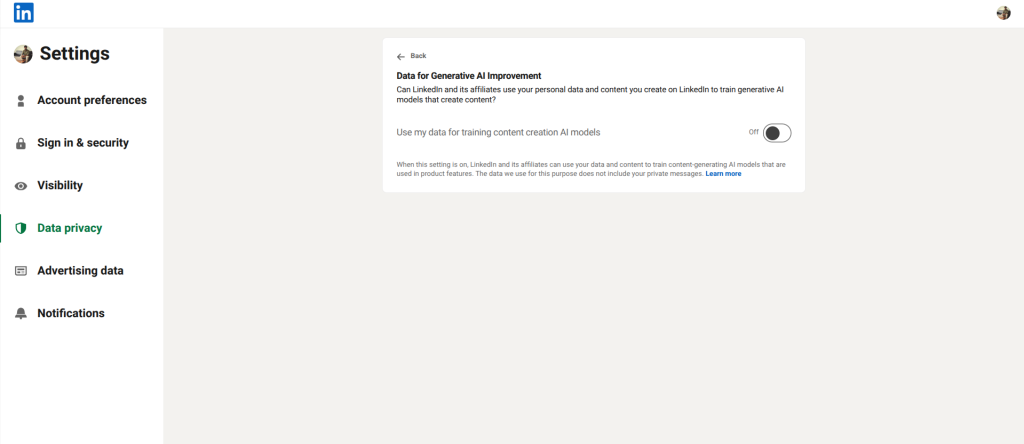
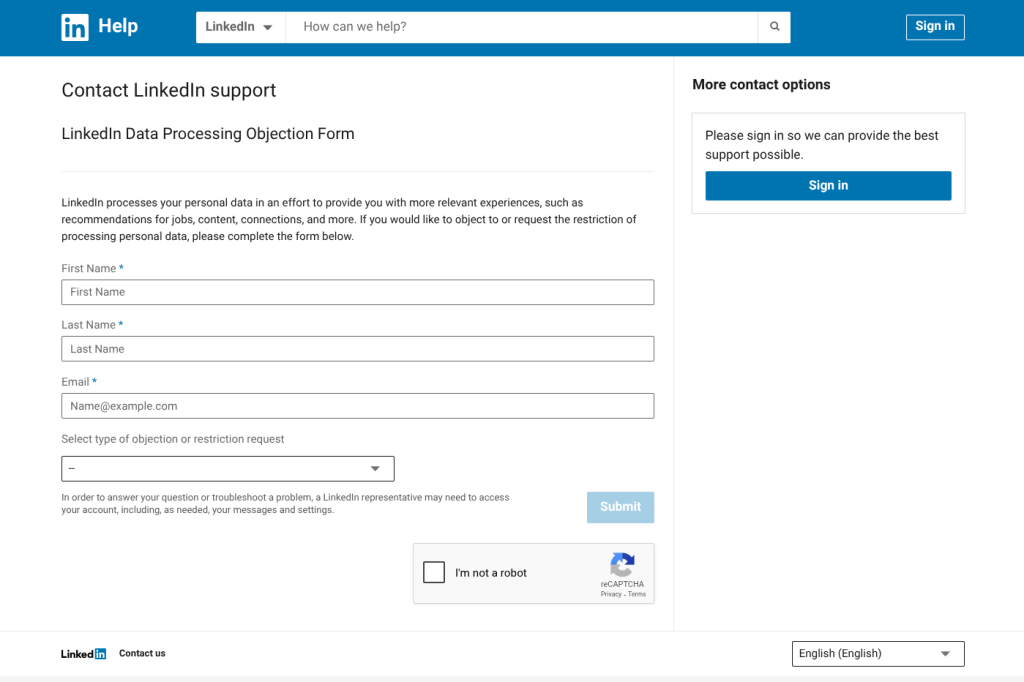
Data for Generative AI Improvement Toggle Option
Stay tuned for more updates.