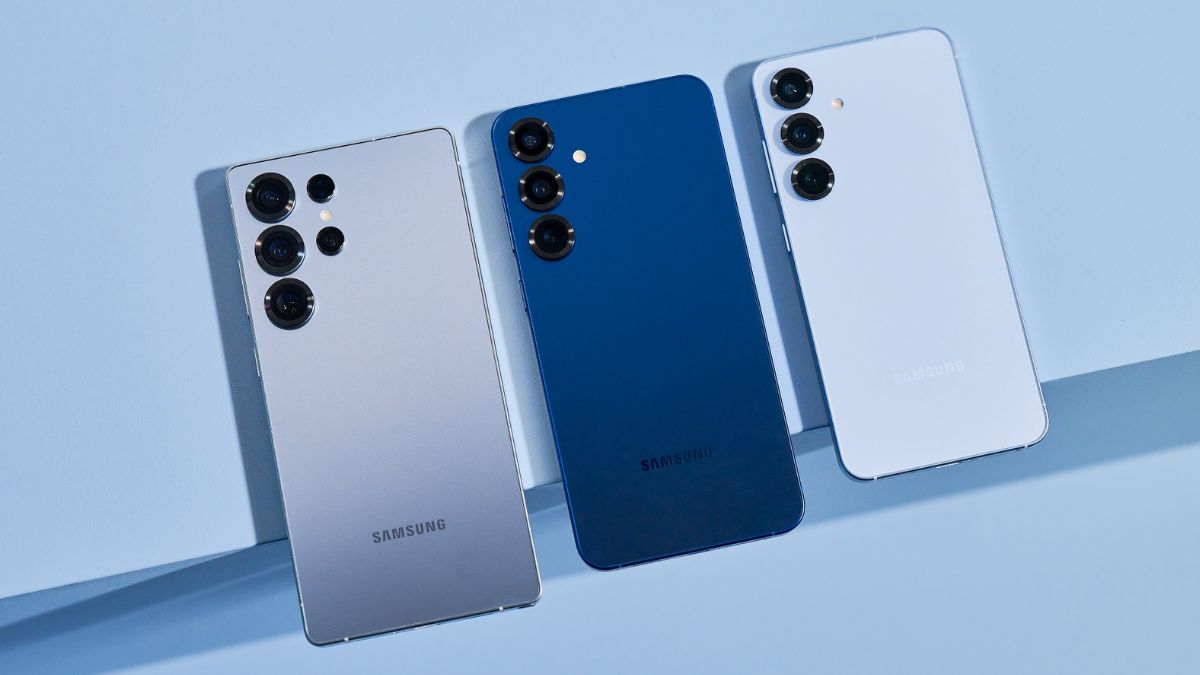
The South Korean tech giant Samsung introduced two new AI features with its Galaxy S26 series- Prioritise and Summarise notification features. It was said that these AI Notification features were rolled out for previous flagship devices as well, but there was no update on the same.
Samsung has now started releasing the One UI 8.5 June 2026 update for the Galaxy S25 series in Korea, and with this update, the AI Notification highlights menu is also being rolled out for the series, which includes two new features.
Two New AI-Powered Notification Highlights: Galaxy S25 Series
The new features include: Prioritise Notifications and Summarise Notifications.
Prioritise Notifications
With Prioritise Notifications, AI learns to recognise the most relevant messages and places them at the top of the list. This way, an urgent message will never be buried under dozens of less important notifications.
Summarise Notifications
By analysing your notification history from the last 24 hours, the AI generates a short, concise text that summarises the entire conversation. At a glance, you will know the gist of the conversation.
Do note that if your battery is running low or you’ve enabled Power Saving mode, summaries will be paused to extend your phone’s battery life.
How to enable and customise the experience?
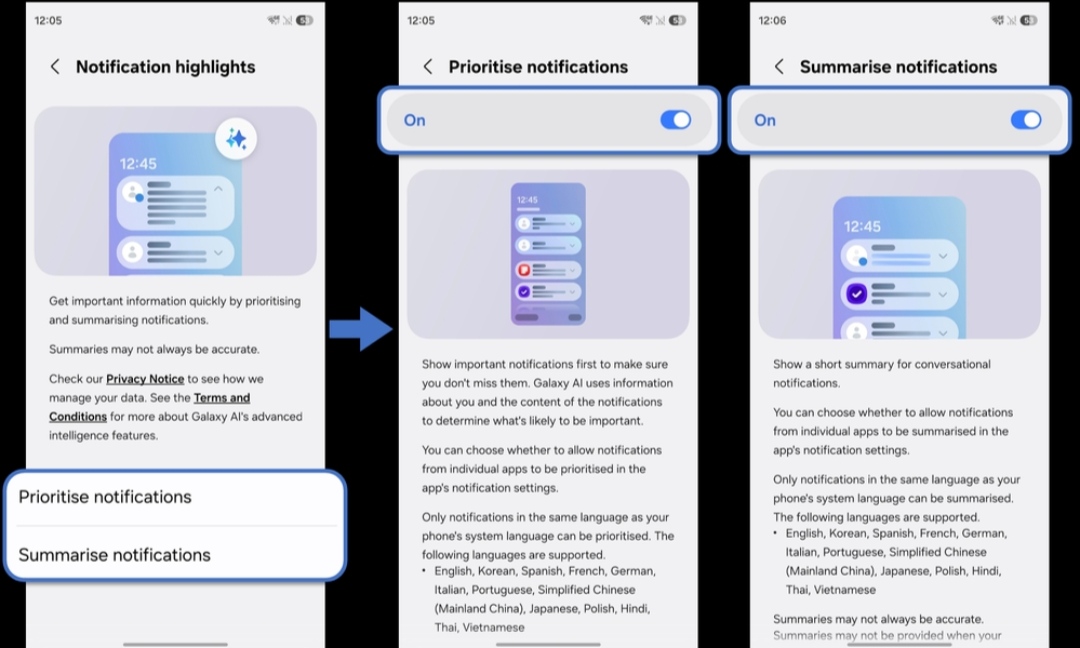
Phase 1: Turn on Galaxy AI
- Step 1- Open Settings
- Step 2- Select Galaxy AI
- Step 3- Tap Notification highlights
- Step 4- Toggle on the main switches for Prioritise and Summarise notifications
Phase 2: Advanced customisations for individual apps
- Step 1- Go to Settings
- Step 2- Select Notifications
- Step 3- Tap App notifications
- Step 4- Find the app you want to customise (e.g. Google Messages)
- Step 5- Toggle the corresponding switches on or off to create a personalised experience, app by app
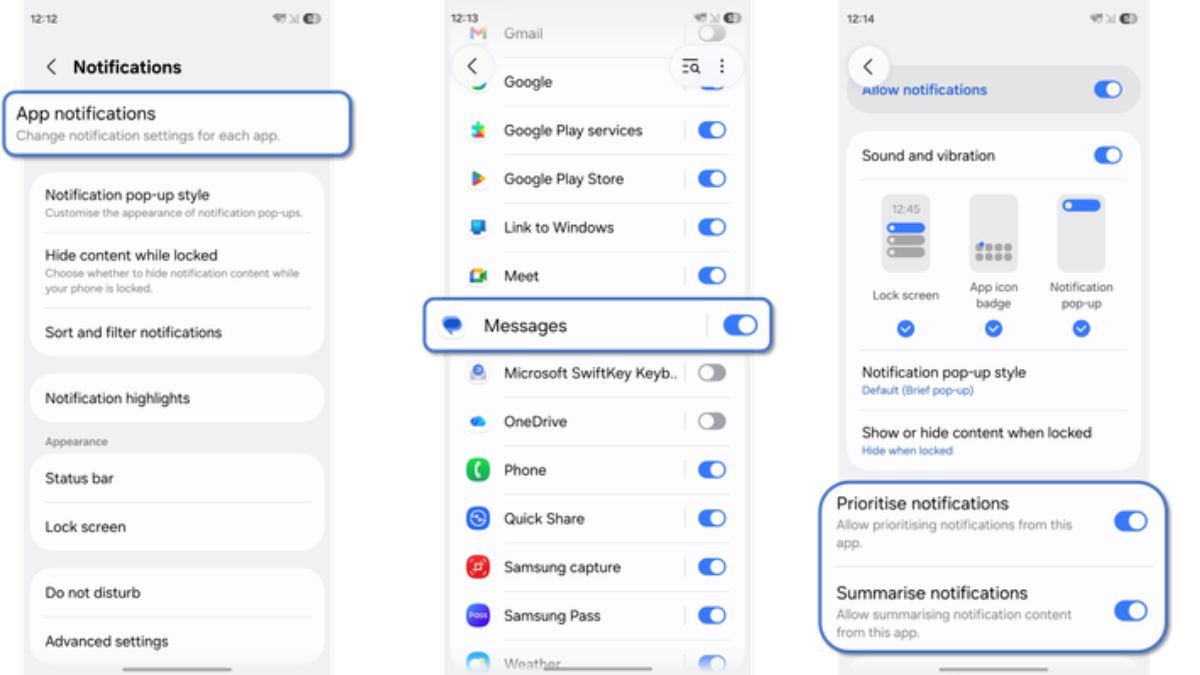
The Summarise notifications feature is only available on messaging apps; other apps only use the Prioritise notifications feature.
Via.