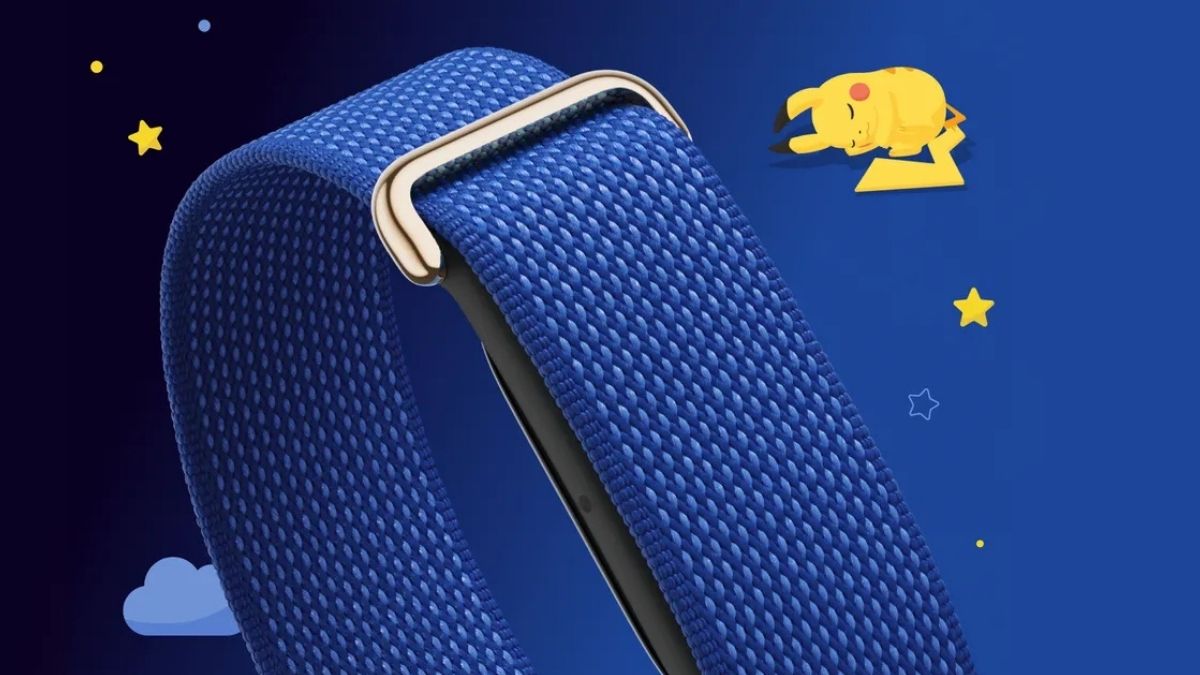
Yesterday, Google introduced the Fitbit Air Special Edition Pokémon Sleep band. This band combines Google Health and Fitbit Air’s advanced sleep tracking with the playful, rewarding experience of the Pokémon Sleep app.
Google Fitbit Air Special Edition Pokémon Sleep
The special-edition band is crafted to feel light and unnoticeable on your wrist for 24/7 wear. And its micro-adjustable design makes it easy to find a comfortable fit before you head to sleep.
It comes in a Sleepy Blue colourway that features soft blue colours and a custom silk print label of Sleeping Pikachu right on the strap.
The Google Health app tracks your light and deep sleep stages, while the Google Health Coach analyses your trends over time to help you identify what makes your sleep routine unique, giving you personalised tips.
When you connect your device to the Pokémon Sleep app, your sleep activity unlocks interactive rewards. The app syncs with your Fitbit Air, using Health Connect on Android or Apple Health on iOS.
Features:
- Gather Pokémon around Snorlax: When you wake up, Pokémon with sleep types similar to yours gather around Snorlax. Research their sleeping styles to complete your Sleep Style Dex and befriend new helper Pokémon for your team.
- Calculate your Drowsy Power: The Pokémon you befriend collect Berries to raise Snorlax’s Strength. When you wake up, your Sleep Score, calculated from sleep duration tracked from Google Health, multiplies Snorlax’s Strength to generate “Drowsy Power.”
- Discover rare sleep styles: The higher your Drowsy Power, the more Pokémon — and rare sleep styles — will appear around Snorlax the next day.
How to connect your Fitbit Air to the Pokémon Sleep app?
- Link your Google Health app to Health Connect or Apple Health: In settings, allow Google Health to link with Health Connect (Android) or Apple Health (iOS). This will enable Google Health to write your sleep data into other apps.
- Pair Google Health to the Pokémon Sleep app: Open the Pokémon Sleep app, navigate to Settings, and pair your device.
- Track your rest to sync your stats: Simply wear your tracker to sleep to automatically record your sleep stages and sleep duration.
Once linked, your daily Google Health sleep stage and sleep duration data will automatically sync to the Pokémon Sleep app each morning to fuel your Pokémon adventure.
Availability
This special-edition band is available in the US and Japan only. It is available for pre-orders online and in-store at the Google Store and Target, and will start shipping from 15th September. It is priced at USD 129.99.