The Tech Outlook reported this week that the OnePlus 16 is confirmed to arrive with new AI Notes, alongside a new AI photo editor and a top-tier IP rating. It’s the latest sign of a trend that’s easy to see across the launch calendar: AI note-taking has stopped being an app category and started becoming a phone feature. Brands are racing to put summarizing, transcribing, and organizing directly into the notes app, the voice recorder, and the gallery.
For buyers, that’s mostly good news. A feature that’s built into the phone is convenient, fast, and available offline in some cases. But it also raises a question that gadget coverage doesn’t always get to: what happens to everything that isn’t recorded on that particular phone? Your laptop recordings, the PDF a colleague emailed, the YouTube tutorial you watched on a tablet, the lecture recorded by someone else — none of it lives inside one brand’s notes app.
Why built-in AI notes are only part of the picture
Device-level AI features tend to be strongest on the input they can see directly: audio recorded on the phone, text typed into its notes app, images in its gallery. They’re weaker, by design, on material from elsewhere. And they’re tied to a brand and often to a recent hardware generation, which means a feature on a flagship may not reach a mid-range phone, and a feature on one brand doesn’t help someone who switches.
The market tells the same story from the demand side. The AI note-taking category is projected to cross $740 million in 2026, inside a broader note-taking app market growing from about $11 billion in 2025 to $13.3 billion this year at a 20.6% compound annual growth rate. Growth is coming from students, remote workers, and anyone whose information arrives in many formats at once — exactly the situations where being locked into one device’s notes app is a limitation.
What a cross-device tool adds
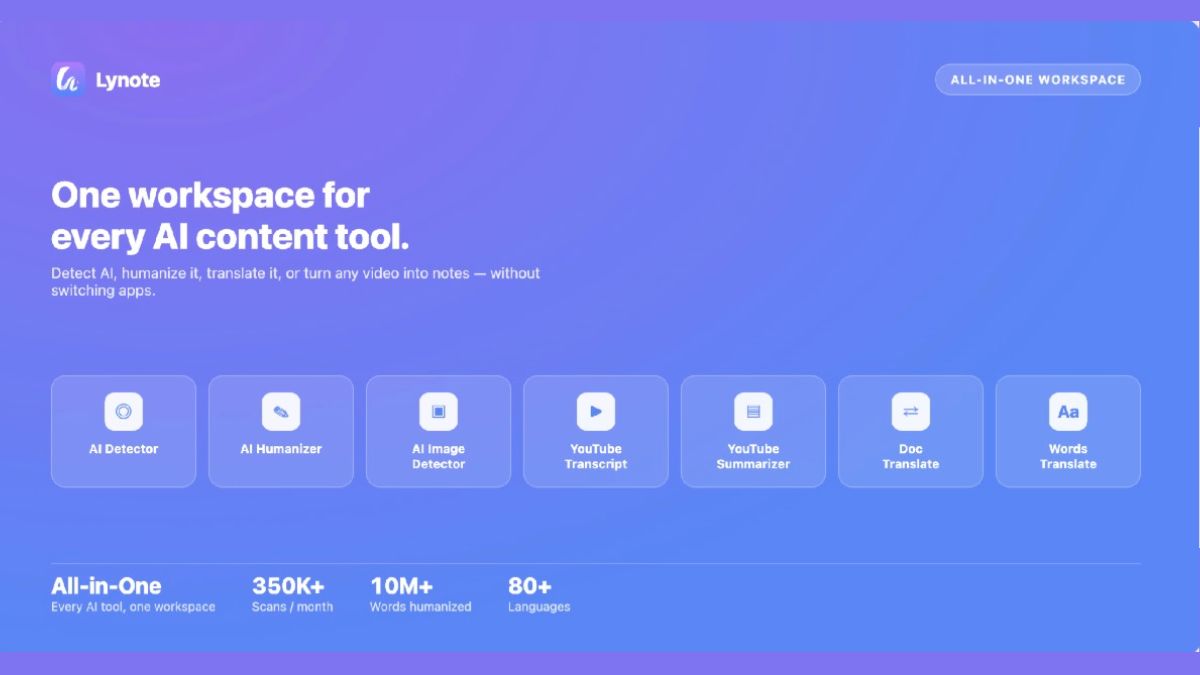
This is the role of a browser-based ai note taking tool. Lynote’s AI note generator at lynote.ai/ai-note-generator isn’t tied to any phone or operating system. You can upload documents like PDF, DOCX, and TXT, images such as PNG, JPG, and WEBP, audio like MP3, WAV, and M4A, or video like MP4 and MOV, or paste a YouTube link or a web URL. It turns the material into structured notes you can edit, ask questions of, and reuse, free and online.
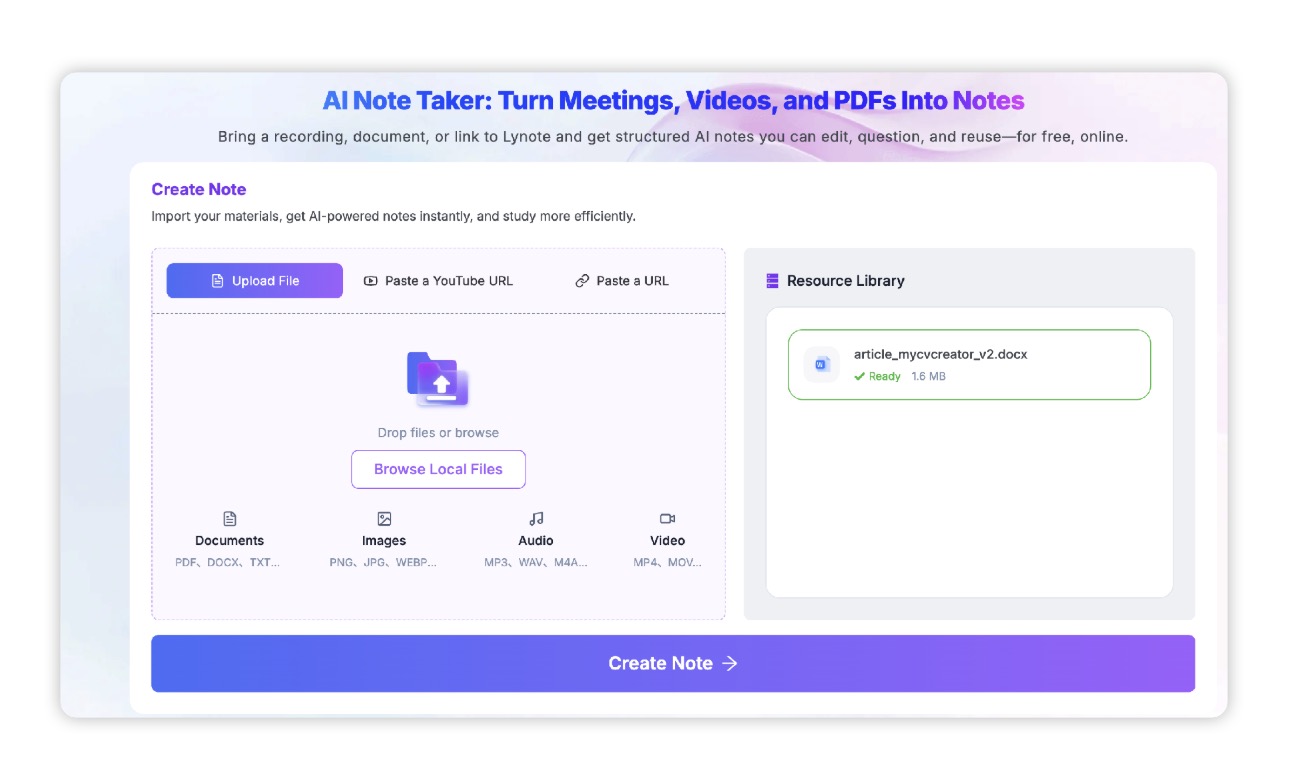
For anyone who follows gadgets, a few uses stand out. A voice recording exported from any phone — whether it’s the new flagship or an older handset — can be turned into notes the same way. A long PDF spec sheet or a manufacturer’s press kit becomes something you can question directly: what’s the stated battery capacity, which markets get which variant. A screenshot-heavy comparison session becomes searchable text. And because the tool doesn’t care where a file came from, you can keep one consistent notes workflow even if you switch brands every couple of years, as many enthusiasts do.
The launch-video problem
Anyone who tracks phones knows that a large share of the useful detail arrives as video: launch events, official teasers, hands-on previews, camera comparisons, teardown channels. Specifications get announced on stage, in a fast sentence, and then repeated in a dozen slightly different ways in write-ups. Getting the actual claim — exactly what was said about the chip, the charging speed, the software update policy — often means scrubbing through footage.
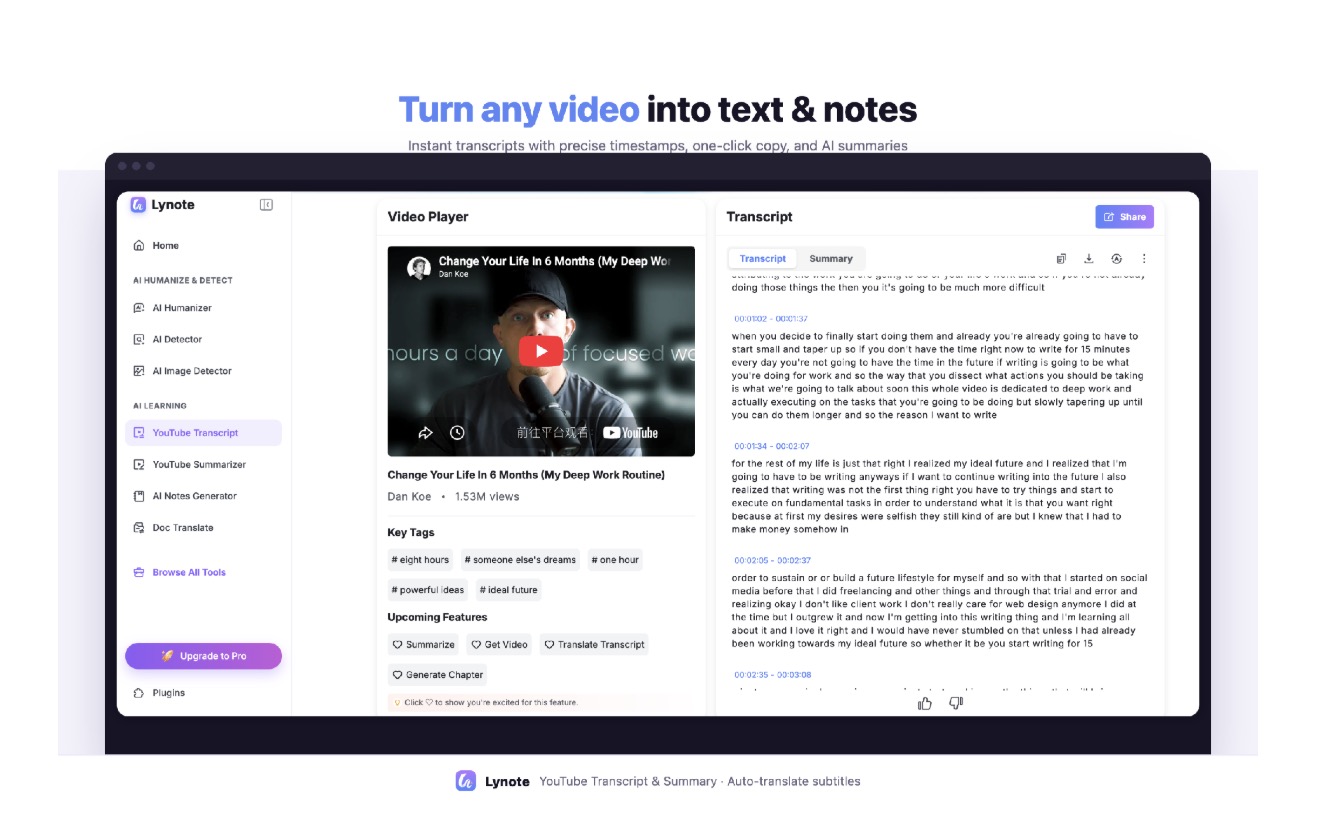
A youtube transcript generator removes most of that friction. Lynote’s transcript tool at lynote.ai/youtube-transcript turns a video into full, timestamped text and is built for batch work: it can handle multiple videos and full playlists in one workflow, supports keyword-based discovery, and offers batch queue and progress tracking for larger projects. Transcripts can be exported, copied, translated, or fed into the notes workflow.
For a reader comparing two phones across several review videos, that changes the job from “rewatch everything” to “search the text for the specific claim.” For writers, it means quotes can be checked against exact wording and linked back to a timestamp. And with translation available, a launch event presented in another language can be read in your own, which matters a great deal for a global gadget audience following brands that launch first in China or India.
Treat AI notes as a first draft
It’s worth keeping realistic about reliability, whether the feature lives on your phone or in a browser. A 2023 study in JMIR Mental Health found that the best-performing automatic transcription service reached a median word error rate of 8.9%, close to professional human transcription at 7.6%, while another built-in service reached 19.2%. A systematic review of clinical speech recognition found error rates from under 9% in controlled dictation to over 50% in real multi-speaker conversation. And a 2024 study by Kirstein and colleagues, as cited in industry analyses, found hallucinated content in up to 37% of AI-generated meeting summaries, depending on the model.
Spec numbers are exactly the kind of detail that gets garbled — a battery capacity, a refresh rate, a price. So the sensible approach is to use notes for structure and recall, and to verify any figure you’re going to repeat against the transcript or the original source.
So which should you use?
It’s not either/or. If you buy a phone with a good built-in notes feature, use it for what it does best: quick capture on the device in your pocket. Then use a cross-device tool for everything that lives outside it — files from other devices, documents, videos, and the research that goes into deciding what to buy next. The two complement each other, and the second one doesn’t expire when you upgrade.
As more brands ship AI note features, the real differentiator won’t be whether a phone can summarize a voice memo; it’ll be whether your notes still make sense when you change phones, laptops, or platforms. That’s a good reason to keep at least one part of your workflow independent of any single device.