YouTube has now launched a new feature and is currently rolling it out to help users limit their screen time while watching Shorts, something similar to what Instagram already offers for Reels.
Once you reach your daily limit, YouTube will show a prompt saying that your Shorts feed is paused. However, you can dismiss the prompt and continue watching if you choose to. The goal is simply to remind you to take a break and manage your screen time better.
According to YouTube’s support page, this feature will be turned on by default for users aged 13–17, while it will remain off by default for users aged 18 and above. It’s currently available only on the mobile app and not on the web.
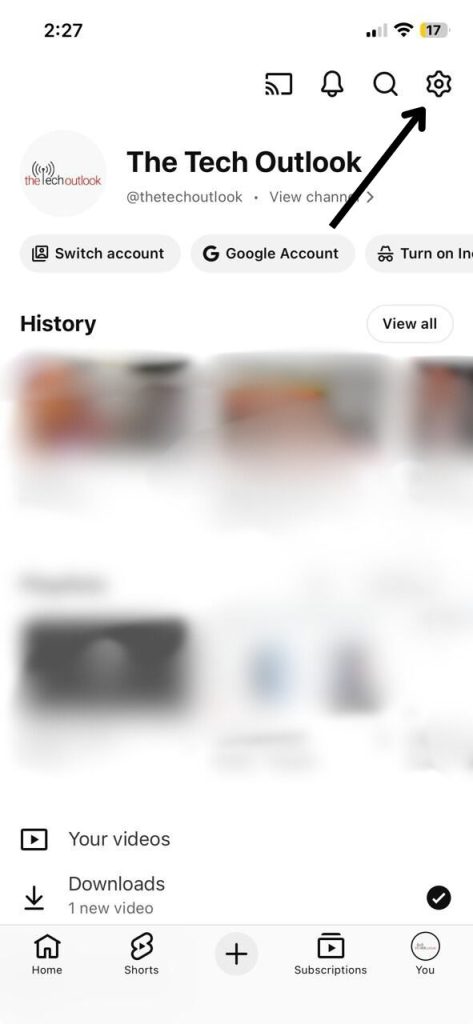
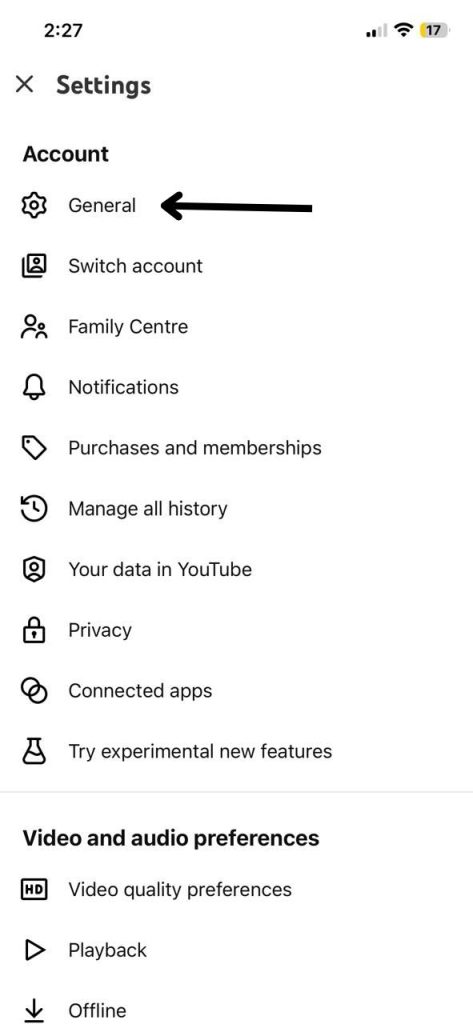
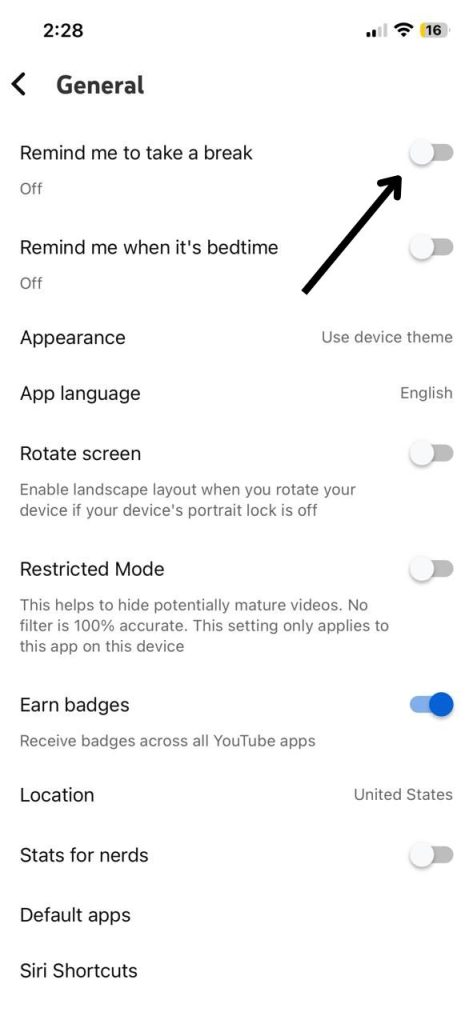
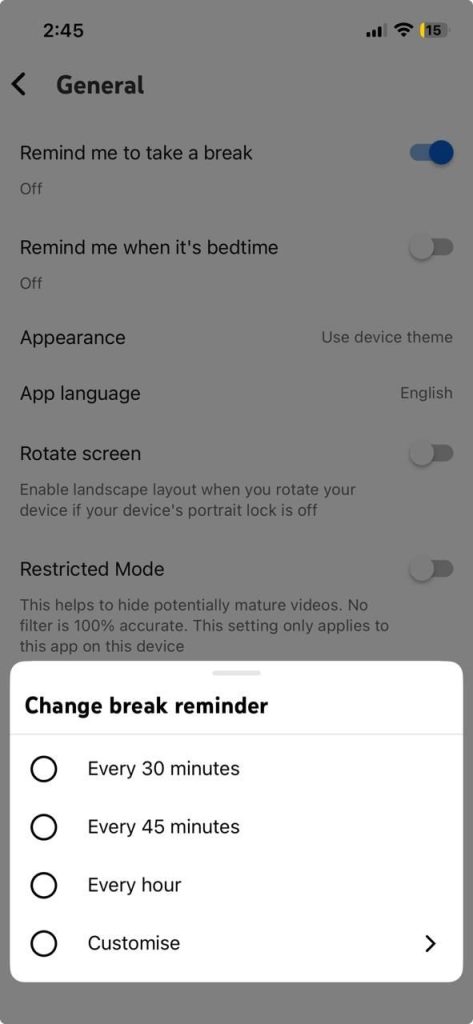
Youtube Take A Break Setting Step 1
If you’d like to turn it on manually, open the YouTube app on your phone, tap your profile picture, go to Settings → General → Remind me to take a break, and switch it on. You can then select how often you’d like to be reminded. You can also access this option under Time watched in your profile. When a reminder appears, you can choose to keep watching or adjust how often these reminders show up.
Keep in mind that if you close the app, sign out, switch devices, or pause a video for more than 30 minutes, the timer will reset. The timer also doesn’t run when watching offline videos or casting from your phone.
YouTube says it’s also planning to expand this feature to parental controls later this year, allowing parents to proactively manage their kids’ screen time. In that version, the limit notifications will be non-dismissable, ensuring children actually take the suggested breaks.
The feature is available on version 13.17 or later of the YouTube mobile app