



Telegram has introduced a new privacy feature for its Premium subscribers that allows users to disable sharing in one-to-one chats. The feature is designed to give users greater control over their conversations by preventing others from forwarding, copying, saving, or even taking screenshots of messages and media within a chat.
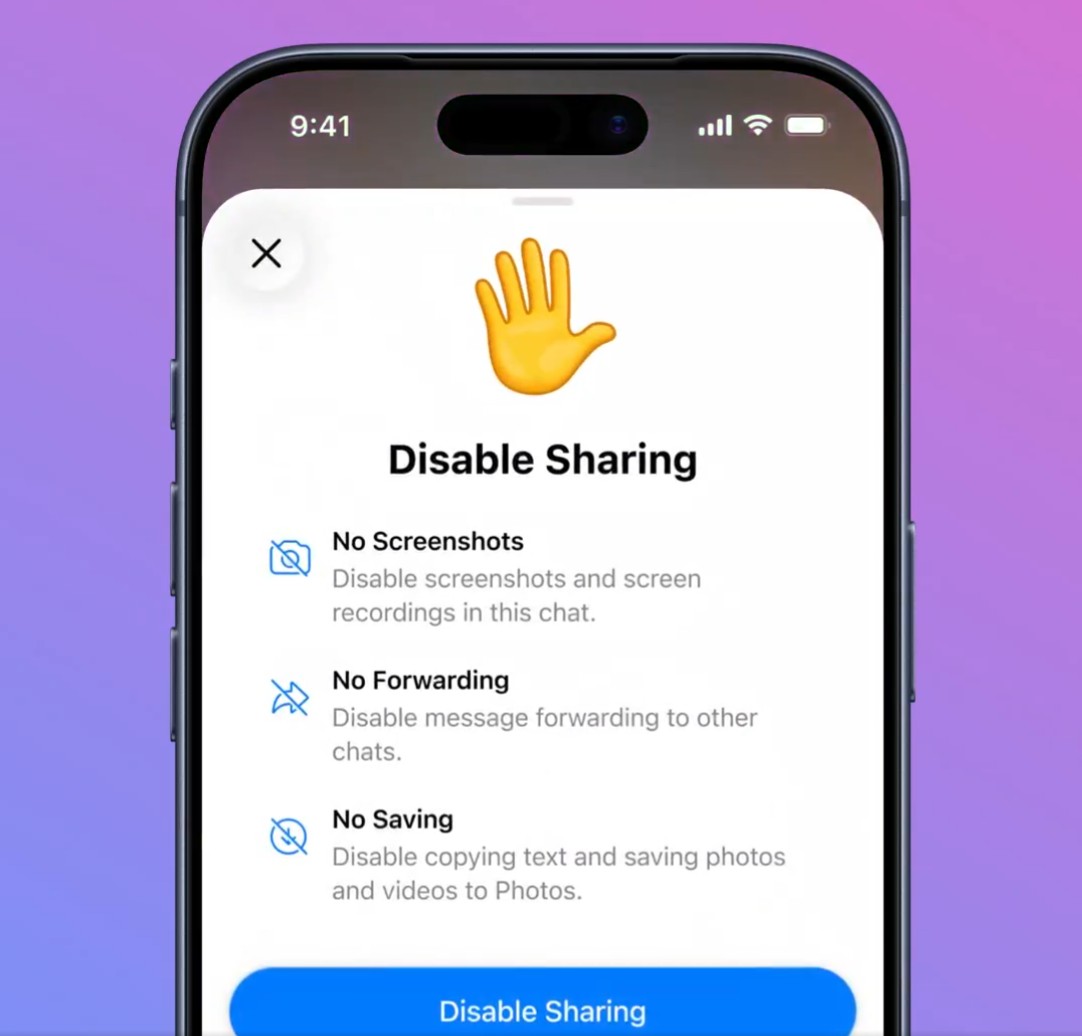
With this option enabled, the chat becomes significantly more private. Messages cannot be forwarded to other conversations, text cannot be copied, and photos or videos cannot be saved to a device. Telegram also blocks screenshots and screen recordings, displaying a “Screenshot Blocked” message if someone attempts to capture the screen.
To use the Disable Sharing feature in Telegram Premium, follow these steps:
- Open Telegram and go to the one-to-one chat where you want to enable the feature.
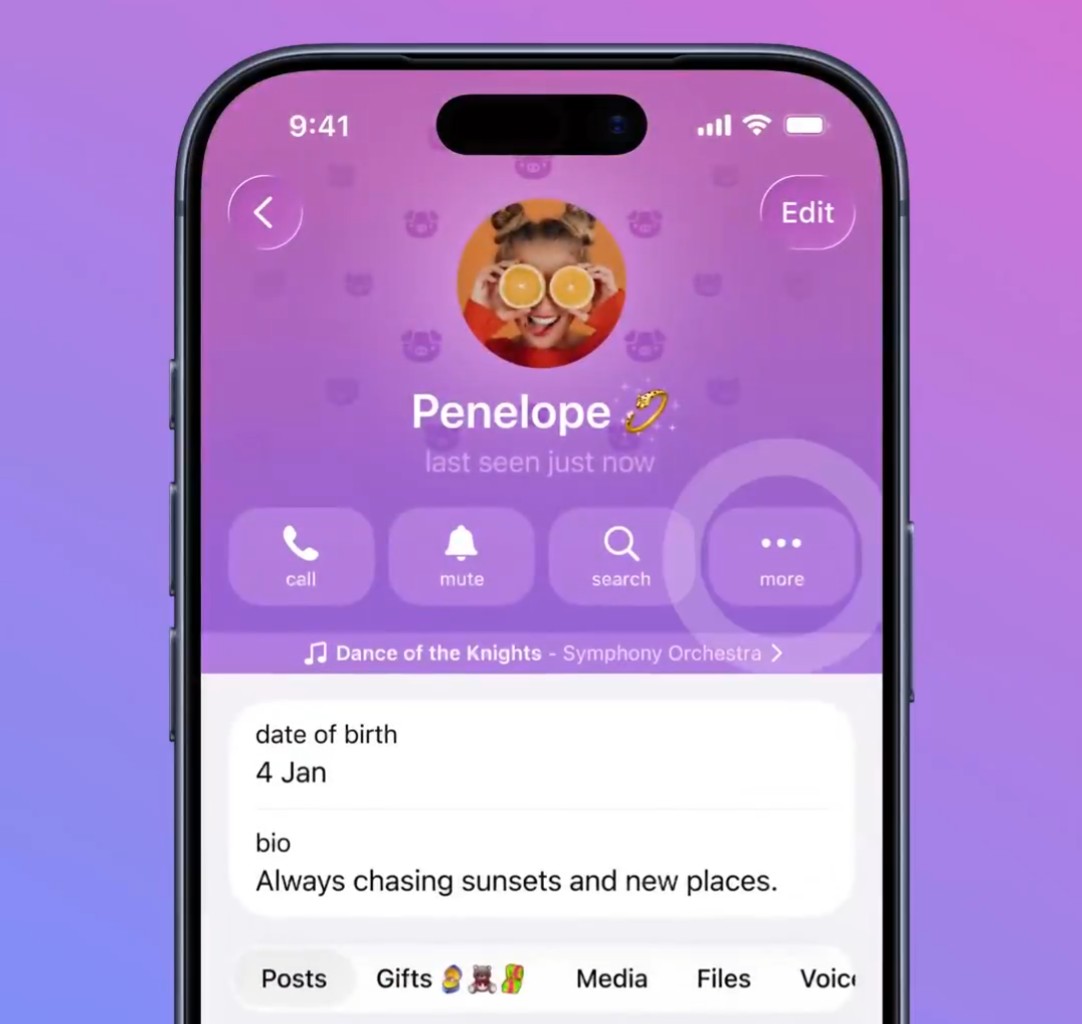
- Tap on the profile name or profile picture of the person at the top of the chat.
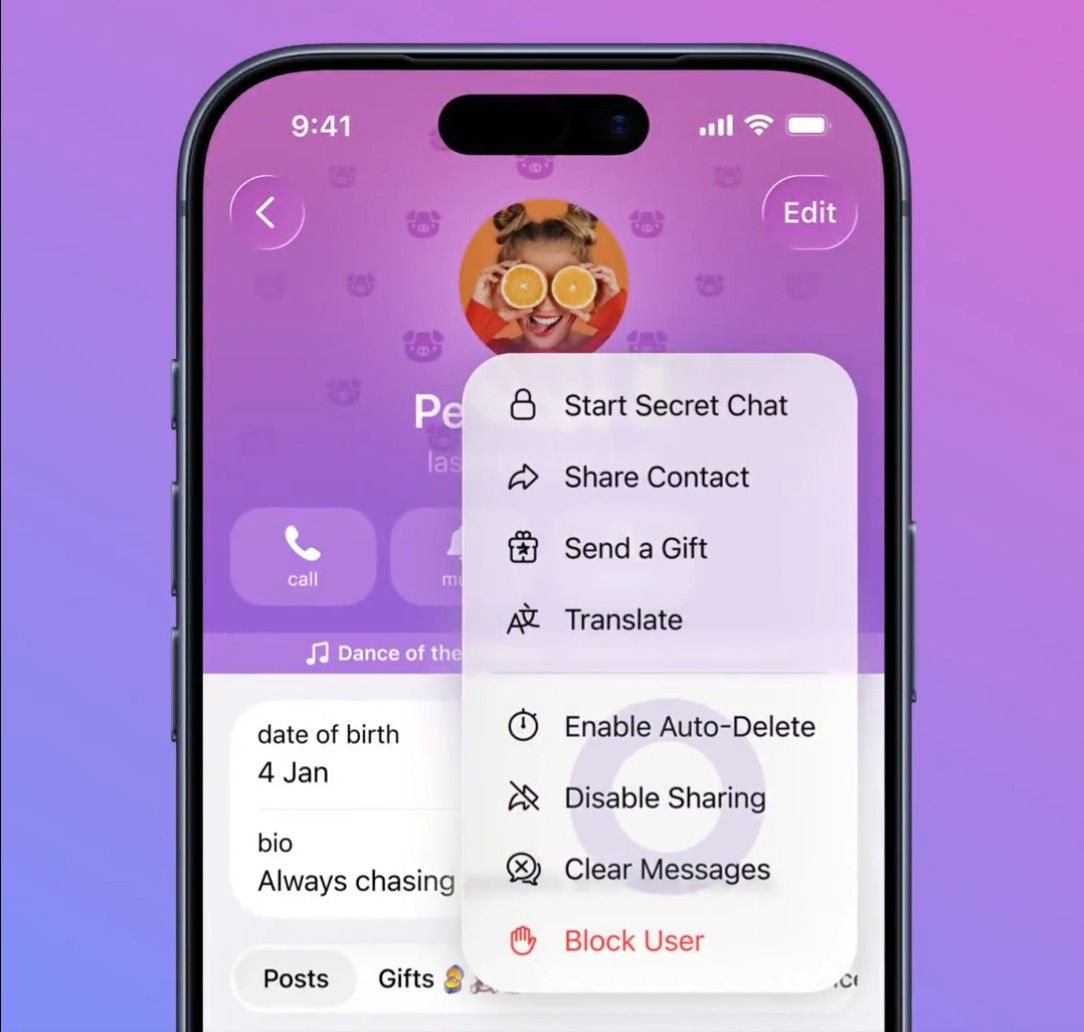
- Tap the three-dot menu (More) on the profile page.
- Select Disable Sharing from the list of options.
- A confirmation screen will appear explaining the restrictions.
- Tap Disable Sharing to activate it.
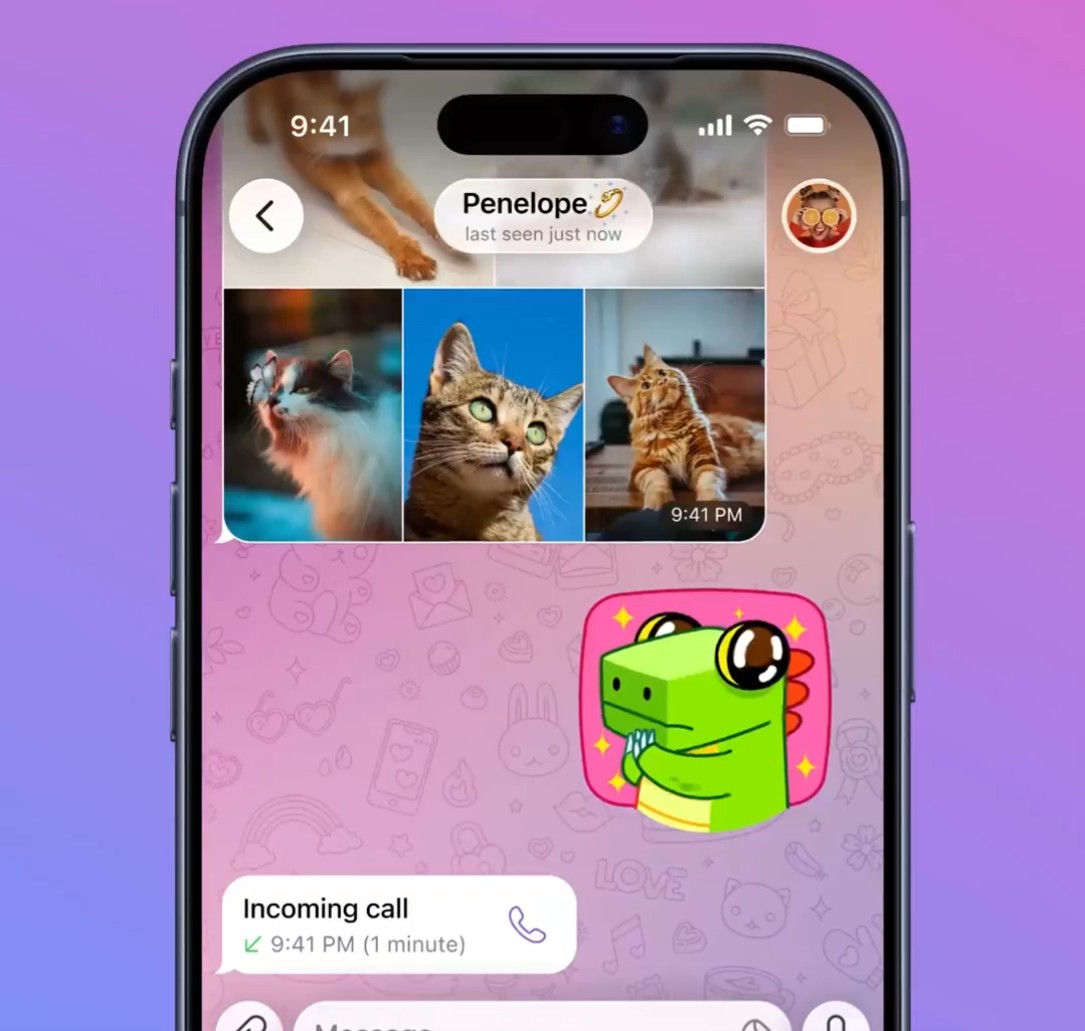
Once enabled, the change immediately affects the conversation. If someone long-presses a message, options like Copy, Forward, Share, and Save Image are removed from the menu. Telegram also shows a notice in the chat stating that copying and forwarding have been disabled.
This feature is currently limited to Telegram Premium subscribers and works only in individual chats, not in groups or channels. It adds an extra layer of privacy for users who want to keep conversations strictly between two people.
Telegram also introduced several other features in its March update, including:
- Member Tags: Users in group chats can now add a tag next to their name to show their role, profession, or interests, while admins can control whether members can set their own tags.
- Captions for GIFs: Users can now add captions to GIFs directly from the GIF panel and send them as a single message.
- Instant Stickers from Photos: Photos opened in the media viewer can be instantly converted into stickers with options to edit, add text, or include emojis.
- Creating Stickers: Newly created stickers can be saved to favourites or added to custom sticker packs.
- Editing GIFs and Stickers: GIFs and stickers can now be edited using Telegram’s media editor to add drawings, text, emojis, or trim GIF length.
- Timestamps for Polls: Polls with visible votes now display timestamps showing when each participant cast their vote.
- Streaming Responses for Bots: Bots can now stream text responses in real time as they generate replies.
- Log In With Telegram: Users can sign up or log in to apps and websites using their Telegram account without creating passwords or filling out forms.
- Time and Date Formatting: Messages can include formatted dates and times that adapt to each recipient’s time zone and can be tapped to add reminders or calendar events.
