


Introduction
Informing everyone that you have made the decision to get married is quite a significant and emotional move for the couple. Of course, it’s only natural that you wish to your invite to be laid-back, sincere, and reflective of the two of you. On the other hand, some couples don’t proceed with this step because they are wondering, “I’m not a designer. How will I ever make a nice-looking one?” Such fear is very common and almost legitimate.
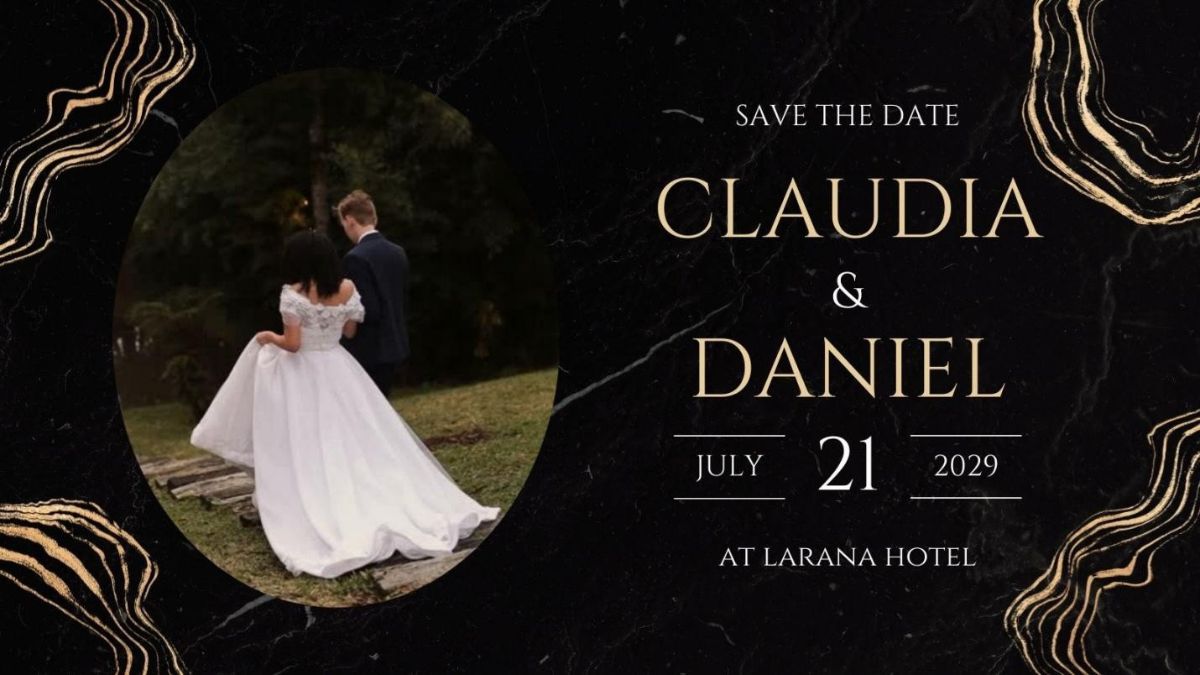
Technology greatly facilitates the production of beautiful wedding invitation videos. Thanks to pre-designed templates and features that even beginners will find helpful, creating a charming invitation is now a piece of cake at the most in a few minutes. Here we will walk you through the whole process of customizing your wedding invitation video template using marriage invitation video maker one step at a time, even if you have no design skills!
Why Video Invitations Are Worth It
Nowadays couples are slowly but surely ditching their old paper invites in favor of digital and video ones. This is not only because it is fashionable, but it is also more in line with our times and gives the feeling that the invite is more personal. With a video invitation, you can narrate your story as a paper invite won’t allow it.
Check out the reasons why video invites are getting more popular:
- More memorable & shareable: You can instantly distribute them via WhatsApp, Instagram, or e-mail, and the guests do watch them.
- Sets the mood early: Music, visuals, and animations play a part in making your wedding’s emotional tone even before the big day.
- Cost-effective: Forget all the printing and courier charges, just one elegantly made video invite that you can share unlimited times.
- Eco-friendly: A digital invitation means zero paper waste and a greener celebration.
Short, personal, and impactful, video invitations make your announcement unforgettable.
What to Look for in a Wedding Invitation Video Template
Before even thinking about personalization, the choice of an initial template in line with your needs will undoubtedly make the entire task of invitation creation easier. A good template should already set the tone of your wedding theme, so what you end up doing mostly will be minor tweaks instead of a total overhaul.
There are a few things you need to take into consideration:
- Style match: It would be ideal to choose a template that reflects the style of your wedding, say rustic, modern, floral, traditional, or cinematic. The closer it will be to your dreams, the less you will have problems with customization.
- Customization flexibility: Make sure that the template supports easy editing of texts, changing colors, photo replacement, and background music updates without the need for professional design skills.
- Mobile-friendly output: Given the fact that most of the guests will most probably be opening wedding invitations on their mobile phones, you would want to have the template output in a quality format and look good on mobile display.
- Ideal duration: The average length of a wedding invitation video is somewhere between 30 and 90 seconds.
Step-by-Step: How to Personalize Your Template
Step 1. Selecting your platform & template
Pick a platform where you create a video that is very easy to understand and use while the interface is very friendly. Also, a platform that provides a vast library of wedding templates to choose from.
Wondershare Filmora is a perfect option. Using Filmora, you can create wedding invitation video. Pick one out of many attractively designed templates, insert your pictures, words, and tunes, and send out a gorgeous digital invitation that tells the tale of your love, even if you have zero design skills.
Step 2. Putting in your names & details
Make sure you update all the placeholder text with your full names, wedding day, venue address, time, and RSVP details.
Step 3. Exchanging your own photos or video clips
Put your personal pictures or videos in place of the generic ones. Bear in mind the quality of the pictures should be high, and the light should be the same in all of them. Besides, combine natural, spontaneous pictures with formal ones to have more variety. You do not necessarily have to go for a professional photographer since pictures taken on a phone can be lovely and sufficient.
Step 4. Matching the colors to your wedding palette
Change the colors of the text, overlays, or backgrounds to match your wedding 2 or 3 main colors. For example, with Canva you have a color wheel at your disposal, Pinterest also has boards that you can use to get ideas so that everything stays harmonious.
Step 5. Selecting the ideal background music
Since music is the one which creates an emotional atmosphere, it must be very carefully picked.
Use built-in royalty-free tracks or upload your own song.
Step 6. Review, modify & save
In case you were wondering, you can always preview your video on your phone before final generation to see if everything is fine. Don’t forget to verify spelling, date/time, photo quality, and music volume. Save the video in the MP4 format as it is the best one for sharing smoothly on Whatsapp, Instagram, or email.
Conclusion
Making a wedding invitation video that expresses who you are is quite easy nowadays and being a designer is not even a requirement. It is enough to choose a style that suits you, insert personal images, music, and details and make a couple of changes to get a stunning and unforgettable invitation that narrates your love story.
Filmora intends to assist you with the task through its easy-to-use interface for beginners, large template collection, and integrated features, enabling you to produce a wedding invitation video that will amaze your guests and will be the perfect representation of your wedding day.

