


Introduction
High resolution will not be a luxury but a standard requirement. We have 4K TVs, retina-sharp monitors, and video-sharing platforms that are all about high-quality visuals, so we understand what unfocused clips look like right away. But, there are still a good number of creators who launch merely 720p videos, which are sometimes downloads of compressed social media or low-bitrate exports that disintegrate when viewed on bigger screens.
Traditional upscaling essentially just zoomed in on the existing pixels to make a larger frame, but AI upscaling recreates and invents new details to give the impression of a higher resolution. Nowadays, tools such as Vmake combine AI-powered image enhancement into the whole process, but is it more attractive, or just a clever marketing ploy? Let’s break down AI video upscaling vs traditional upscaling!
What is traditional video upscaling?
Traditional video upscaling is a resolution enhancement technique that magnifies video by applying a mathematical process and placing additional pixels among the existing ones, without producing new visual information.
How it works
The method looks at the adjacent pixels and determines the intermediate values by utilizing the interpolation algorithms to decide on the missing area. That was a higher-resolution frame that was bigger, not in size but in fact detail.
The most common methods include:
- Nearest neighbor: This method selects the closest pixel and duplicates it. It is very fast, but it can cause jagged edges, and pixel blocks might be clearly visible.
- Bilinear interpolation: This method makes a smooth mixture of nearby pixels, resulting in fewer blocks and smoother transitions. However, fine details are softened at the same time.
- Bicubic interpolation: This method uses more pixel data around the original one for smoother gradients and slightly sharper edges, which is why most editing softwares has this feature in common.
Strengths
- Very fast processing speed
- Minimal GPU/CPU requirements
- Built into almost all video players, TVs, and editing software
- Stable, predictable output with no “AI guesswork”
Weaknesses
- Soft or blurry edges when enlarged significantly
- Fine textures (skin, fabric, hair, grass) lose clarity
- Compression artifacts become more noticeable
- Cannot restore lost detail from low-bitrate or heavily compressed videos
- Large jumps (e.g., 480p → 4K) look especially artificial
What Is AI Video Upscaling?
AI video upscaling refers to a next-generation resolution enhancement technology that uses deep neural networks to recover the details lost in the video and to smartly increase the video resolution, instead of only enlarging the existing pixels.
How it works
AI upscaling algorithms are exposed to huge datasets comprising millions of paired low-resolution and high-resolution images and videos.
When you upload a video, the AI:
- Detects the frames’ patterns, shapes, and textures
- Locates areas that are blurred or compressed
- Forecasts edges that are sharper and outlines that are clearer
- Recovers tiny details (such as human hair, skin pores, fabric weave, leaves)
- Reestablishes architectural features that compression had taken away
Additionally, some more sophisticated systems deploy temporal AI models, i.e., they analyze several frames at a time rather than each frame separately. Thus, they can keep the motion natural and at the same time eliminate flickering or shimmering artifacts.
Core capabilities
- Generative detail creation: Restores plausible details where there was a loss of information
- Intelligent texture completion: Reconstructs the surfaces such as skin, fabric, walls, and nature
- Artifact and noise reduction: Got rid of compression blocks, banding, and grain
- High-ratio stable upscaling: More natural handling of big leaps (e.g., 480p → 4K)
- Temporal consistency modeling: Less flicker and quite sharpness in motion
What makes it different
While traditional upscaling essentially calculates pixels by means of strict formulas, AI upscaling tries to figure out what realistic detail should look like based on trained visual intelligence.
Rather than just increase resolution numbers, it tries to bring back the lost visual information, which makes low-quality video footage look much sharper and more natural when done properly.
Side-by-side comparison
| Factor | Traditional | AI Upscaling |
| Fine textures (hair, fabric) | Soft and blurry | Reconstructed, sharp, and detailed |
| Skin details | Smoothed and flattened | Natural pores, structure, and lifelike tones |
| Product surfaces | Flattened with minimal texture | Material texture restored with depth and realism |
Motion & stability
- Traditional: May cause shimmer and blur; no flicker correction
- AI: Keeps temporal consistency, decreases jitter, and retains smooth frame-to-frame detail
Examples include talking-head videos, e-commerce product demos, gaming clips, and fast-motion content
Artifact handling
- Traditional: Further reveals compression noise and blockings; lowers the overall quality.
- AI: Cleans up the noise, fixes the compression artifacts, gives the skin a natural look, and fine-tunes facial features and materials
In short, AI upscaling is not merely a tool to bring the video to a larger size; it is a method of raising and refining the video to a higher level, thus resulting in sharper, cleaner, and more vivid images.
Introducing Vmake AI video enhancer
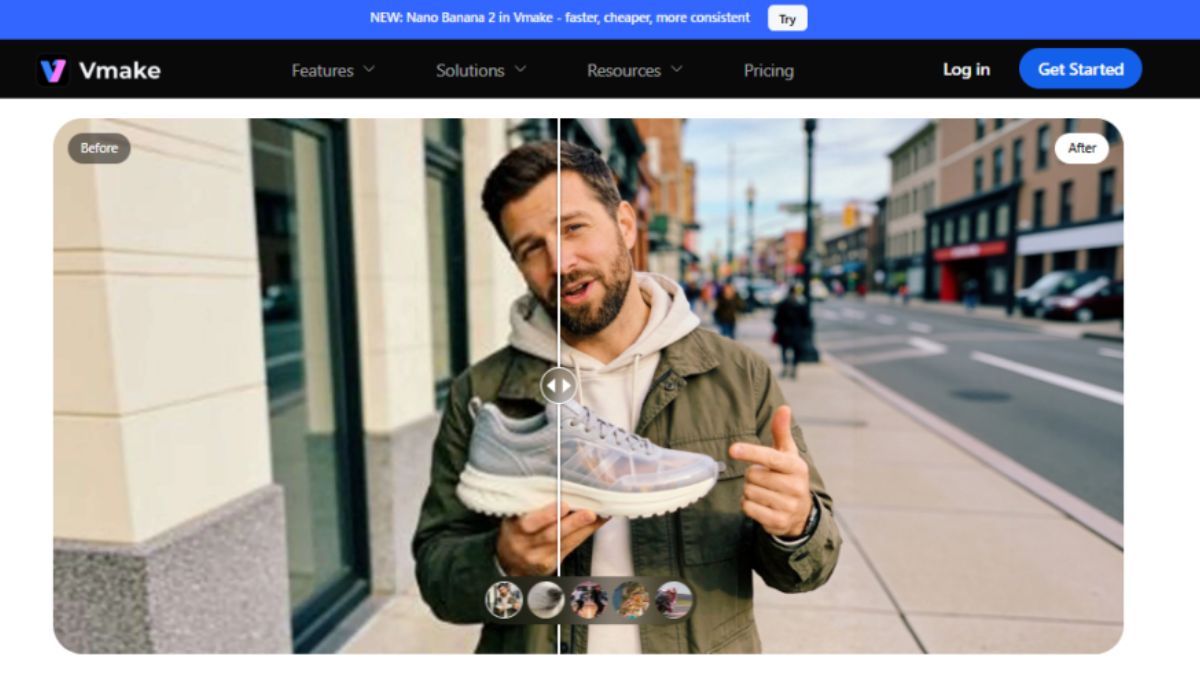
Vmake’s AI Video Enhancer with 4K+ model radically redefines video upscaling, going way beyond just the pixel enlargement of traditional methods by recovering textures, restoring fine details, and enhancing motion stability. Moreover, through a set of specialized modes for portraits, products, gaming, low-light footage, and animation, it achieves professional-quality results with a few clicks only.
It’s a breeze to get started: simply upload your video, have Vmake automatically pick the best AI model (2K, 4K, or AI 4K+), and then download the super sharp, smooth, and textured video. The platform is browser-based, secure, and creator-, marketer-, and gamer- friendly.
Key features:
- Generative reconstruction of faces, fabrics, and overall environment details.
- Advanced texture completion for naturally looking photos.
- Semantic-guided automatic completion to restore missing building components.
- Large-scale enhanced stable upscaling without excessive smoothing effects.
- AI artifacts reduction and elimination of noise.
- Optimization of temporal stability to minimize flicker and jitter effects.
- Different modes available: Portrait, Product, Low-Light, Gaming, Anime.
- De-AI mode to repair artificial-looking outputs.
Beyond upscaling, Vmake also offers an integrated AI video watermark remover, making it easy to remove video watermarks, clean up logos, text, timestamps, subtitles, and even moving overlays in just one click.
Conclusion
Without a doubt, AI video upscaling is on a different level from traditional methods. It can bring back details, restore textures and even improve the stability of movement, while traditional methods just enlarge pixels. Vmake is just about a couple of tools that help you to elevate a video quality effortlessly up to 2K, 4K, or even AI 4K+ level that produces tinier, clearer, and

