



Today, I have a new pair of earbuds from SoundPEATS called the SoundPEATS Air 5 Pro, which was launched recently. These earbuds are available in two colour options — White and Black — and I received the Black version for testing. In this article, I will share my experience using them and how they performed during my testing. Let me begin with the design and packaging.
Design and Packaging
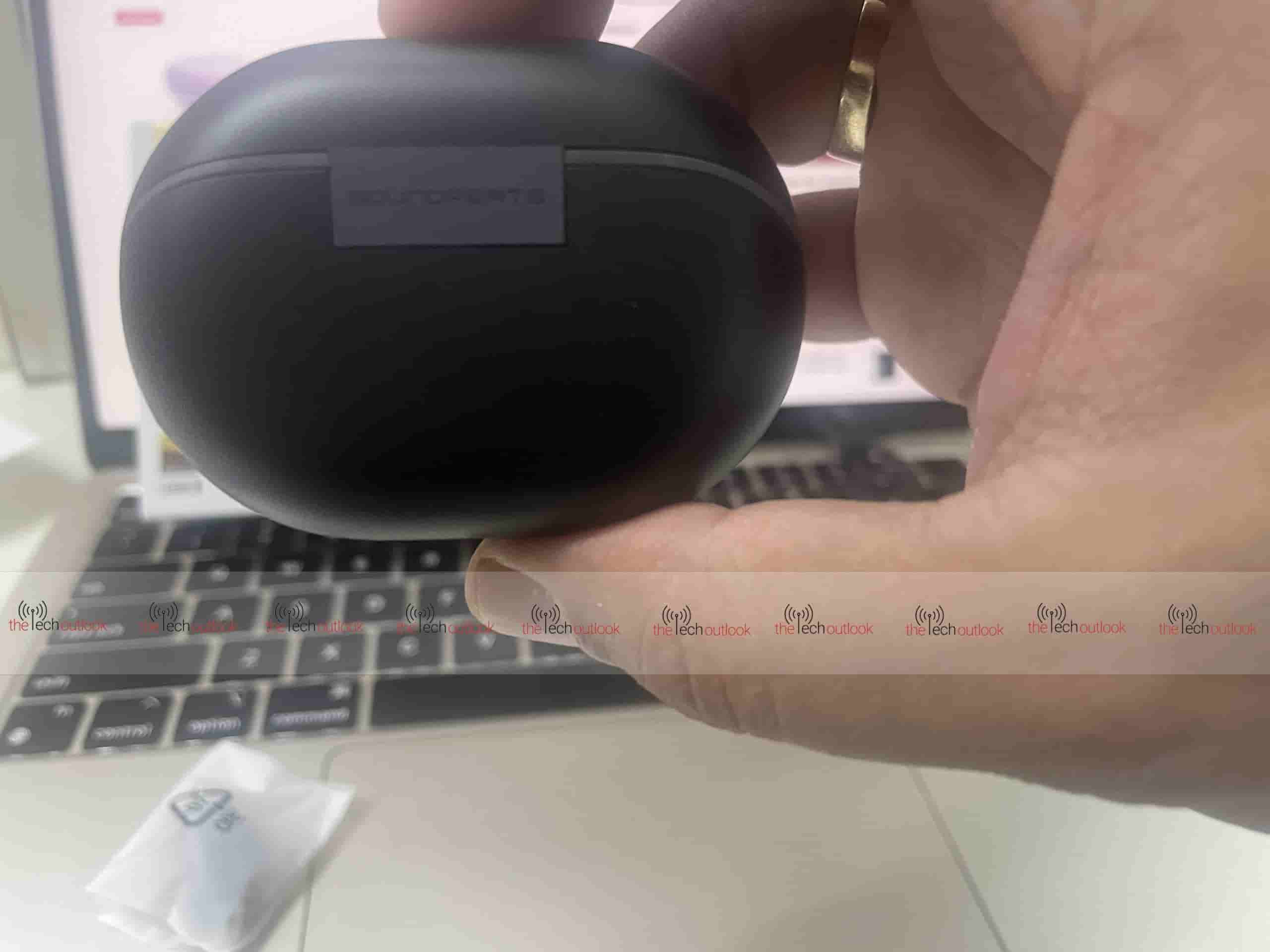
The earbuds arrived in a neatly packed box with the Snapdragon Sound logo displayed on the front, along with images of the stem‑style earbuds and badges for Hi‑Res Audio and LDAC support. As soon as I opened the package, I noticed the pebble‑shaped charging case in black. On the front of the charging case, there is an LED indicator, the USB Type‑C connector is positioned at the bottom of the case, and the SoundPEATS logo is printed on the back.
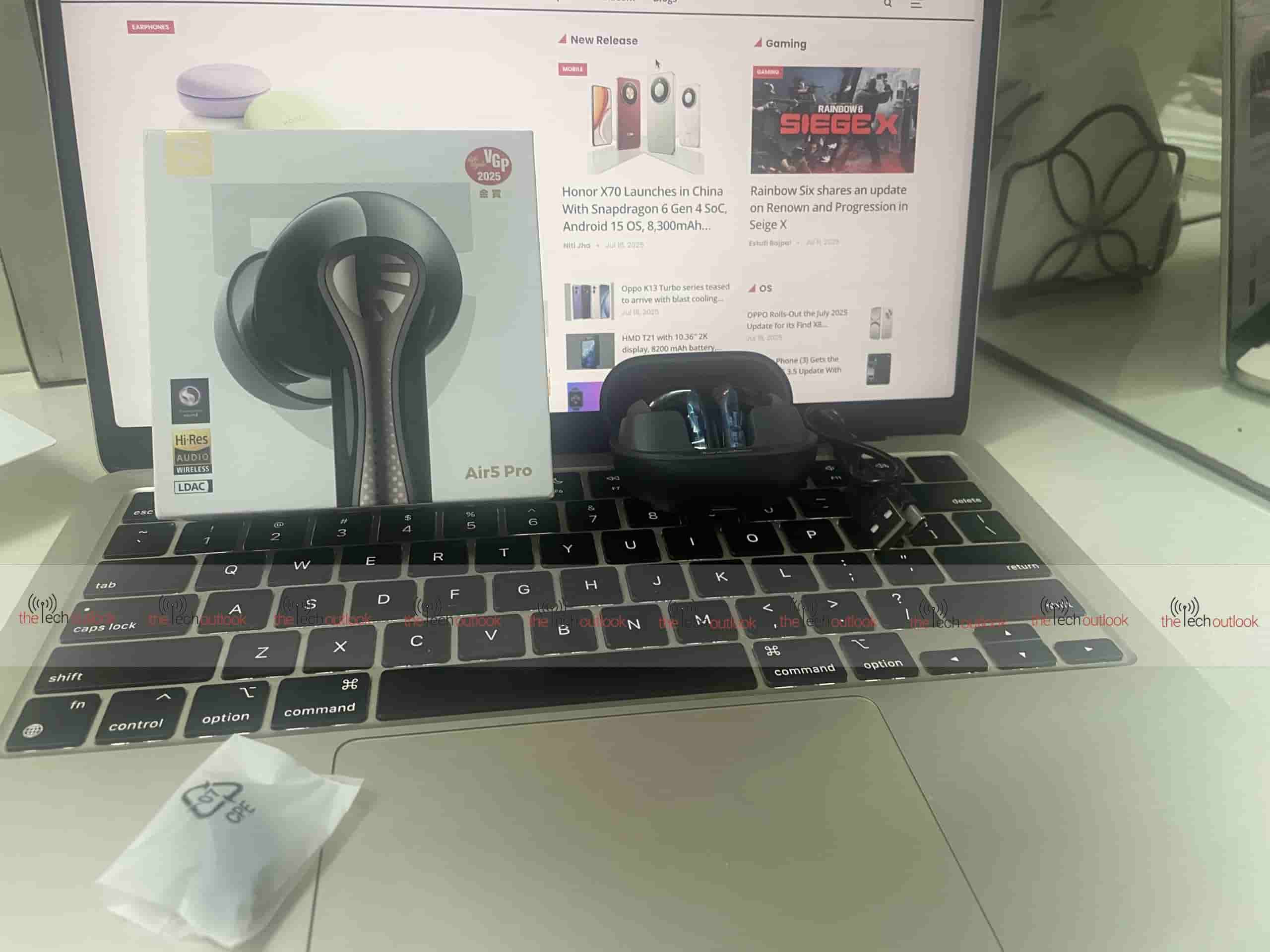
Opening the charging case reveals the two earbuds, also in black, and they certainly look premium. They feature a sleek semi‑in‑ear design with stems that have a metallic outer frame, giving them a premium look. The rounded heads ensure a comfortable fit, and the charging case is compact enough to slip easily into a pocket. The earbuds feel lightweight, weighing around 4.8g each, and with the charging case, the total weight is around 50.3g.
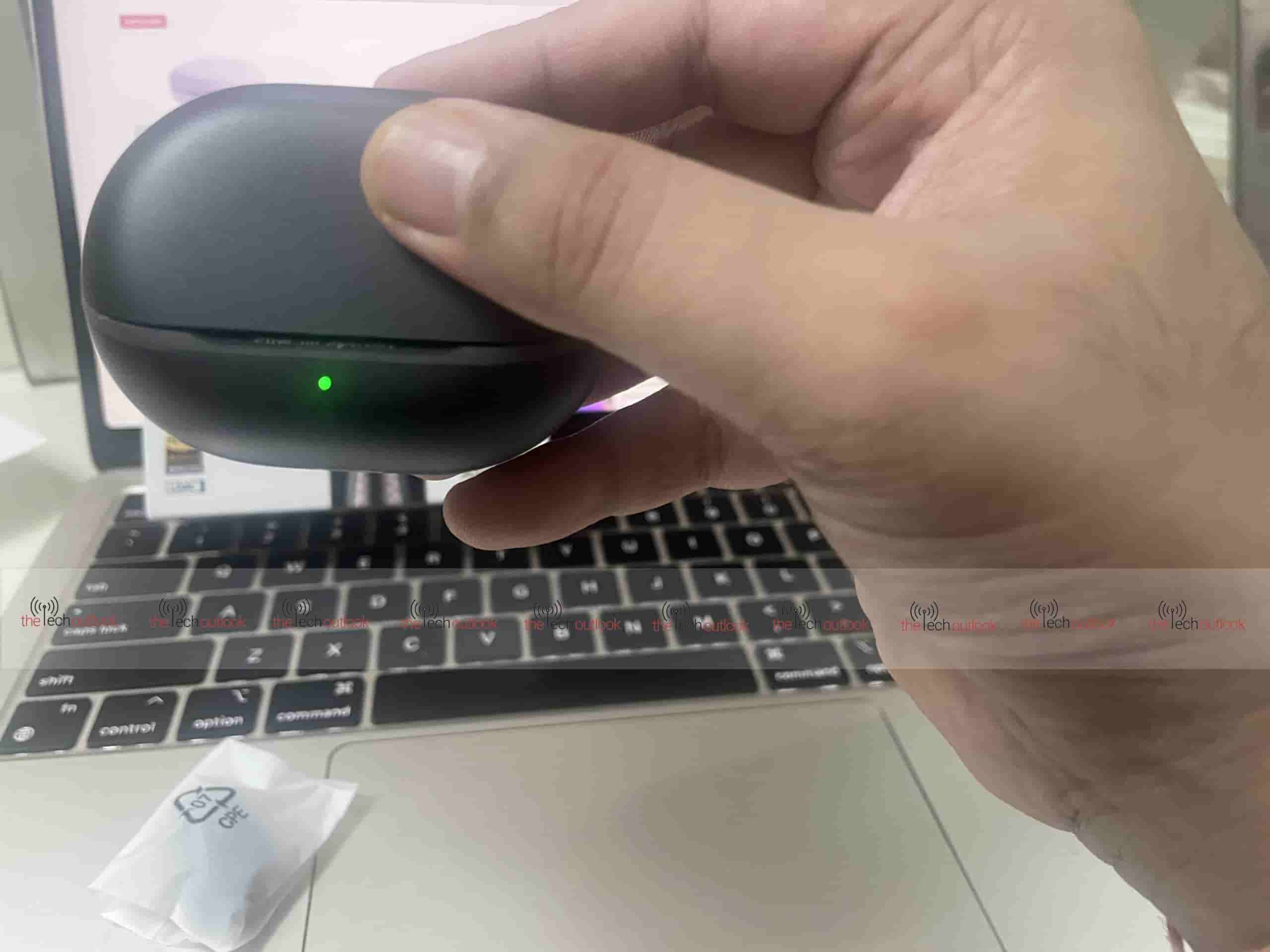
A green LED light on the charging case shows it is fully charged, while a yellow light shows charging is between 20–69%. If the battery of the charging case is below 20%, it will show red. There is also a button next to the USB Type‑C slot on the charging case. There is also a button next to the USB Type‑C port; pressing it makes the LED flash according to the charge status. One thing I missed is a small LED light on the earbuds themselves to indicate whether they are connected or disconnected.
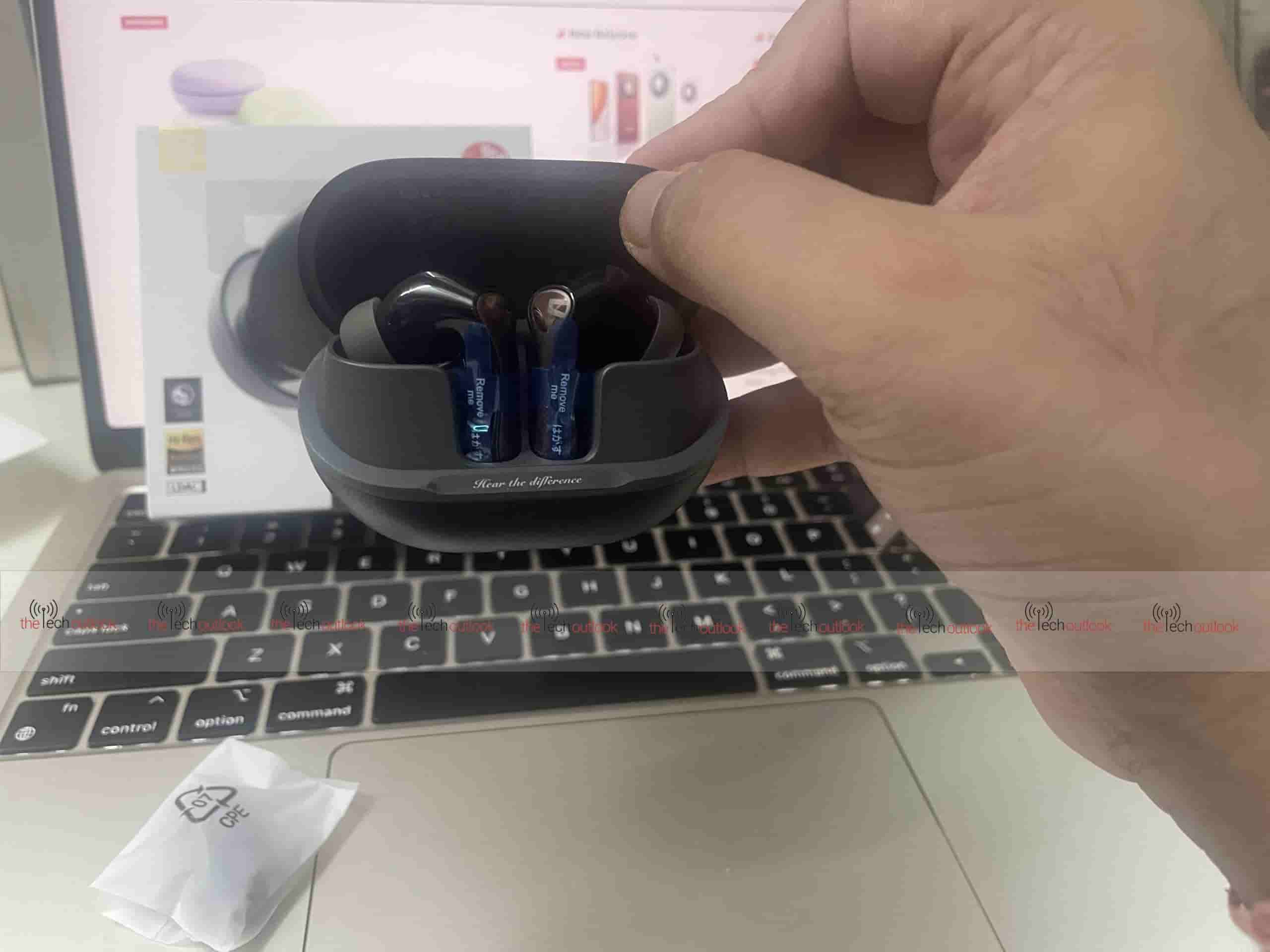
Inside the package, apart from the USB Type-A to Type-C cable, there are two extra sets of ear tips (small and medium), while the large ones are already on the earbuds. The default tips fit my ears comfortably, as I have large ears. One thing missing from the package was a printed instruction manual, but it wasn’t a deal breaker, as I was able to find it on the SoundPeats official website. The earbuds also have an IPX5 rating, which means they are protected against light rain. While there is no specific mention of sweat resistance, I had no issues while using them at the gym despite heavy sweating.
Connectivity and Features
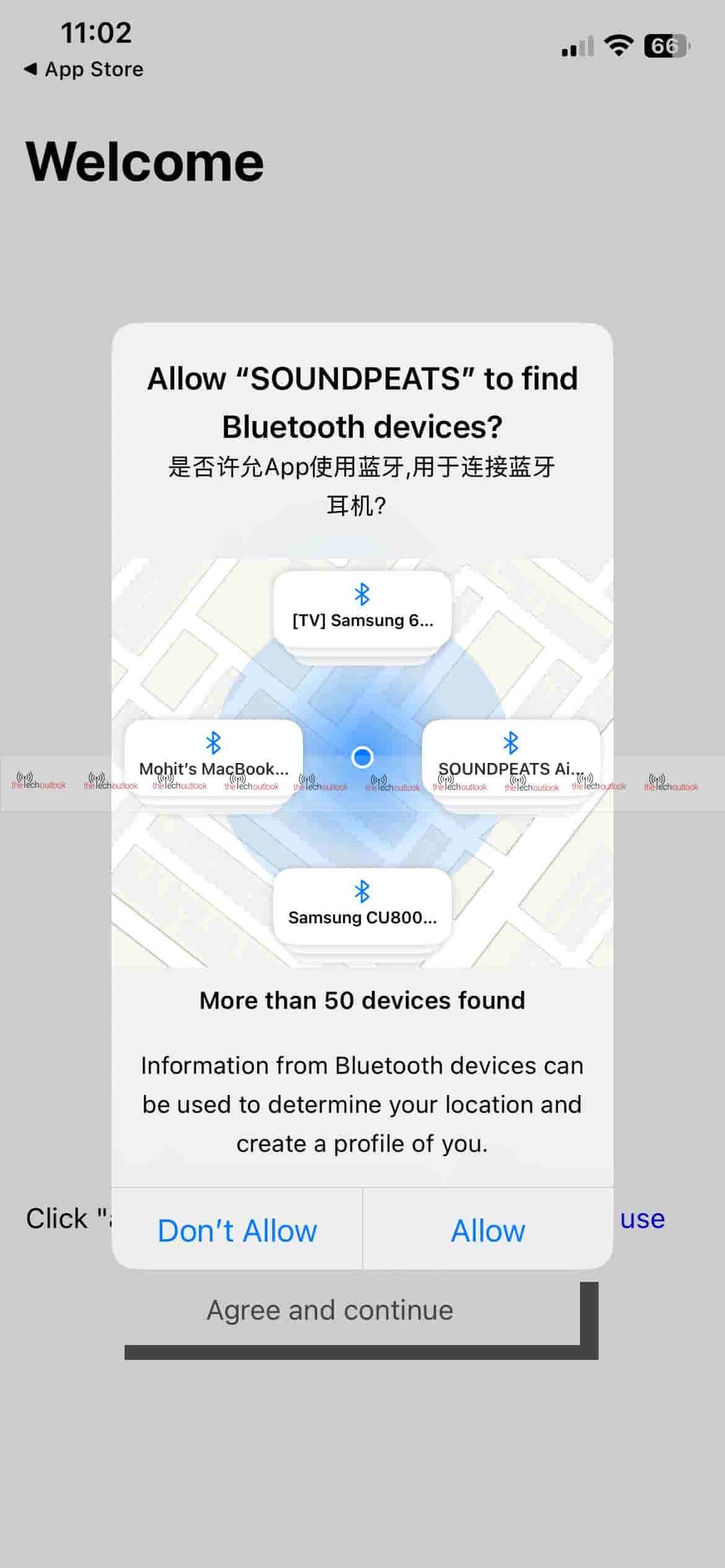
Because there was no printed manual in the box, I initially downloaded the wrong SoundPEATS app. To use these earbuds properly, you need to install the PeatsAudio app on your smartphone. Another thing to note is that you have to register for an account to use the app. This was the first time I needed to register to use earbuds, and although it felt unnecessary, it was only a minor inconvenience.
The earbuds support dual connectivity, and I was able to switch between my iPhone 12 and OnePlus Nord CE 3 Lite without any hassle. They use Bluetooth version 5.4, and while I couldn’t find details on the range, in my testing, they worked perfectly even when I moved about 10 metres away from my iPhone 12.
It did take some time to sign up on the app, but it was worth it. The earbuds initially came with an older firmware version, and I felt the sound quality was not impressive at first. However, after updating the firmware through the app, the sound quality improved dramatically. I will cover that improvement later in this article, but first, let me explain the features available in the app.
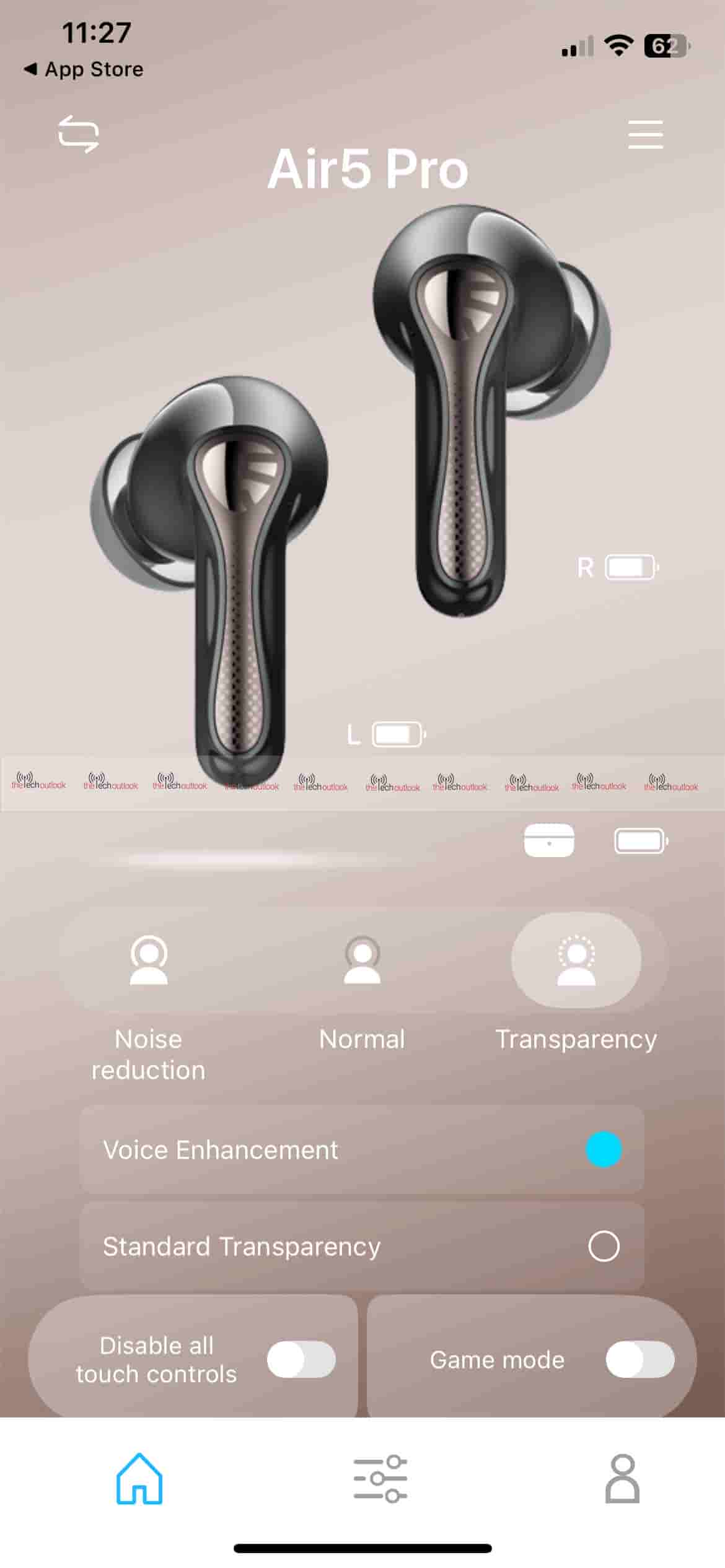
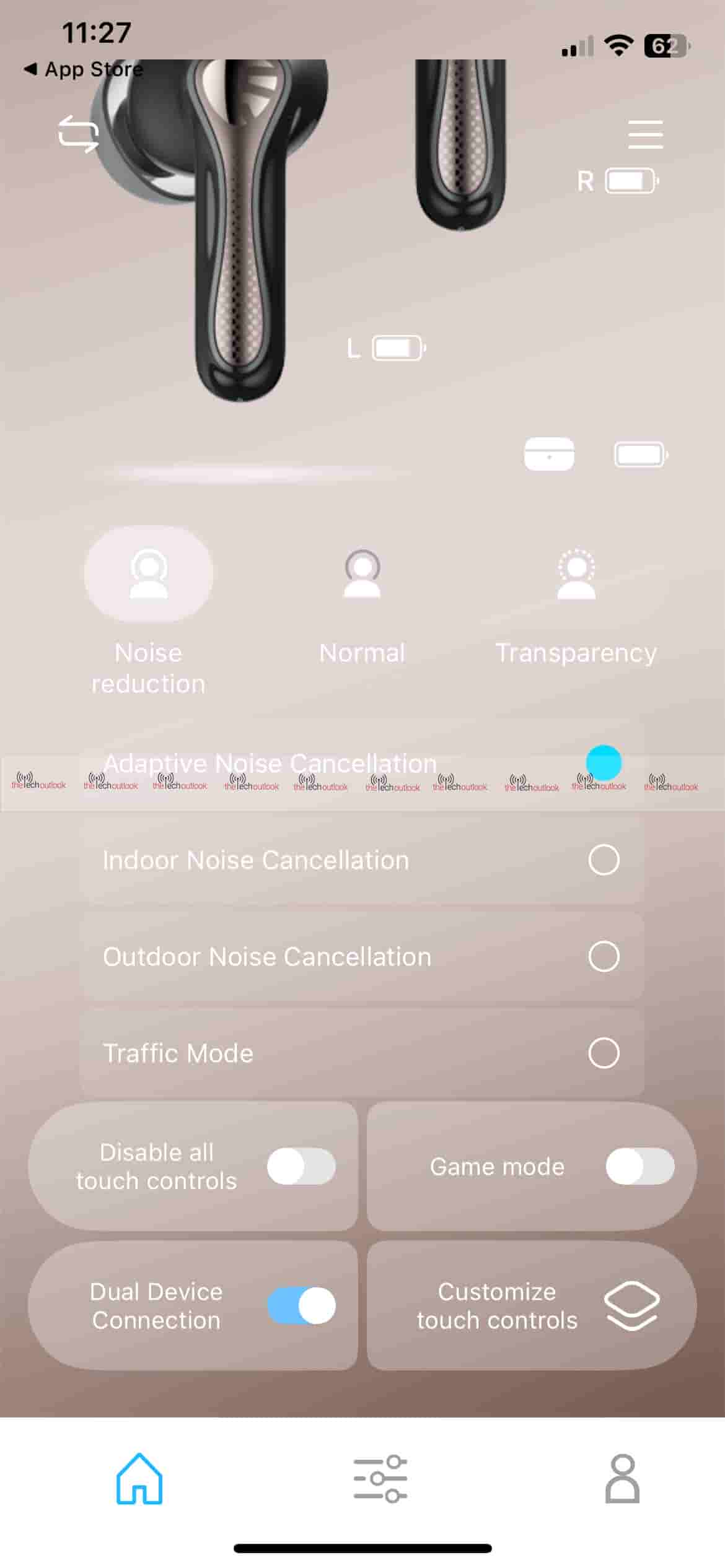

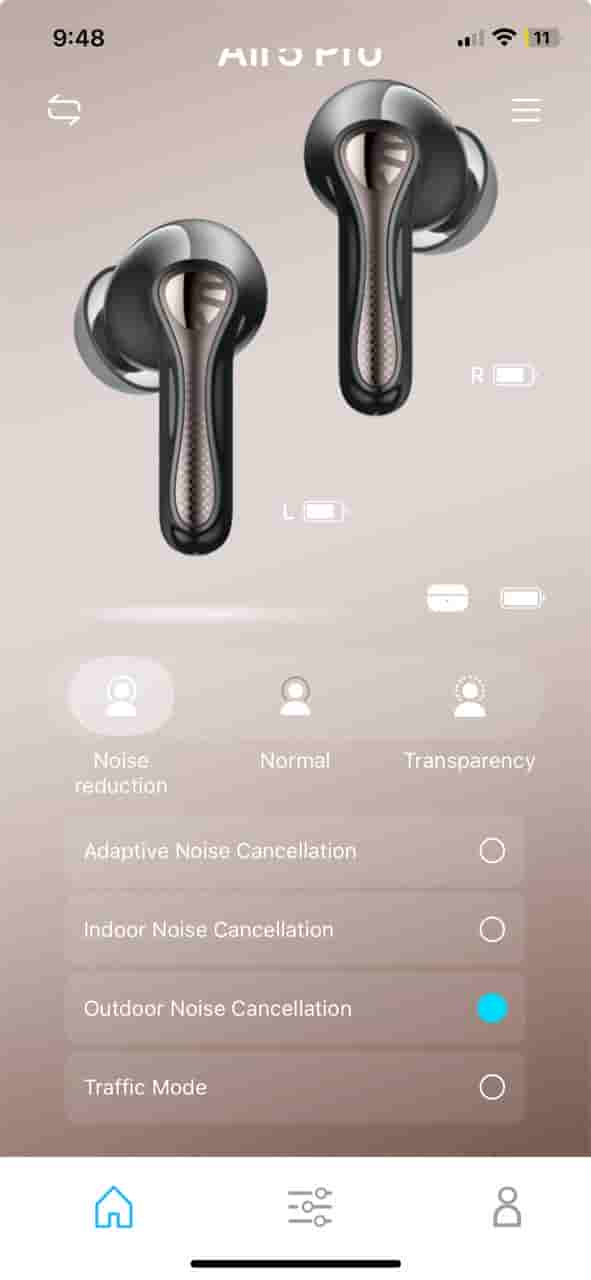
From the app’s home screen, you can see both earbuds with individual battery indicators and three listening modes: Noise Reduction, Normal, and Transparency. There’s also a toggle to enable Game Mode, disable all touch controls, or turn on Dual Device Connection, allowing the earbuds to connect to two devices simultaneously.
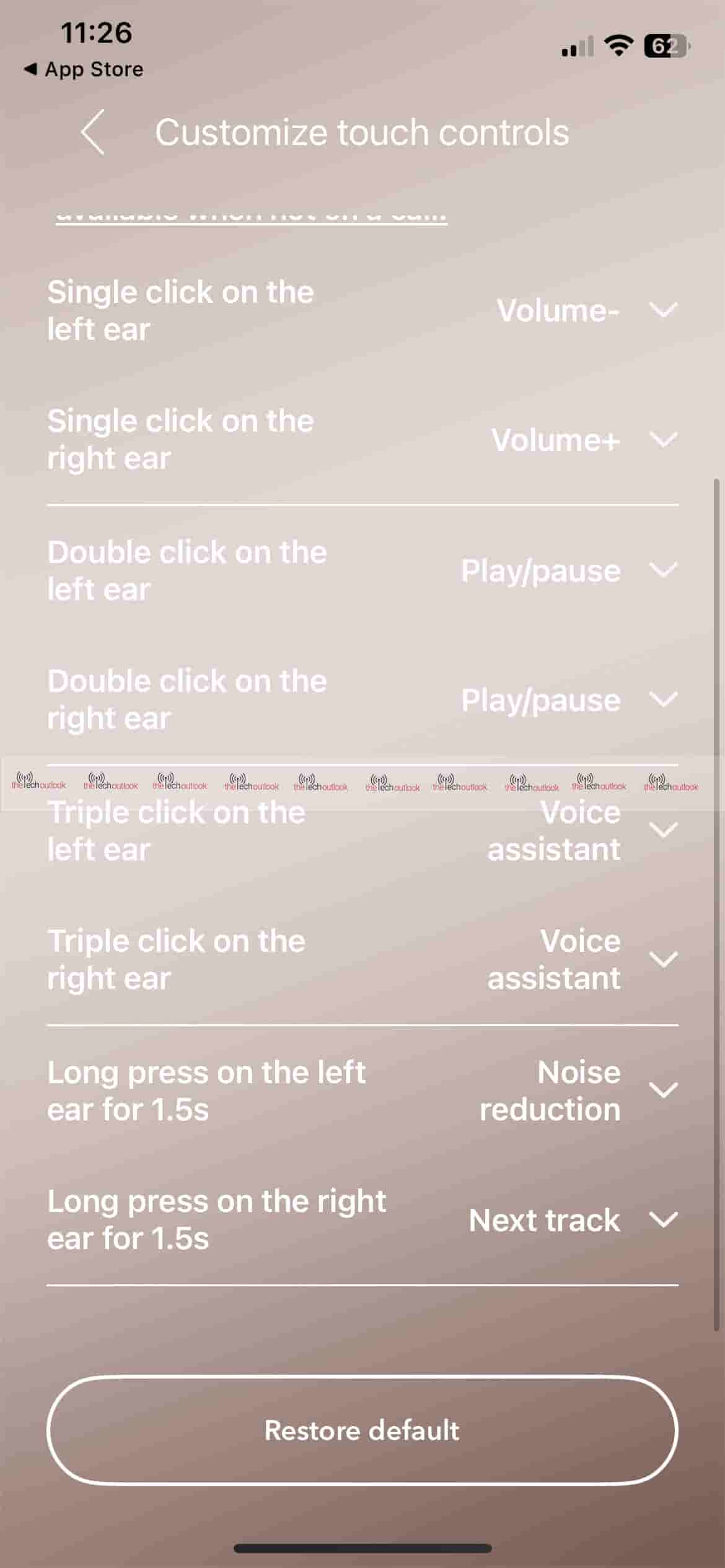
In the settings menu, the app offers options such as Device Information, Firmware Upgrade, Reset Headset, and the ability to change the prompt tone or adjust its volume. You can also run a Fit Test and use the Find Earbuds feature. The equaliser section lets you pick a preset or customise sound frequencies according to your preference. The touch controls are fully customisable, allowing single, double, or triple taps and long presses on each earbud to trigger actions like volume control, play/pause, voice assistant, noise reduction, or track skipping. In the EQ settings, you have four presets by default, but it also gives you an option to customise the EQ settings and save them.
One feature I particularly liked is the dual connection option, which allows you to pair two devices at the same time. For instance, if you are playing music on one device and then start playback on the other, the first will pause automatically while the second begins playing. Plus, I also liked the option to disable all touch controls, which prevents accidental touches on the earbuds.
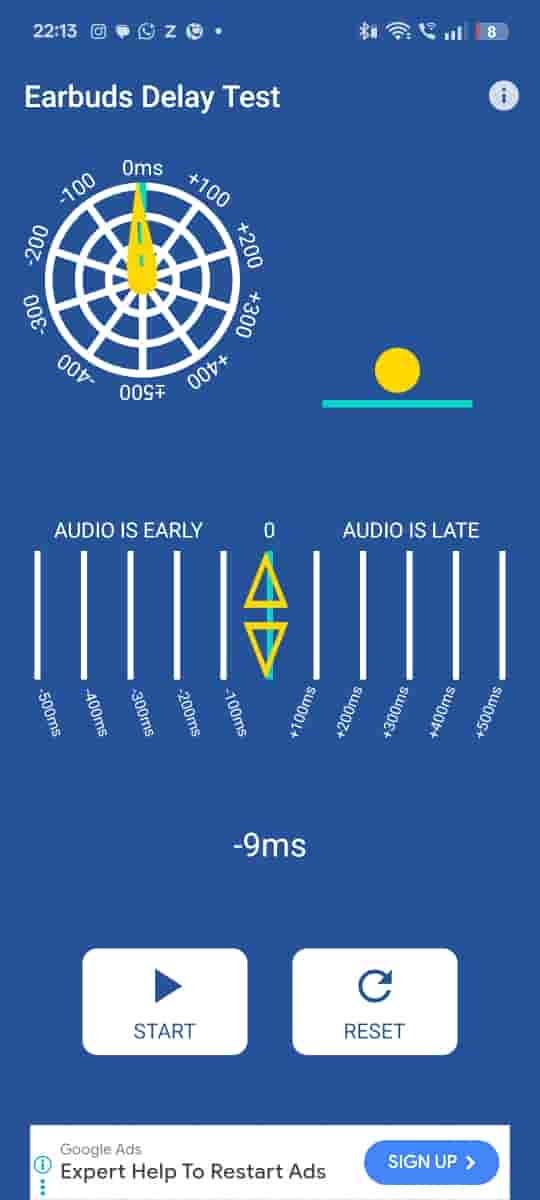
I highly recommend enabling Game Mode, as it delivers voice clarity with bass when gaming or listening to music. I also ran a latency test, which showed no noticeable delay in sound
Another great feature I liked is that once you log in on another device, all the settings remain the same across both devices, regardless of where you make the changes.
Sound Quality
These earbuds come with ANC and many of the features mentioned above. The sound quality is impressive, powered by Hi‑Res Audio and Snapdragon Sound™ with the Qualcomm® QCC3091 chipset. I listened to “MALA FAMA” by TEENWXVE, “FUNK MI CAMINO”, and “PASSO BEM SOLTO”. The beats are okay for this price range, although at higher volumes the sound tends to lose some quality. The ANC has four presets, and while I was in a traffic‑heavy area, the music remained clear thanks to AI Adaptive Noise Cancellation, which reduces noise by up to ‑55 dB.

To enable LDAC, you need to turn off dual connectivity. By default, LDAC is disabled and can be enabled through the app. While playing Call of Duty on my OnePlus Nord CE 3 Lite, the sound quality was impressive—footsteps and gunshots were distinct and immersive.
During live voice calls, there was no background noise for the person on the other end, but to me, the sound felt slightly unnatural—clear but not perfectly balanced. Since iOS does not natively support LDAC or aptX Lossless codecs, I tested those on the OnePlus Nord CE 3 Lite. Keep in mind that enabling LDAC disables both dual connectivity and Game Mode.
Battery
Both earbuds have a 32 mAh battery each, while the charging case has around 520 mAh. Although I didn’t get a chance to completely check the battery usage, during my test I used them for around two hours, then left them idle, and after four hours I tested them again by playing a game and listening to music for another hour. The earbuds still had power available. Although the app showed the battery in yellow, it still showed some charge. One thing that could have been better is if the app had displayed the exact battery percentage, as it would be more helpful. Hopefully, this feature may come in a future update.
The company claims you can get a playback time of 7.5 hours on a single charge, and with the case, you can get around 37 hours. Plus, in 10 minutes of charge, you can get two hours of playback time. Normally, the charging case would take around two hours to completely charge, while the earbuds would take around one hour. As per the instruction manual, you should use a charger between 2W and 5W.
Final Verdict
The SoundPEATS Air 5 Pro delivers an impressive all-around experience for its price point. The design is sleek, lightweight, and comfortable, with metallic stems that give a premium look. The compact case is easy to carry, and the IPX5 rating makes them suitable for workouts or light rain.
After the firmware update, the sound quality stands out — clear vocals, punchy bass, and decent ANC with four presets that work well in noisy environments. Game Mode offers low latency, making it a good choice for gaming. The PeatsAudio app is feature‑rich, with customisable EQ, touch controls, and dual‑device connectivity.
There are a few limitations: the app does not show exact battery percentages, there’s no printed manual in the box, and enabling LDAC disables dual connectivity and Game Mode. Call quality, while clear for the other party, felt slightly unnatural on my side.
Overall, the Air 5 Pro offers good value for money, at around USD 52.
Pros:
Premium design with comfortable fit and lightweight build
Rich, detailed sound with strong bass and clear vocals
Effective ANC with four presets
Low latency in Game Mode
Dual‑device connectivity with easy switching
Feature‑rich app with customisable EQ and controls
Cons:
No exact battery percentage in the app
No printed manual included in the package
LDAC can’t be used with dual connectivity or Game Mode
Voice call audio feels slightly unnatural on the user side
| Category | Details |
|---|---|
| Bluetooth | Version 5.4 |
| Profiles | HSP, HFP, A2DP, AVRCP |
| Chipset | Qualcomm QCC3091 |
| Supported Bluetooth Codec | SBC, AAC, LC3*, LDAC*, aptX, aptX Adaptive, aptX Lossless *LC3 and LDAC are disabled by default and can be enabled via the PeatsAudio app |
| Battery Capacity | Earbuds: 35 mAh each Charging Case: 520 mAh |
| Charging Time | Earbuds: 1 hour Case: 2 hours |
| Fast Charging | 10 minutes of charge gives 2 hours playback |
| Charging Port | USB Type‑C |
| Total Playtime | Up to 37 hours (with case) |
| Control Type | Touch |
| Waterproof Rating | IPX5 |
| Weight (Single Earbud) | 4.8 g |
| Weight (Case with Earbuds) | 50.3 g |
Update on July 26th 2025, at 12:54 AM: added link to the SoundPEATS Air Pro
