

Stable OxygenOS 16 Update (3.47GB) Now Rolling Out to OnePlus Nord 5 in India

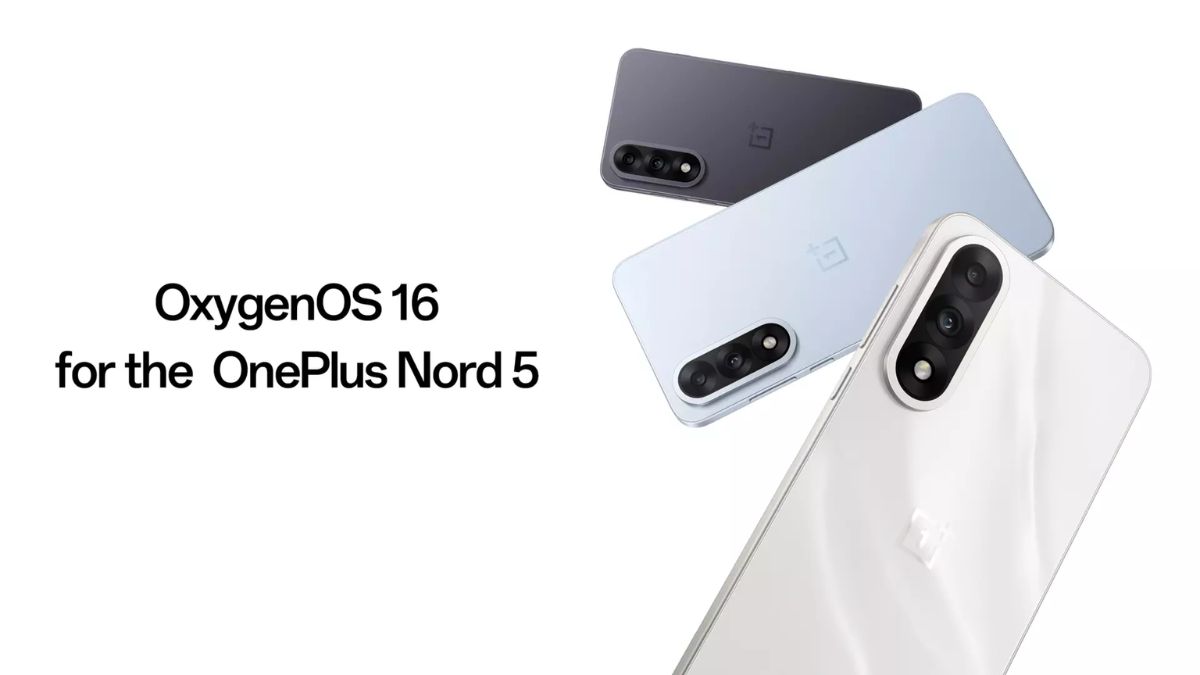
Finally, OnePlus has officially started rolling out the stable OxygenOS 16 update based on Android 16 for its Nord series smartphone, the OnePlus Nord 5. This makes it the first eligible smartphone in the Nord lineup to receive the stable OxygenOS 16 update.
At the moment, the rollout is limited to the India region, but OnePlus has confirmed in its community post that other regions will be added soon (although no exact date has been mentioned). The update comes with firmware version CPH2707_16.0.1.300(EX01) and has a download size of around 3.47GB, as it is a major upgrade. Since this is the first day of the rollout announcement, not all users will receive the update immediately. Instead, OnePlus is releasing it to a small batch of users initially, with a broader rollout planned over the coming days. That said, some users have already started receiving the update on their devices.
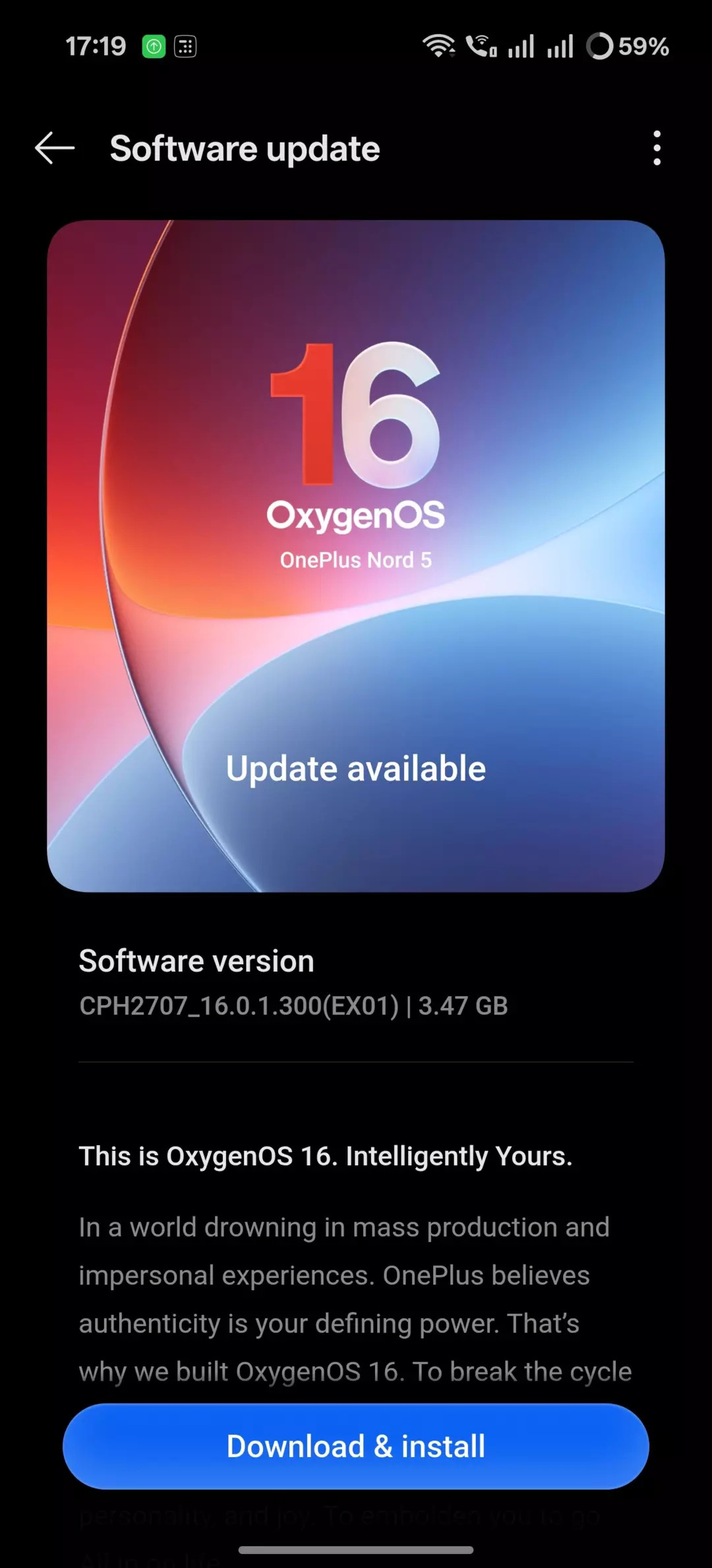
Normally, you will receive an automatic notification if the update is available for your device. However, if you want to check manually, you can do so by going to Settings, scrolling down to Software Update, and tapping on it. If the update is available, you will be prompted to download and install it—simply follow the on-screen instructions.
Here is the complete changelog of the OxygenOS 16.0.1.300 update for OnePlus Nord 5 (India Region)
Fast & Smooth
- System apps now display animations that begin and end at intuitive places, making interactions feel smoother.
- Introduces fluid drag-and-drop animations for Home screen icons, widgets, folders, and Smart Sidebar—delivering a natural, uninterrupted interaction experience.
- The text selection magnifier now fades in and out with fluid animations for a more natural experience.
- Adds seamless status bar transitions as you open the notification drawer or Quick Settings, with support for interrupting the gesture at any point.
- Enjoy a slicker visual experience with new, smooth animations for the audio playback controls in Quick Settings.
- Adds concurrent animation support for app starts and exits from the Home screen in button navigation mode, ensuring a more polished and uninterrupted flow.
- Light field motion effects provide lively, multi-sensory experiences with Luminous Rendering Engine.
- Enhances charging and fingerprint animations with organic light wave patterns that mimic natural movements.
- Refined exit animations for top-row apps on the Home screen provide smoother, more responsive control.
- The updated scrolling mechanics deliver a more connected feeling between your touch and the on-screen movement.
- Trinity Engine optimizes workload and resources on the fly, maintaining smooth performance across videos, gaming, and extended camera use.
- The system now handles high-load scenarios more efficiently, with decreased background resource drain during peak usage.
- Enhances steady gaming performance through intelligent analysis and prioritization of key computational tasks. Concurrent operations like pop-up windows and video calls are managed via smart scheduling, reducing power drain while ensuring stability and smoothness.
- Core system performance enhanced for faster app launches, smoother taps, and fluid scrolling.
- Photo albums now load faster and use less power when displaying thumbnails, improving overall battery life.
- Faster previews for cached videos and thumbnails in supported third-party apps
- A new network power-saving strategy for situations like being offline or roaming helps conserve battery, giving you longer usage time.
- Power saving mode now features tiered performance management that adapts to battery level, ensuring longer endurance with smoother performance.
OnePlus AI, Intelligently Yours
- Adds Plus to Mind Space integration on screenshot thumbnails, letting you instantly save content with a single tap.
- Use Plus to Mind Space in landscape mode, so you can quickly capture widescreen content.
- Adds Mind Assistant on the Mind Space home page—ask it to search your saved content, with options to favorite, copy, and more.
- New visual update for Photos brings an immersive, seamless browsing experience.
- Photo albums are now easier to navigate with clearer categories and personalized sorting for frequently used ones.
- Checking photo info is easier—just swipe up for details and where it’s stored.
- Discover a suite of new video editing features like splitting, merging, adjusting playback speed, transitions, and adding background music. Produce high-quality videos directly from your edits with ease.
- Key video editing features—such as crop, rotation, parameter adjustment, and filters—have been refined to deliver a more polished video editing experience.
- Create motion photo collages without losing quality and HDR effects of the photos, along with a selection of new templates for more personalized creations.
- Motion photos can now be instantly converted to slow-motion, highlighting every vibrant detail.
- AI Portrait Glow identifies challenging conditions like dim light, backlight, or overhead lighting, using AI to reconstruct balanced illumination for more natural-looking portraits.
- A new block editing mode lets you swipe left or right to select text, images, tables, or documents, enabling batch formatting and rapid repositioning more efficiently than ever.
- Touch and hold on images to switch between views, now with a side-by-side display for a smoother viewing experience.
- Share complete notes in one link, including text, images, audio, and videos.
- Introduces text highlighting: touch and hold to bold or change color, making it faster to emphasize key notes.
- New text formatting tools—switch fonts, apply wavy underlines, insert dividers, or highlight text—for more stylish and personalized notes.
- Redesigns the Recorder app with a refreshed interface and more intuitive interactions.
- Adds the smart naming feature, which automatically generates titles for recordings based on their content, making them easier to find and identify.
- AI-driven noise cancellation enhances recordings by reducing background noise and highlighting human voices.
- Recording is smarter—contexts such as meetings, lectures, or interviews are auto-detected, with matching templates applied for better usability.
- Adds link sharing for recordings—send audio, transcript, and summaries all at once with one tap.
- The writing assistant is now more versatile. Beyond crafting social media posts from your images and text, you can freely generate a wide range of content—from work summaries and personal reflections to speeches and self-introductions. It’s your go-to tool for any writing need.
- Improves rewriting tools, such as formatting, polishing (with multiple tone options, including standard/detailed/concise/for mal/casual/humorous), and proofreading.
Uniquely Yours
- The dynamic interplay between light and surroundings can now be captured by the innovative light field technology to deliver an authentic, immersive, and naturally beautiful visual experience.
- Subtle play of light and shadow enriches the overall look and tactile feel of the system.
- Luminous Rendering Engine brings light field animations that create more vivid, immersive multi-sensory experiences.
- The Aurora visual effects bring a premium and refined look with upgraded particle effects, glow effects, ripple effects, and chromatic aberration.
- Enhances design elements like diagrams and illustrations for improved readability and style.
- Introduces the new system-wide serif font “One Serif”, optimized for immersive reading with a classic, elegant aesthetic.
- Adds immersive weather visuals rendered in real time using Luminous Rendering Engine and live weather data for lifelike atmospheric effects.
- Optimizes the design and feel of core system interfaces like the notification drawer, Quick Settings, Setup Wizard, and system upgrades for clearer information and a more refined look.
- Apps like Clock, Calculator, and Compass are redesigned with lifelike textures and lighting for a more engaging experience.
Flux Home screen
- New Home screen icons showcase lifelike visuals and intricate detail through light field styling.
- Enjoy a cleaner, more organized Home screen with optimized grid and layout—making icons, folders, and widgets look tidier than ever.
- Drag to resize icons and add app shortcuts for a more tailored Home screen.
- Large folder layouts get more variety. Hold to select 9-grid, 4-grid, or feature a bigger icon for the first app.
- Introduces an uncluttered Home screen design by removing text beneath icons.
- Adds and refines multiple Home screen widgets for a richer, more functional experience.
- The Home screen edit mode interface has been refined, and you can rearrange the page order.
- The search bar in Drawer mode has been relocated to the Home screen bottom for improved accessibility.
- Quickly find apps in Drawer mode by swiping the index bar.
- Drawer mode now organizes your apps into categories, making them easier to find.
- App suggestions in the Drawer are now more helpful, prioritizing the apps you use most often and those you’ve used recently.
- The Home screen, Lock screen & style page is now more structured and easier to navigate.
- AI-enhanced flux themes highlight epic stills and vibrant moments.
- Experience the Sublime Grandeur motion wallpapers: as clouds part, sunlight floods your Lock screen in dazzling hues.
- Introduces multiple sets of motion wallpapers, bringing your screen to life with dynamic, vivid scenes that unleash unconfined vitality.
- Now you can set motion photos and videos as your wallpaper with AI-powered depth effects, creating a vibrant look each time your screen lights up.
- Adds a modular, real-time editing framework where changes appear instantly for greater freedom.
- A new option to set custom text on your Lock screen gives you more freedom for personal expression.
- The Lock screen now allows configuring lower-left and lower-right shortcuts for instant access.
- Full-screen Always-On Display shows your Lock screen wallpaper, widgets, notifications, time, and more—even when the screen is off.
- Adds support for flux theme icon styles that automatically adapt to your wallpaper colors for a cohesive look.
- Specially crafted Dark mode icon styles offer a more comfortable viewing experience and help protect your eyes.
Communication and interconnection
- Touch to share allows you to quickly share content and files while viewing in Photos, Notes, and My Files.
- Mirror your phone to your PC—unlock it across devices, share files between systems, and even open multiple phone windows for multitasking. Handy shortcuts let you hide, show, and resize windows in a snap.
- Device Connect settings are now grouped by device type and use case, simplifying navigation.
- Enhances in-car Bluetooth pairing to provide a more seamless experience.
- Adds My Devices in Quick Settings, letting you check and control all your linked devices in one place.
- Introduces My Devices widgets on the Home screen, allowing you to add widgets for individual devices or a comprehensive device overview for simpler management.
- Share your phone’s Wi-Fi connection with your tablet for seamless browsing.
- AI LinkBoost enhancements improve kernel scheduling, ensuring more reliable connectivity for widely used apps.
Attention to detail, everywhere
Camera
- AI-enhanced Doc Scanner instantly transforms physical documents into digital files for storage and printing.
- Record gameplay without distractions—notifications, Game Assistant, or floating windows are now excluded to protect your privacy.
- Choose recording quality in Game Capture — motion photos and Flashback clips now in high definition.
- New Game Capture feature: use Motion screenshots and Flashback recording together for a more convenient capture experience.
- Quick Settings now offers expanded customization: 2×1 tiles, plus removal, addition, and rearrangement of audio, brightness, volume, and My Devices modules.
- Streamlined notification design maximizes space usage and delivers a quicker browsing experience.
- Play ringtones only in your earbuds when they’re connected, preventing sound from disturbing others in public.
- Adds Bosnian to the list of available system languages.
- Search in Settings now supports Al-powered results, suggestions, and cross-app queries.
- Redesigns Smart Sidebar with refreshed visual styling, now supporting single/dual-column display.
- Faster, more flexible sharing with a redesigned panel, showing contacts and customizable app links.
- Banner notification interactions are now more streamlined, with apps opening in small windows instead of full view.
- Foreground and background activity times are now displayed on a redesigned battery page for accurate tracking.
- Upgrades data transfer speed and experience when migrating data from iOS to OnePlus devices.
Security & privacy
- Get notified when risky apps launch — Phone Manager uses Live Alerts and notifications to keep your device secure.
