

Slower Performance on Your Samsung Galaxy Smartphone? Here’s a One UI Tip to Help You Out


Most Samsung Galaxy smartphone users might have seen their devices getting slower as time goes on, and it is most common in Exynos-powered smartphone models. If you are among such users, this article will be helping you to fix it and restore your actual device performance.
Read more about it below.
How to Restore Your Galaxy Smartphone Performance?
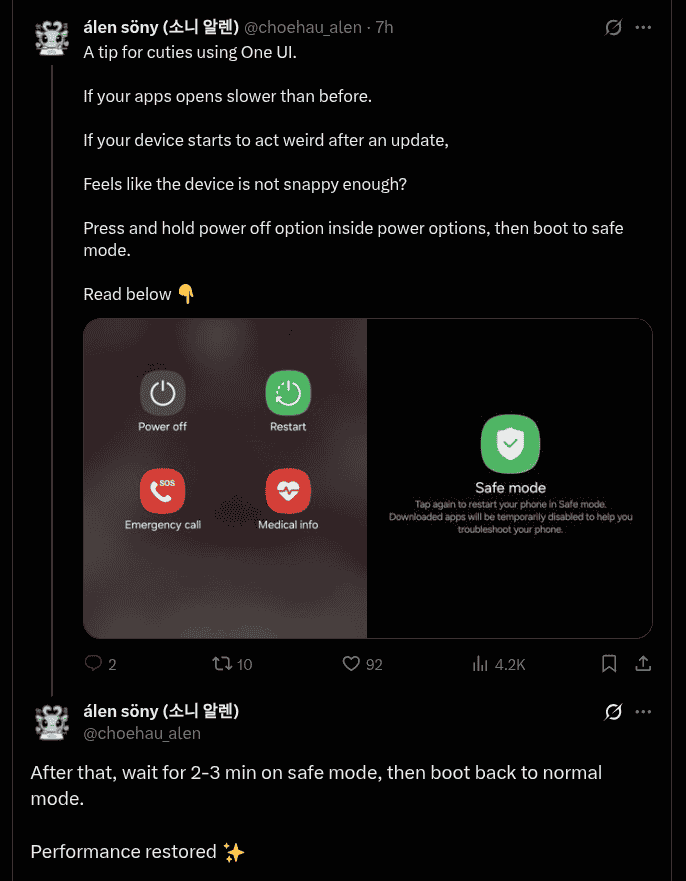
As mentioned, performance drop is a common issue that is faced by Samsung Galaxy smartphone users as their devices ages, and they might have experienced app opening time getting slower, issues after updating, and reduced responsiveness. For fixing these, long press the power button and open the power options menu, and then press and hold the ‘Power off’ option. Users will find themselves being booted onto the ‘Safe mode’, wait for two to three minutes and reboot back to the normal settings. After following the mentioned steps, users will be able to find the performance of their devices restored and noticeable improvements can be witnessed.
Looking at a few other recent Samsung updates, three days back, the brand officially unveiled the Galaxy Book4 Edge laptop for its Indian customers featuring the Snapdragon X processor and Microsoft Copilot+. Just recently, the Galaxy Book5 Pro 16″ laptop was also introduced in the Indian market too, with notable specs such as an AMOLED display and up to 25 hours of battery life. As part of the Independence Day celebrations, Samsung has also now announced the Big Celebration, Big Screen campaign in India and it will be live till the 31st of August 2025. Also to add, new updates for Samsung’s Reminder, Calendar, and Penup apps were also rolled out recently.
Stay tuned for more updates.
