

OnePlus Rolls Out August 2025 Update for OnePlus 11, 11R, and 10T with BeaconLink Support and More

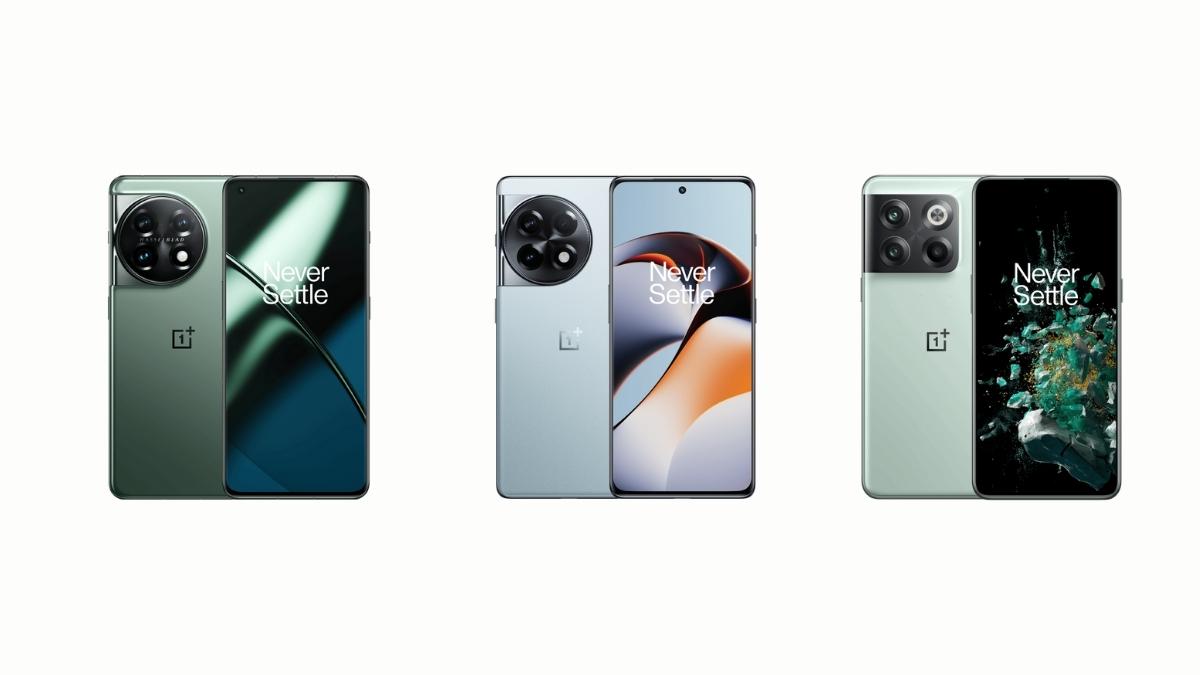
As August draws to a close, OnePlus has started rolling out updates for the OnePlus 11, OnePlus 11R, and OnePlus 10T 5G. The update is currently reaching OnePlus 11R users in India and OnePlus 10T users in the North American region. Meanwhile, OnePlus 11 users in both India and North America are also receiving the update.
OnePlus 11 and 11R users are getting the OxygenOS 15.0.0.850 update, while the OnePlus 10T is receiving the OxygenOS 15.0.0.1201 update. All models share the same changelog and include the August 2025 Android security patch.
The OnePlus 11R is receiving the update with version number IN: CPH2487_15.0.0.850(EX01), with an update size of 921.29MB. The OnePlus 10T is getting it with version number CPH2417_15.0.0.1201(EX01). The OnePlus 11 is also receiving it with IN: CPH2447_15.0.0.850(EX01) and NA: CPH2451_15.0.0.850(EX01).

Currently, the updates are in the rollout phase, meaning not all users will receive them at once. If you haven’t received it yet, you may need to wait a little longer, as it typically takes around a week or two for the complete rollout to finish.
Since all devices share the same changelog, here’s what’s new in the update:
Unlock a new level of seamless experience
- Improves the animations for opening, repositioning, and resizing a floating window.
Delight in details
- You can now share images and videos in Private Safe.
- You can now customize image or video album covers in Private Safe.
- You can now sort and view images and videos by time in Private Safe.
- You can now add files directly under the “Other files” category in Private Safe.
- When recent tasks are stacked, you can now modify an app’s lock status by swiping down on the app on the recent tasks screen.
- Split View is no longer restricted to fixed ratios. You can now adjust the ratio as needed. In Split View, when two apps are displayed in landscape, you can now drag the divider to adjust their relative sizes.
- All notifications received in landscape mode are now displayed in a simplified banner format to reduce interruptions.
- You can now swipe down on a simplified banner notification to display the app in a floating window.
- Tapping a button on a simplified banner notification now opens the app in a floating window instead of full screen, reducing interruptions.
- Adjusts the position of banner notifications in landscape mode to minimize distractions.
Network connections
- You can now send text, image, and voice messages to nearby people via BeaconLink when there is no internet connection. You can find this feature in “Settings – Mobile network – BeaconLink”.
System
- Integrates the August 2025 Android security patch to enhance system security.
