New Windows Insider Updates for Canary, Dev, and Beta Channels Officially Announced: Changes, Improvements, and Fixes


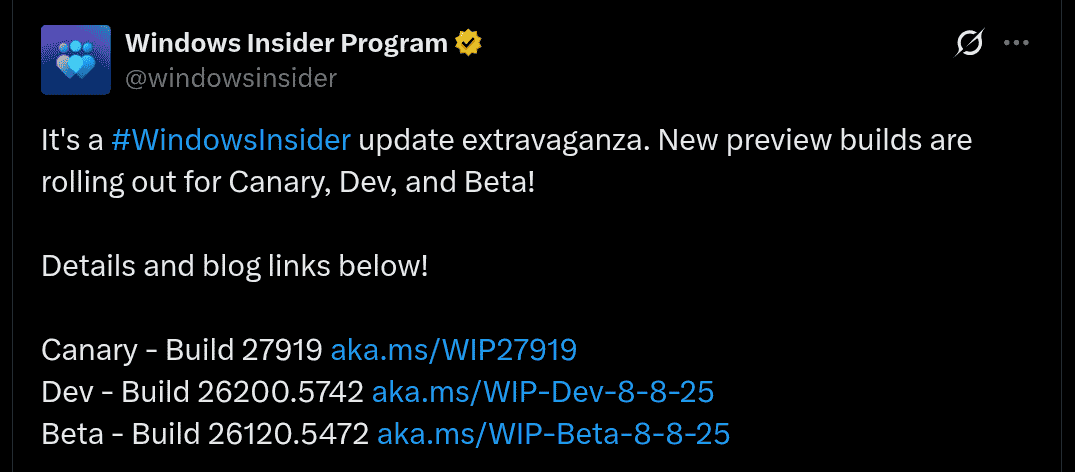
For the Canary, Dev, and Beta channels, new Windows 11 Insider preview builds are now available. These new build versions will be bringing certain changes and improvements, along with certain fixes for issues, to the mentioned channels.
Check out more about these builds below.
Windows 11 Insider Preview Build for Canary (Build 27919)
The new Windows 11 Insider preview build for Canary with the build version of ‘27191’ will be bringing the Windows Search Settings under Settings > Privacy & security > Search. A refresh design is also part of the page, giving it a modern look. Additionally, the File Explorer crash issue caused when viewing the digital signatures tab in the file properties; Microsoft Changjie Input method not working; and phonetic keyboards (such as Hindi Phonetic Keyboard and Marathi Phonetic Keyboard) working issue have been fixed as well.
A few of the known issues with this build include the losing of Windows Hello pin and biometrics on new Copilot+ PCs; progress wheel rendering incorrectly; multiple unexpected elements error pop-ups on Group Policy Editor; app crashes due to dao360.dll underlying problem; remote desktop only using primary monitor; and non-functional widgets.
Windows 11 Insider Preview Build for Dev (Build 26200.5742)
About the Windows 11 Insider preview build ‘26200.5742 (KB50640075)’ for Dev channel, the update will be rolled out in two buckets with roll-out of features, improvements, and fixes for everyone and gradual roll-out of features, improvements, and fixes for users who have turned on the toggle for newer updates once it gets available.
Notable changes and improvements include the redesigned mobile device companion with updated layout and access from Start; additional clocks from Settings > Time & Language > Date & Time; change time server from Settings > Time & Language > Date & Time > Additional Settings; formatting settings for date and time from Settings > Time & Language > Date & Time > AM/PM symbol; change number and currency format from Settings > Time & Language > Language & Region > Region section; enable Unicode UTF-8 for worldwide language support from Settings > Time & Language > Language & Region > Language section; copy current user language and region settings from Settings > Time & Language > Language & Region > Additional Settings; Character repeat delay/rate moved to Settings > Accessibility > Keyboard; Cursor blink rate moved to Settings > Accessibility > Text cursor; and more updated dialogs to match Windows 11 visuals.
In terms of the fixes, on File Manager, improper mirroring of Arabic or Hebrew languages for icons in Details Preview, and navigation panels; tooltips visibility issue; back flash when duplicating tab on maximized window; overlapping icons and texts; and Narrator not announcing actions have been fixed. Other issues with Start Menu, Task Manager, Input, and Settings have also been fixed as well in the new build.
However, it should be noted that there are still a few known issues such as rollback when trying to install the build; Visual Studio crash on Arm64 PCs, Click to Do issues and crash; long wait times on AMD or Intel-powered Copilot+ PCs; smaller Start Menu layout issue; Taskbar pinned items getting unpinned; Live captions crash; and bug check when using Xbox Controller via Bluetooth.
Windows 11 Insider Preview Build for Beta (Build 26120.5472)
Finally, regarding the Windows 11 Insider preview build ‘26120.5472’ for Beta, in a similar way like the Dev channel, it also brings changes, improvements, and fixes. A few of these will only be having a gradual roll-out to users who have turned on the option for it.
About the changes and improvements, options for additional clocks, changing time server, formatting settings for date and time, number and currency changing format, Unicode UTF-8 enabling option, copy current user language and region settings can all be found on Settings > Time & Language. Keyboard settings such as character repeat delay/rate and cursor blink rate have been moved from the Control Panel to Settings.
Issues concerning the File Explorer, Start menu, Task Manager, Input, Settings, and more have been fixed, while there are still a few known issues too with respect to the General settings, Click to Do, Start menu, File Explorer, Live Captions, and Xbox controllers on this new build, and users must remain cautious about them.