


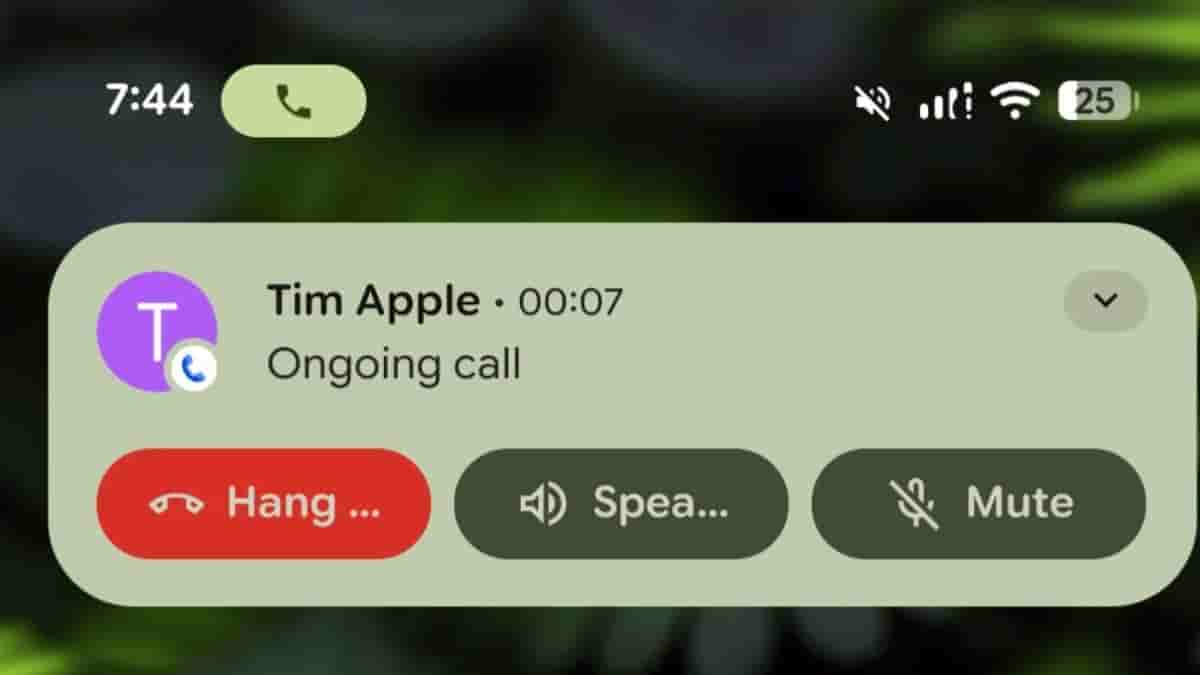
If you are an Android user, you must have noticed a bubble in your status bar during calls that displays how long you have been on the phone. This ongoing call chip was introduced with Android 12, four years ago. Well, folks at Android Authority have now spotted some upgraded functionality for the ongoing call chip in Android 16 QPR1 beta 2.
Until now, if you tap on the call chip, the full-screen call UI would appear on the display. But in Android 16 QPR1, if you tap on the call chip, you would see the same UI element as earlier seen in the notification panel, from where you can hang up the call, toggle the speaker, or mute your microphone. In order to access the full-screen UI, the pop-up needs to be tapped.
Check out the video below to witness the change.
It is said that this could be considered as a preview of how interacting with Live updates will work, a feature that Google has introduced in basic form in the recently released Android 16 OS.
Other than Live updates, the Android 16 stable version arrives with enhancements for people using hearing aids, advanced protection, desktop windowing functionality in collaboration with Samsung, HDR Screenshots, Identity Check, Adaptive Refresh Rate, and many more. Google is said to introduce new features and enhancements with further updates.
