


Spotify keeps on introducing new features and upgrades in order to enhance the listening experience of users and make it for fun. And the Premium users have always had the most benefits of the new features, as some features have only been exclusive to them. But most of the users have initially started their Spotify journeys for free only, and some are still using the platform for free.
Keeping this in mind, Spotify has now introduced a few new ways that will make your Spotify free experience even better.
We’ve heard the feedback about Spotify Free… what works, what doesn’t, what it could be. So now we’re giving it a real update for the first time since 2018. pic.twitter.com/WKNUNzwMPr
— Daniel Ek (@eldsjal) September 15, 2025
Spotify introduces new updates for Free users
Free to play, search, and share
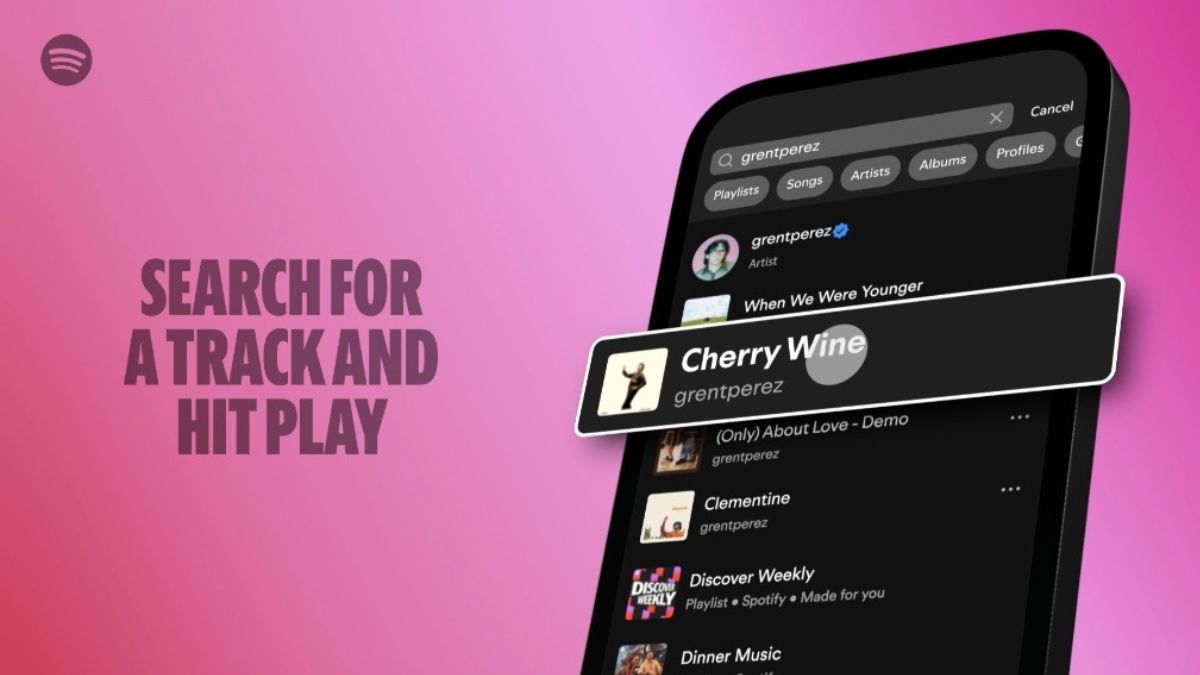
- Pick & Play- Tap play in the Spotify app, and you can pick and play any song you want.
- Search & Play- Type in your favorite track and start listening instantly.
- Share & Play- If you want to share your favorite track with your friends or want to hear a track that an artist has shared on their social media account, all you need to do is tap and listen right away.
Power of playlists
You can listen to songs you love for free via personalized playlists, through editorial playlists curated by Spotify’s in-house music experts, or by making your own.
Simply select your own title, then choose a few tracks to add, and Spotify will also start recommending songs for you to add with the tap of a button. The more music and podcasts you enjoy, the more Spotify can personalize recommendations to discover even more songs, artists, and podcasts.
Personalize your playlist covers
You can design your own playlist cover right on Spotify. Available in 128 Spotify markets around the world, this feature lets you add your stamp to your playlist covers with unique images, colors, text effects, and graphic elements that match the vibe of your playlists.
This feature is available on iOS or Android. Just head to the Spotify mobile app and select a playlist you’ve created to get started. Tap the three-dot menu and choose create cover art. Do note that you can only save one custom cover art per playlist at a time, and each new cover you create will override the previous one for that specific playlist.
Daylist
Daylist- which is a one-of-a-kind playlist that understands and reflects what types of music you like to listen to during particular moments in the day, or on specific days of the week. Users on free experience around the world will find their daylists regularly updating with different songs and titles.
Also, when you love a specific daylist playlist, you can copy and save it by tapping the three-dot menu, scrolling down to Add to playlist, and tapping New playlist.
Expand your musical horizons
You can easily discover new sounds with playlists like Discover Weekly, which brings you a fresh mix of personalized recommendations every week based on what you’ve been listening to. You can also check out Release Radar, which delivers the latest drops from the artists you follow. While clicking and listening to the exact track your favorite artist just shared on their socials is easier than ever.
Lyrics: Your listening session copilot
When listening to a song with available lyrics, you can swipe up from the bottom of the Now Playing View in the Spotify mobile app to display the track’s lyrics, which scroll line by line in real time as the song plays. You can also share the lyrics straight from the Spotify app to friends on Instagram, WhatsApp, and more.
These updates are being rolled out globally.
