


Earlier, if you wanted to edit a video stored on Google Drive, you first had to download it before making any changes. Even for small edits like trimming or adding text, downloading was necessary. Now, Google has announced a big change for the paid Workspace users, who can now edit videos directly from Google Drive.
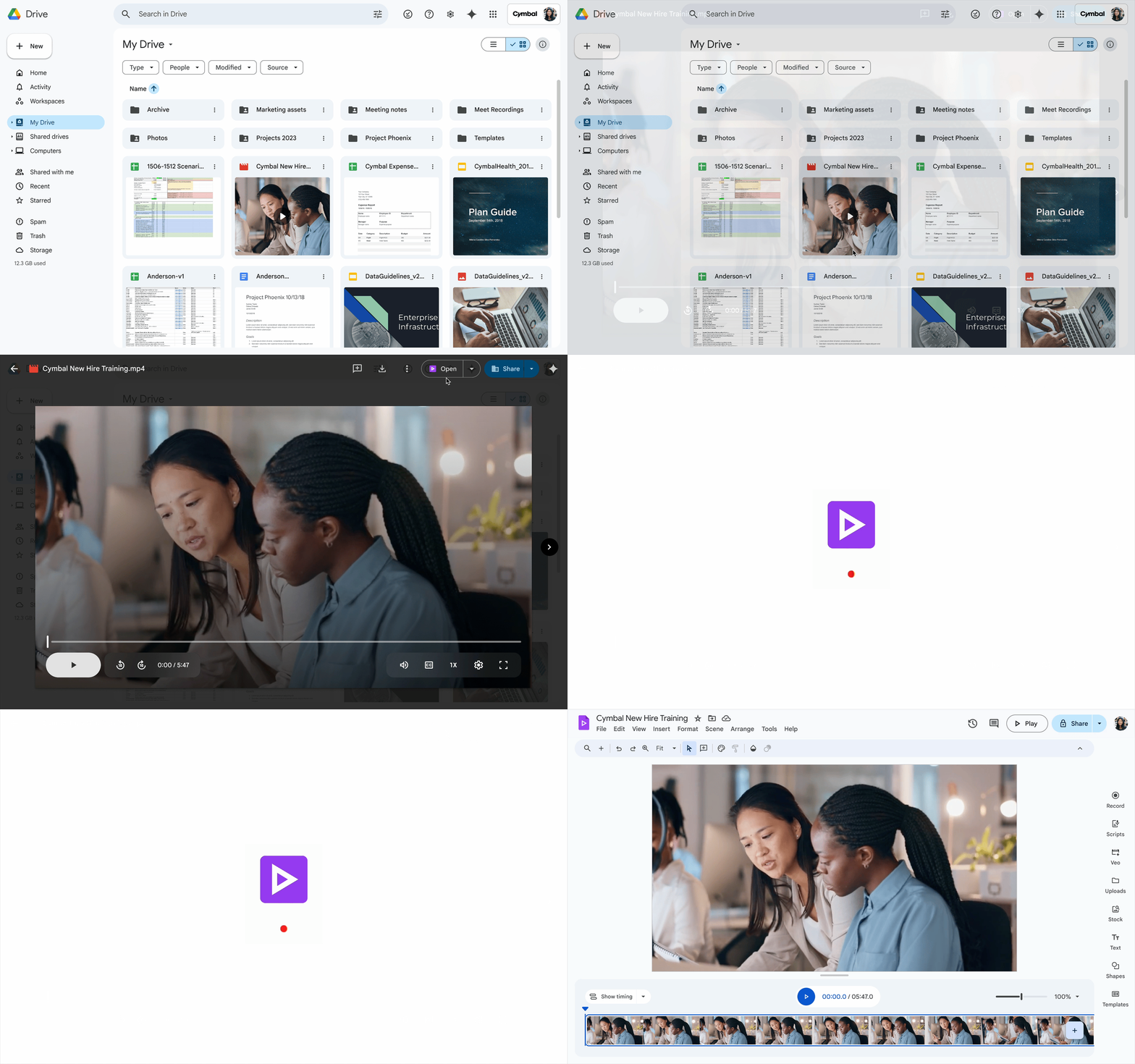
Google has added a new button called Google Vids. To access it, you need to double-tap on a video, and at the top (or top-right), you’ll see the option “Open with Google Vids.” From there, you can trim clips, add text, insert music, or even create new scenes, much like a standard editor.
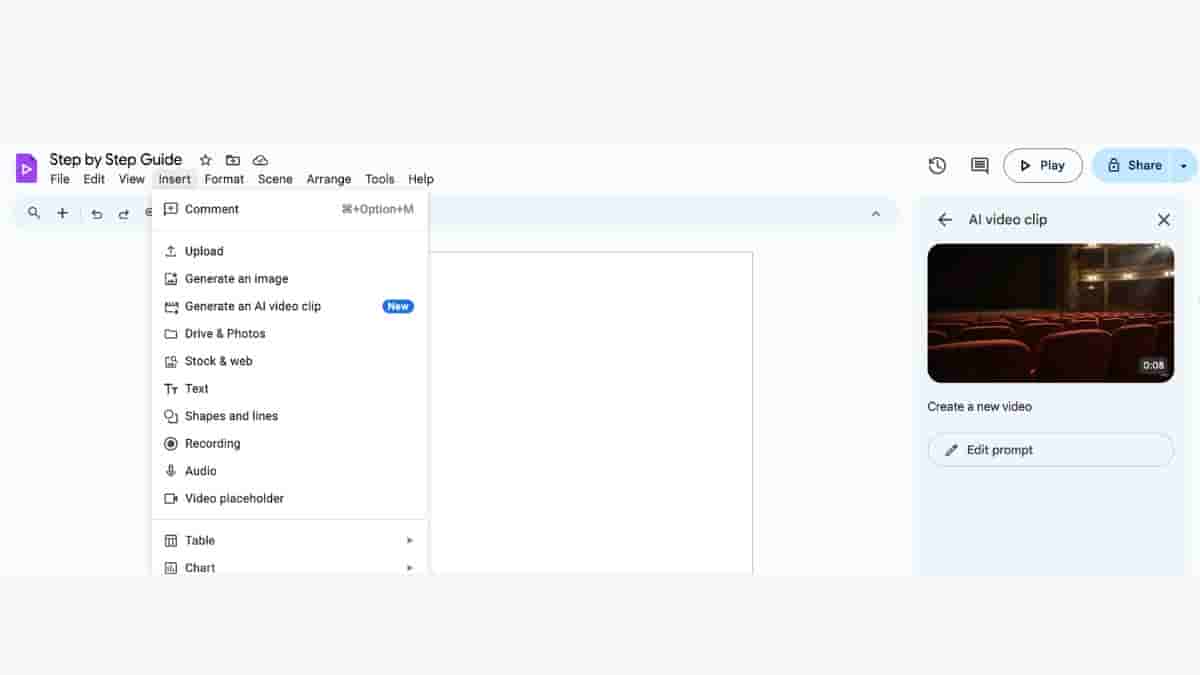
On top of that, Google has integrated generative AI through Veo 3. When you click the Insert button, a dropdown menu appears with the option to insert an AI-generated video. After selecting it, a new box opens within the same window, where you can type a prompt, and the tool will create a video for you.
At the moment, this feature is limited to Workspace users and only supports videos up to 35 minutes or 4GB in size. If the feature is disabled by your admin, it won’t be available in your account. Also, when you open a video through Google Vids, it creates a new editable format — if you want to share or use it outside Vids, you’ll need to export it to a non-editable format.
By default, Google Vids is enabled at the organisation level, though admins can turn it off. It’s also worth noting that if Google Docs is not enabled in your domain, you won’t be able to access Vids at all.
