

Google Maps now integrated with the Gemini 3 model; Ask Maps and Immersive Navigation features announced

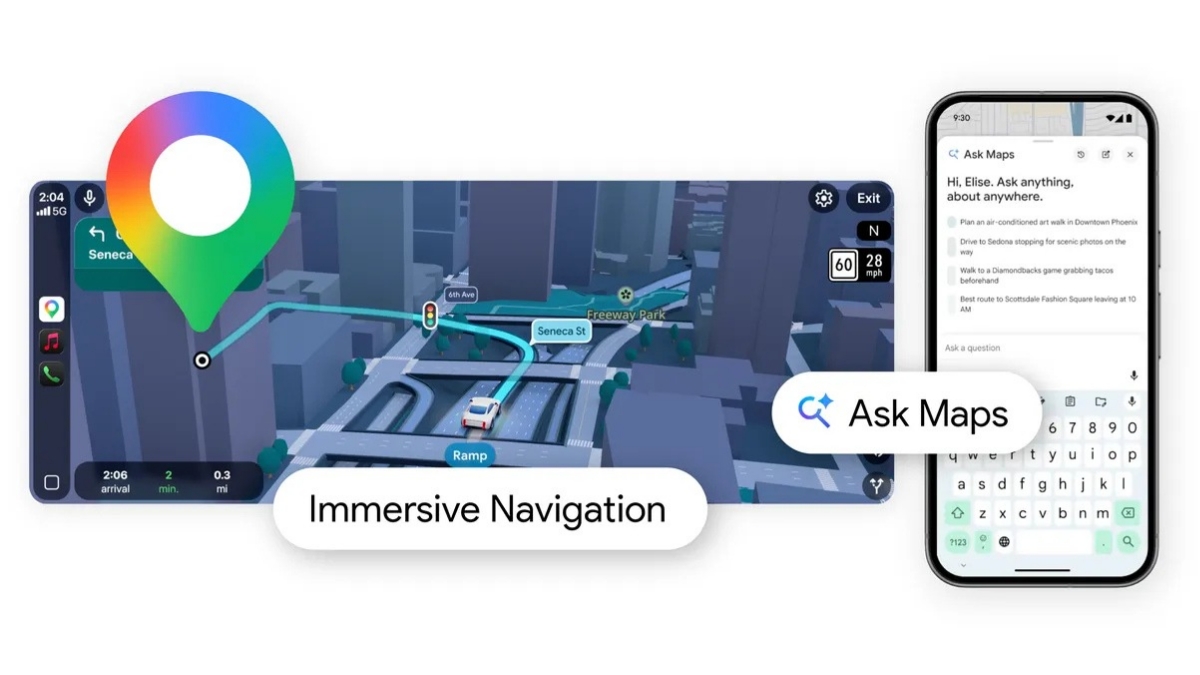
Last year in November, Google introduced Gemini in Google Maps to make navigation easy and provide a conversational driving experience to users. Yesterday, Google announced the integration of its Gemini 3 model in Google Maps.
Google Maps 🤝 Gemini 3
Now that you can ask Maps complex questions, let’s dig into some prompts that showcase the true power of this update. 🧵
— Google Maps (@googlemaps) March 12, 2026
With this integration, the company has introduced two new features for Google Maps: Ask Maps and Immersive Navigation.
Ask Maps
A new conversational experience that answers complex, real-world questions a map could never answer before. You can now ask questions to Maps regarding free charging spots or for a public tennis court. You can just tap the “Ask Maps” button and get your questions answered conversationally, with a customised map to help you visualise your options.
For example, if you are planning a trip to the mountains, you will get clear directions, ETAs, and insider tips from real people, like how to find a hidden hiking trail or get a free entry ticket. To build your itinerary, Maps analyses information over 300 million places, including reviews from Google’s community of more than 500 million contributors.
Your results are personalised based on things like places you have searched for or saved in Maps to help you get the most relevant recommendations.
This feature is rolling out now in the US and India on Android and iOS, with desktop coming soon.
Immersive Navigation
Immersive Navigation- a complete transformation of the navigation experience with redesigned visuals and more intuitive guidance. Now your map comes with a vivid 3D view that reflects the buildings, overpasses, and terrain around you. When it’s helpful, Maps will highlight critical road details like lanes, crosswalks, traffic lights, and stop signs to help you make that turn or merge confidently.
This is made possible with help from Gemini models, which analyse fresh, real-world imagery from Street View and aerial photos to give you an accurate view of things along your route, like landmarks and medians.
New functionality is added to make your drive stress-free:
- See more of your route: The map now gives you a broader view of your route. Smart zooms and transparent buildings help you look ahead to prepare you for tricky turns and lane changes well in advance. Voice guidance is also updated to be more natural.
- Understand tradeoffs for alternate routes: Maps will inform you about tradeoffs for alternate routes, like a longer trip with less traffic or a faster one with a toll. You will also be alerted to real-time disruptions along your route, like road construction and crashes.
- Helpful guidance: Before you head out, you can preview your destination and its surroundings with Street View Imagery, and get recommendations for where to park. As you approach, Maps will highlight the building’s entrance, nearby parking, and which side of the street to be on.
This feature is rolling out today across the US, and availability will expand over the coming months to eligible iOS and Android Devices, CarPlay, Android Auto and cars with Google built-in.
