


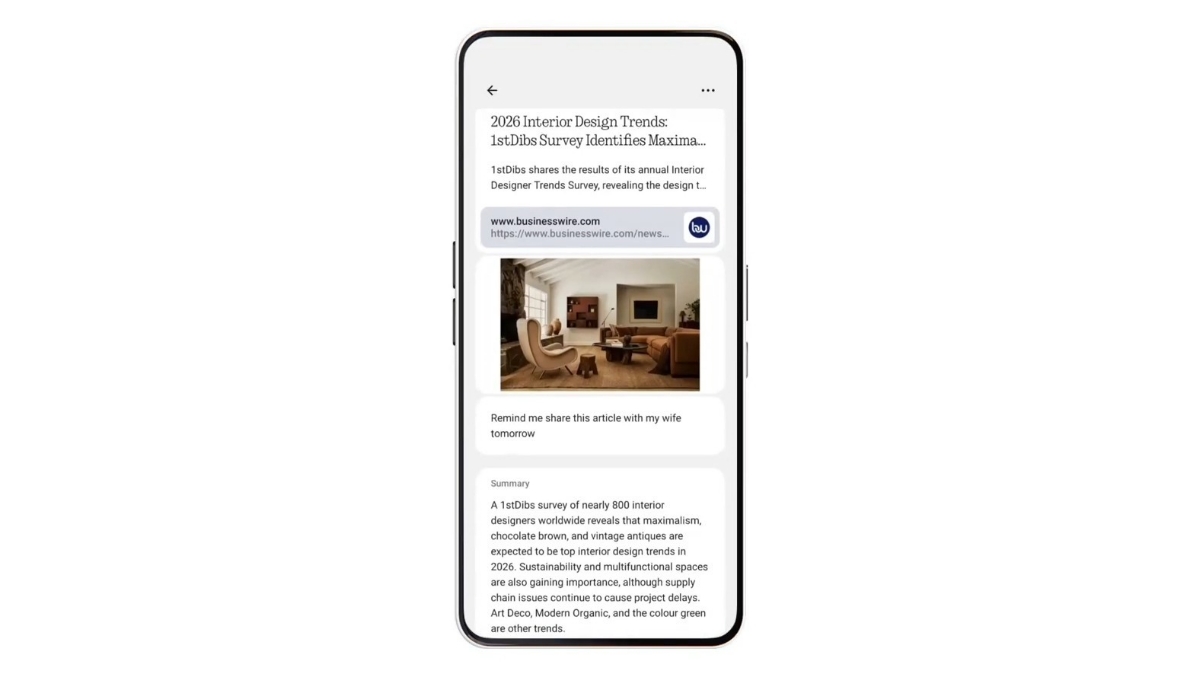
Lately, Nothing has been adding new features and upgrades to its Essential Space in order to make the user experience easy and give users easy access to file sharing, call recording, and more. Last month, a new update was released for Essential Space that brings Android Share Sheet integration. This update made sharing content to Essential Space easy.
Now, a new update has been released for Essential Space. The Essential Space detail page can now be split into three zones: Input source, content+ summary, and actions.
This will provide a clear layout for the detail page, where you can easily get a detailed overview of an article, along with the source from which the details are taken. You can also share the content on the detail page with your other contacts.
How to get the update?
If auto-update is enabled on your phone, no software is needed. Just connect to Wi-Fi, and watch Essential Space update automatically via the Google Play Store. If auto-update is disabled, visit the Google Play Store to update Essential.
Essential Space helps users to easily gather, organize, and develop ideas. You can capture voice notes, photos or screenshots, extract key information, and organize content.
Stay tuned with The Tech Outlook for more latest updates.
