

DuckDuckGo Introduces New Widgets for Android Users: New ‘Duck.ai’ and ‘Search Only’ Widgets Also Unveiled

The American software firm – DuckDuckGo focusing on online privacy has now introduced new widgets on Android. Additionally, new ‘Duck.ai’ and ‘Search Only’ widgets have also been unveiled by the brand.
Here’s more about the update.
DuckDuckGo New Widgets Introduced on Android
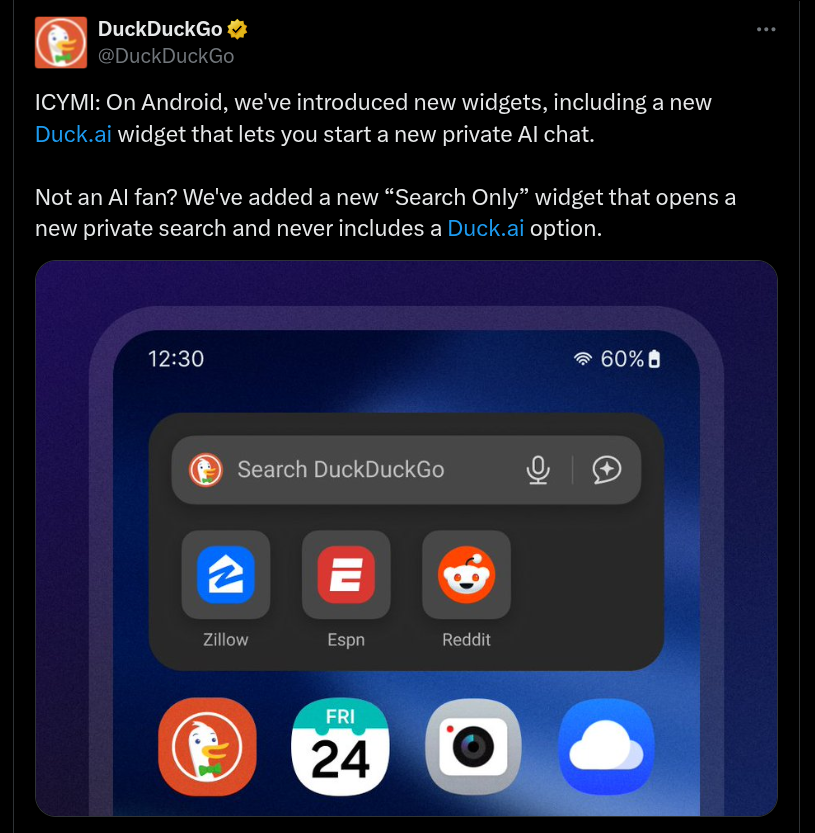
As mentioned, on Android smartphones, users can now access new DuckDuckGo widgets, and this notably includes the new ‘Duck.ai’ widget that will allow users to start a new private AI chat easily. Also, if you are not an AI fan, the brand has added a new ‘Search Only’ widget too, and it will offer users a new private search without a ‘Duck.ai’ option. Speaking more, the ‘Search & Favorites’ widget also has a Duck.ai shortcut, and users can find it if the AI option is enabled on DuckDuckGo. Moreover, if enabled, all these new widgets will also be compatible with Private Voice Search too.
There are a few more new updates that have been brought on DuckDuckGo for Android. With the Search and Duck.ai toggle option that has been given on the new tab page, Android users can seamlessly switch between Search and Duck.ai. If not interested, this can be turned off in Settings > AI features. An ‘Ask Duck.ai’ suggestion has also been added at the end of the autocomplete options, for users who have turned on the AI functionality.
Special Dax logos for a few search terms, Duck.ai chat data clearing option, import passwords from the Google Password Manager, and the bottom address bar capability are also other new updates that have been brought on the DuckDuckGo Android version.
Stay tuned for more updates.
