

Anthropic’s Claude can now use your computer to finish tasks; Capability available for Claude Pro and Claude Max subscribers

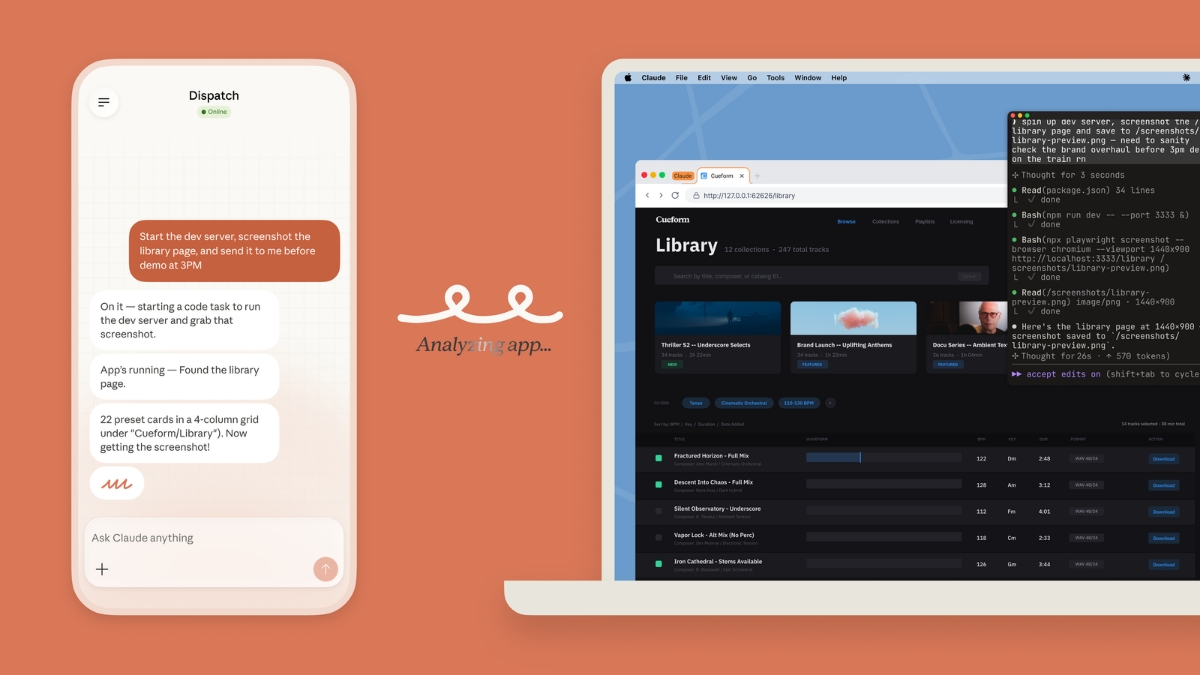
Anthropic has today revealed that in Claude Cowork and Claude Code, you can now enable Claude to use your computer to complete tasks.
You can now enable Claude to use your computer to complete tasks.
It opens your apps, navigates your browser, fills in spreadsheets—anything you'd do sitting at your desk.
Research preview in Claude Cowork and Claude Code, macOS only. pic.twitter.com/sVymgmtEMI
— Claude (@claudeai) March 23, 2026
Enable Claude to use your computer to complete tasks
Claude will reach for the most precise tool first, starting with connectors to services like Slack or Google Calendar. When there isn’t a connector, Claude can directly control your browser, mouse, keyboard, and screen to complete tasks. It will scroll, click to open, and explore as needed, always asking for your explicit permission first.
Users will not have to worry about safety, as when Claude uses your computer, its system will automatically scan activations within the model to detect for such activity. You can also stop Claude at any point, and Claude will always request permission before accessing new applications.
Computer use is still early compared to Claude’s ability to code or interact with text, so it is warned that Claude can still make mistakes. It is advised to start with the app you trust and not work with sensitive data. While some apps are off-limits by default for this reason.
Recently, Claude released a new Dispatch feature that lets users have continuous conversations with Claude from their phone or their desktop. With Dispatch, you can tell Claude to automatically check your emails every morning, pull some metrics every week, or spin up a Claude Cowork or Claude Code session for a report or a pull request.
Claude can use your computer on your behalf while you’re away. Complex tasks sometimes need a second try, and working through your screen is slower than using a direct integration.
Availability
Claude’s computer use capability in Claude Cowork and Claude Code research preview. It is available now for Claude Pro and Claude Max subscribers. For now, computer use is supported on macOS only.
You will need to make sure your desktop app is awake and running. From there, you can pair it with the mobile app and try handing off a task from your phone.
