

Battlefield 6 Open Beta on PC Requires Secure Boot to be Turned On: Here’s How to Use Secure Boot on PC


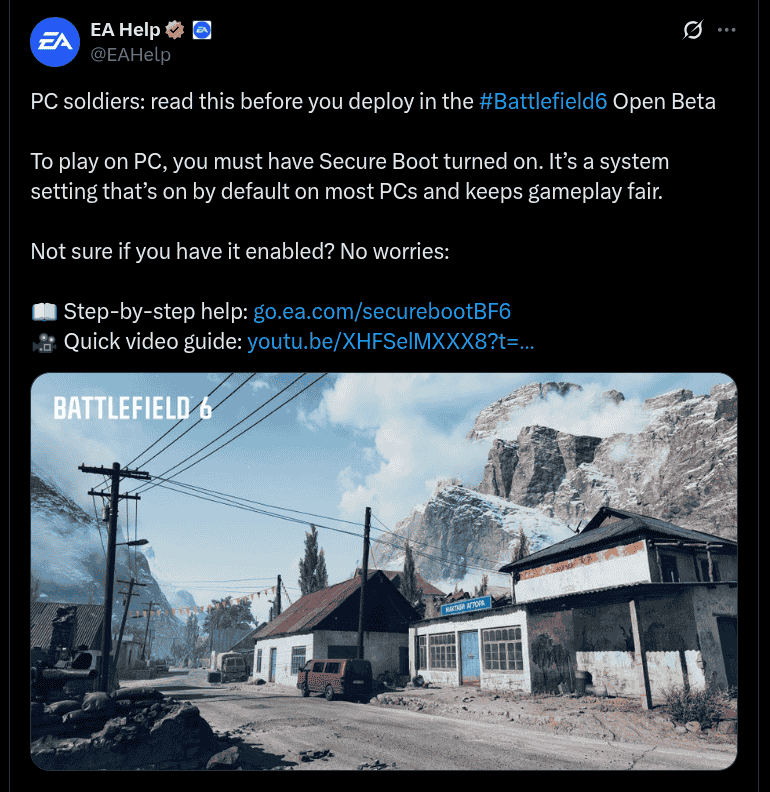
Electronics Arts (EA) has already confirmed that it will be releasing its much awaited Battlefield 6 first-person shooter game on the 10th of October 2025 and ahead of it, three beta windows will also be opened between 7th ~ 8th August 2025, 9th ~ 10th August 2025, and between 14th ~ 17th August 2025. Ahead of this, EA Help via its official X handle has revealed that users will need to have Secure Boot turned on before deploying the Battlefield 6 Open Beta on their PC.
This article will be taking you through how Secure Boot can be used on a PC device.
How to Use Secure Boot on PC
Secure Boot is a Windows 10/11 security feature that is turned on by default in most PCs, and certain EA games require it for a smooth gameplay experience and also to remove bad actors. To check whether Secure Boot is turned on, open the ‘Run Window’ (click Windows Key + R), type in ‘msinfo32’, and tap on Enter/OK. Select ‘System Summary’ on ‘System Information’, and check whether the BIOS Mode value is ‘UEFI’ and Secure Boot State value is ‘On’.
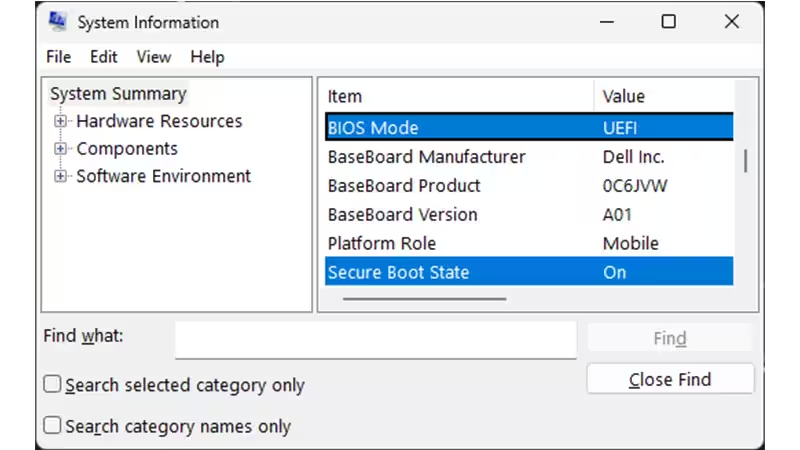
If the Secure Boot State is turned off, BIOS Mode will have to be checked. Also, if the Secure Boot State is shown as ‘Unsupported’, specifications of the device will have to be checked to see whether or not Secure Boot State is supported. If the BIOS Mode is listed as ‘UEFI’, users can turn on Secure Boot State without any difficulties, however if it is mentioned as ‘Legacy’, users will have to check whether their Windows disk is ‘MBR’ or ‘GPT’. To note, the Secure Boot requirement includes the TPM 2.0 to be turned on, and that the Windows disk is ‘GPT’ (not ‘MBR’).
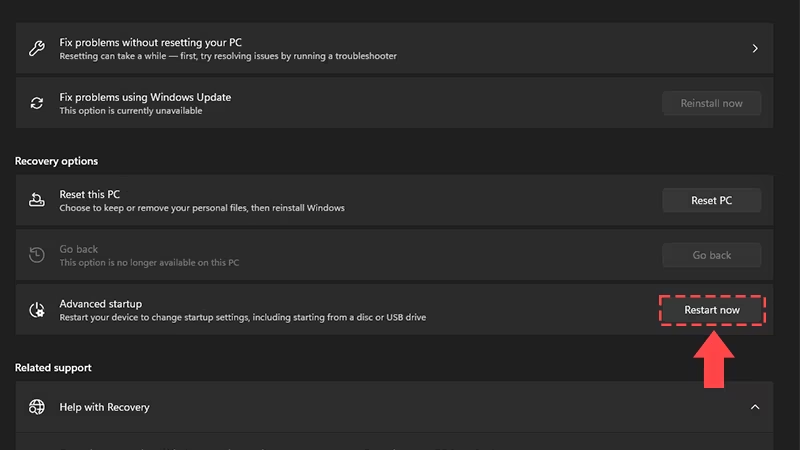
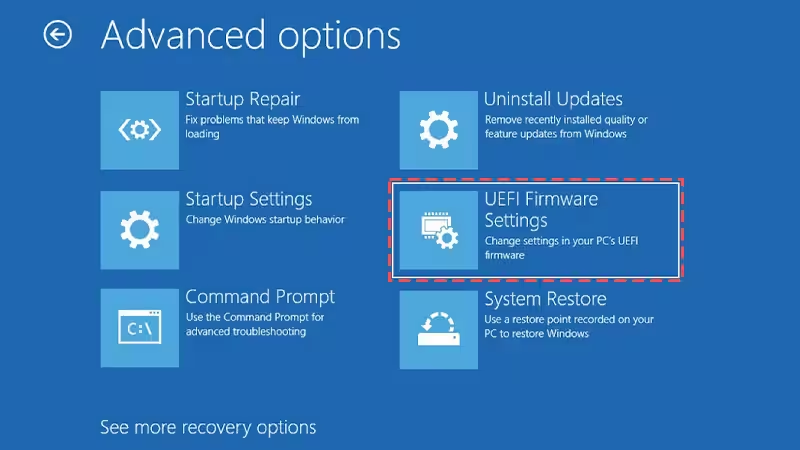
To turn on Secure Boot, search for ‘Change Advanced Startup Options’ by clicking on the Windows Key, and on ‘Advanced startup’ select ‘Restart now’. Once the PC is restarted to Advanced startup, select ‘Advanced options’ and then tap on ‘UEFI Firmware Settings’. After this, users will find themselves in the BIOS. Navigate to the ‘Boot tab’, or search for it by clicking on the F9 button. If users find it disabled, simply enable it.
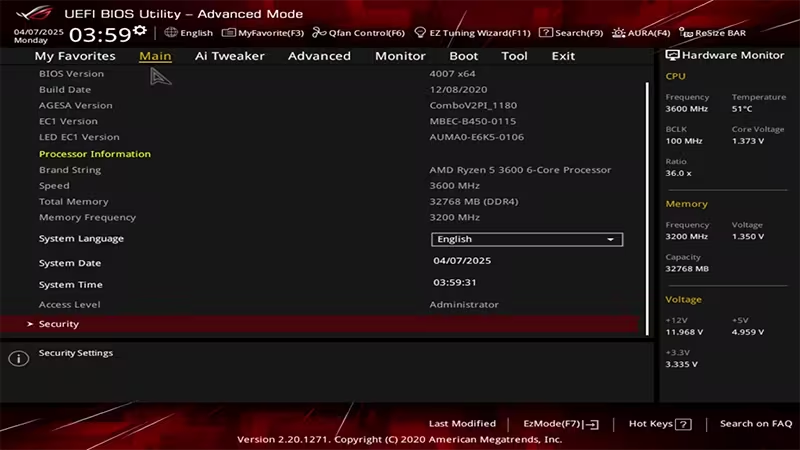
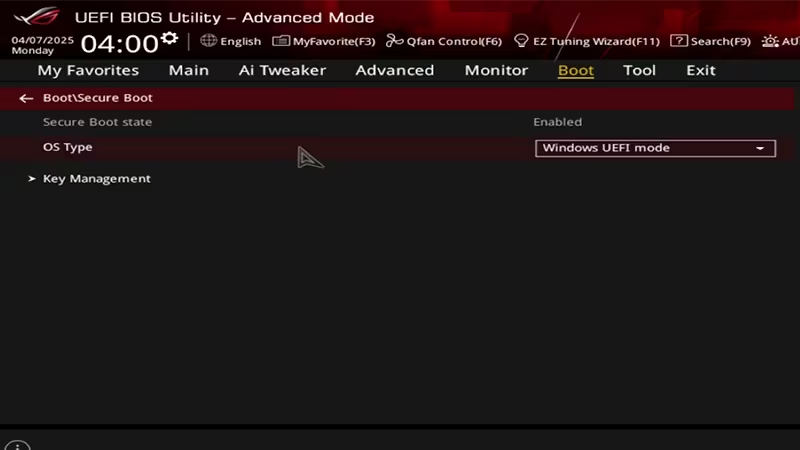
With the Secure Boot turned on and enabled on the PC device, users will easily be able to play Battlefield 6 Open Beta when it becomes available to them.
